Repair, Replacement of Spare Parts Section 7
7-46 Abbott VP 2000™ Processor Service Manual
30-608308/R1—September 2008
Robotic Arm Assembly
Prior to disassembly, move the Robotic Arm to Basin 1 and lit
in the up position.
WARNI NG: Always disconnect the system power at the
plug to the wall socket before beginning disassembly of
the unit.
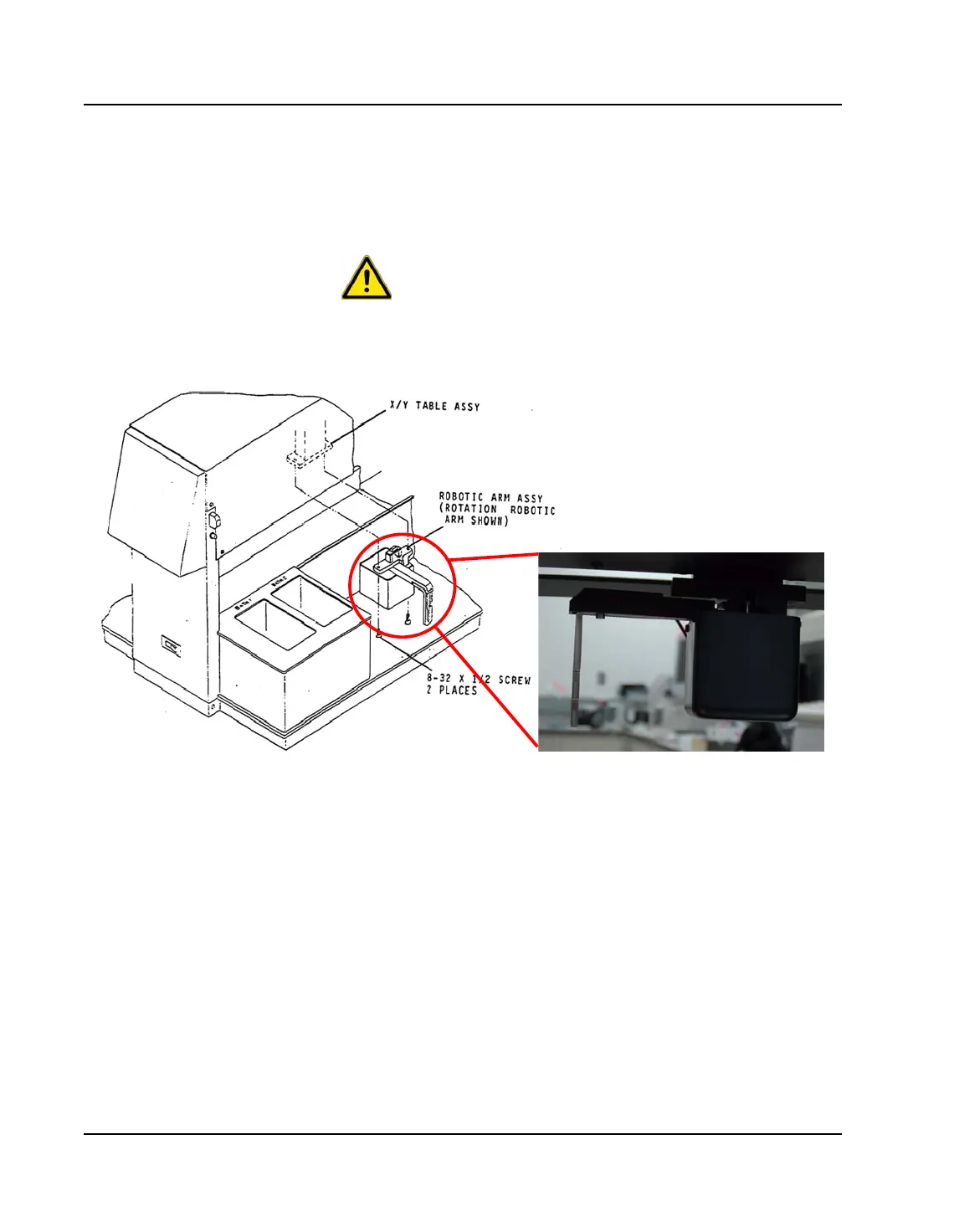
Figure 7.20: Robotic Arm Assembly
Removal
1. Remove the Hoods by gently squeezing inward on the two
(2) metal arms that connect the Hoods to the unit.
2. Remove the two (2) 8-32 x 1/2 Phillips-Head screws that
secure the Robotic Arm to the X/Y Table Assembly.
Support the arm assembly to prevent it from dropping as
the screws are removed. Grasp the body of the Robotic
Arm and pull gently but firmly downward to disengage
the connector interface.



 To Next Page