Installation Section 4
4-20 Abbott VP 2000™ Proceessor Service Manual
30-608308/R1—September 2008
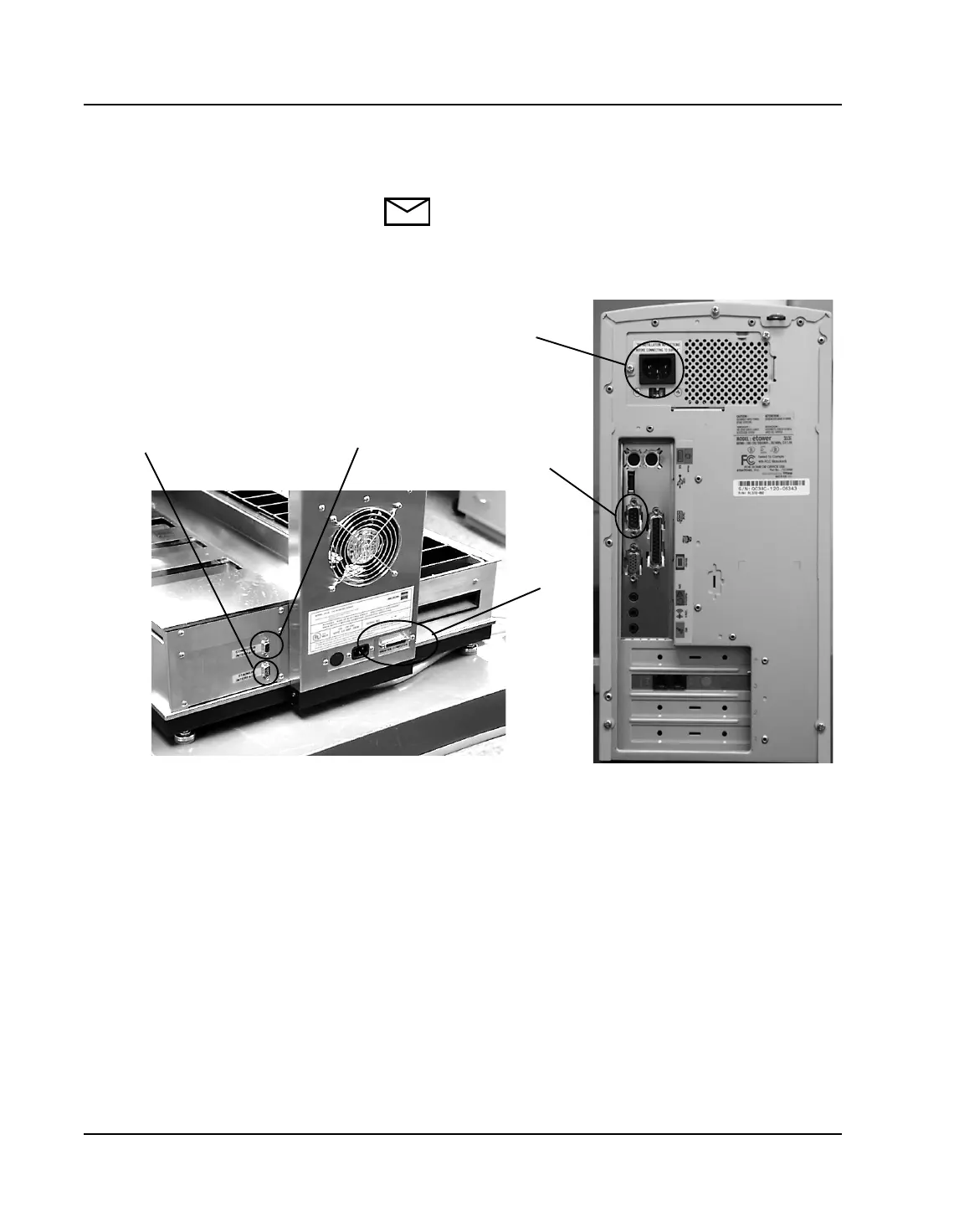
PC Setup
NOTE: The PC may differ slightly from the model
shown in the illustration below.
Figure 4.1: PC Hook Up
1. Verify the PC Power matches input voltages at the
laboratory. Ensure the Red Power Switch is set to correct
voltage requirement. If necessary, switch to correct voltage
by moving switch to correct setting (115 VAC or 220
VAC).
2. Make sure the Abbott VP 2000 Processor is powered OFF.
3. Remove the monitor from its box and assemble the
pedestal as per the instruments enclosed with the device.
4. Place the monitor at the desired location by following the
guidelines as described previously.
A
B
E
C
D



 To Next Page