6
44
6 - Controllers
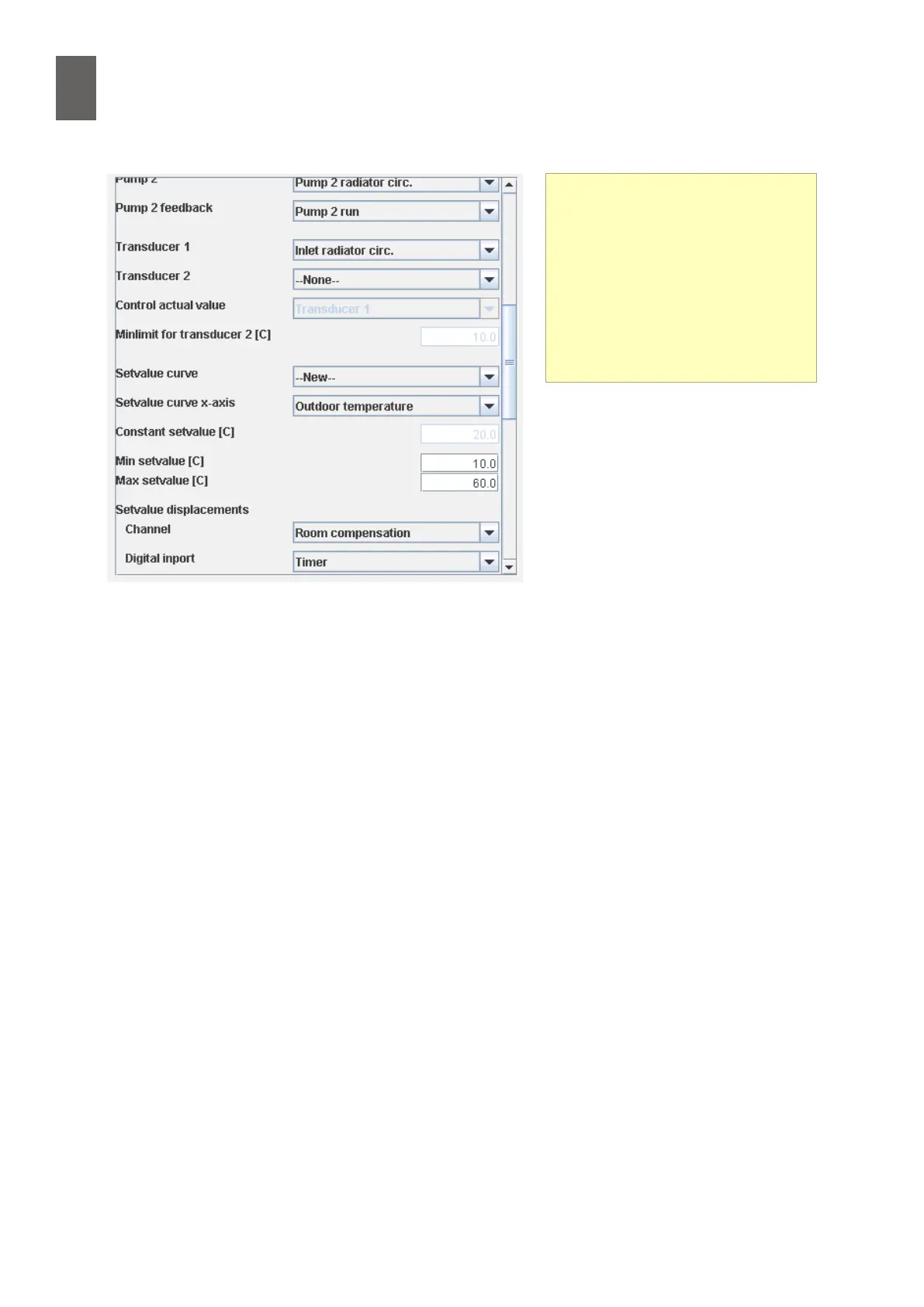
Select the controller curve. If there
is no suitable curve, select New. The
controller tool will generate a stand-
ard curve – you will probably need to
edit this later. Turn to section 8 to nd
out more about curves.
Select the sensor that will provide the
input signal for the curve. This is usu-
ally the outdoor temperature.
Specify the minimum and maximum set values. In theory, a compensated controller can receive
unrealistic set values Specify plausible values, e.g. 10 ºC and 60 ºC.
Specify whether to use a channel for set value displacement. In this example we are not using a
channel for set value displacement. Find out more about set value displacement in section 6.3.
Specify whether to use a digital input for set value displacement. In this example we will use an
external timer for set value displacement.
Specify the digital displacement and the night displacement. In this example, the digital displace-
ment (timer) is 5 K and the night displacement is –7 K.
Specify the P-area and the I-time. 50 K and 180 s are good starting points in a controller for radiator
circuits. (You can adjust the settings later.)
Set value displacement
There are two types of set value
displacement: simple digital
displacement, in which the size of
the displacement is specied in
the controller tool; and a displace-
ment channel for more advance
displacements. Examples include
room compensation.


 To Next Page