Note
Ask the network administrator responsible
whether the DHCP can be selected or the IP
address and additional settings have to be done
manually.
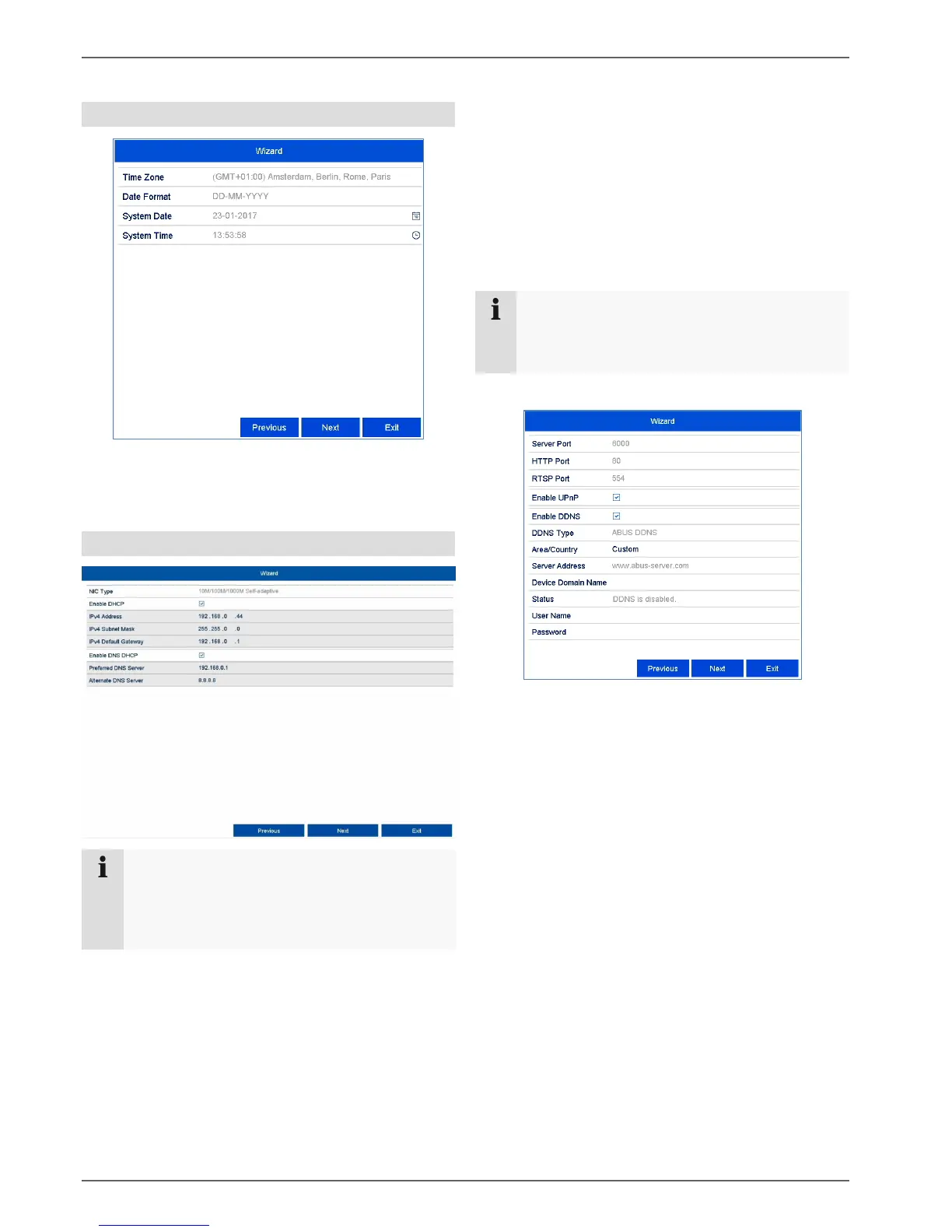
DHCP active: if the DHCP has been set up in
the network router, enable the DHCP “checkbox”.
All network settings are then completed
automatically.
DHCP inactive: enter the data manually
(IPv4 address, IPv4 subnet mask as well as the
default set up for the IPv4 Gateway = IPv4
address of the router, DNS server). A typical
address assignment could appear as follows:
IPv4 address: 192.168.0.50
IPv4 subnet mask: 255.255.255.0
IPv4 default gateway: 192.168.0.1
Preferred DNS server: 192.168.0.1
Adjust the network ports here.
To set up remote access through the internet,
activate DDNS using the “checkbox”.
Click on the input field and select the DDNS type.
When using public DDNS providers, save the
server address and the Device Domain Name,
user name and password.
When using the ABUS server as the DDNS
provider, no extra parameters are necessary.
Click on Next.



 To Next Page