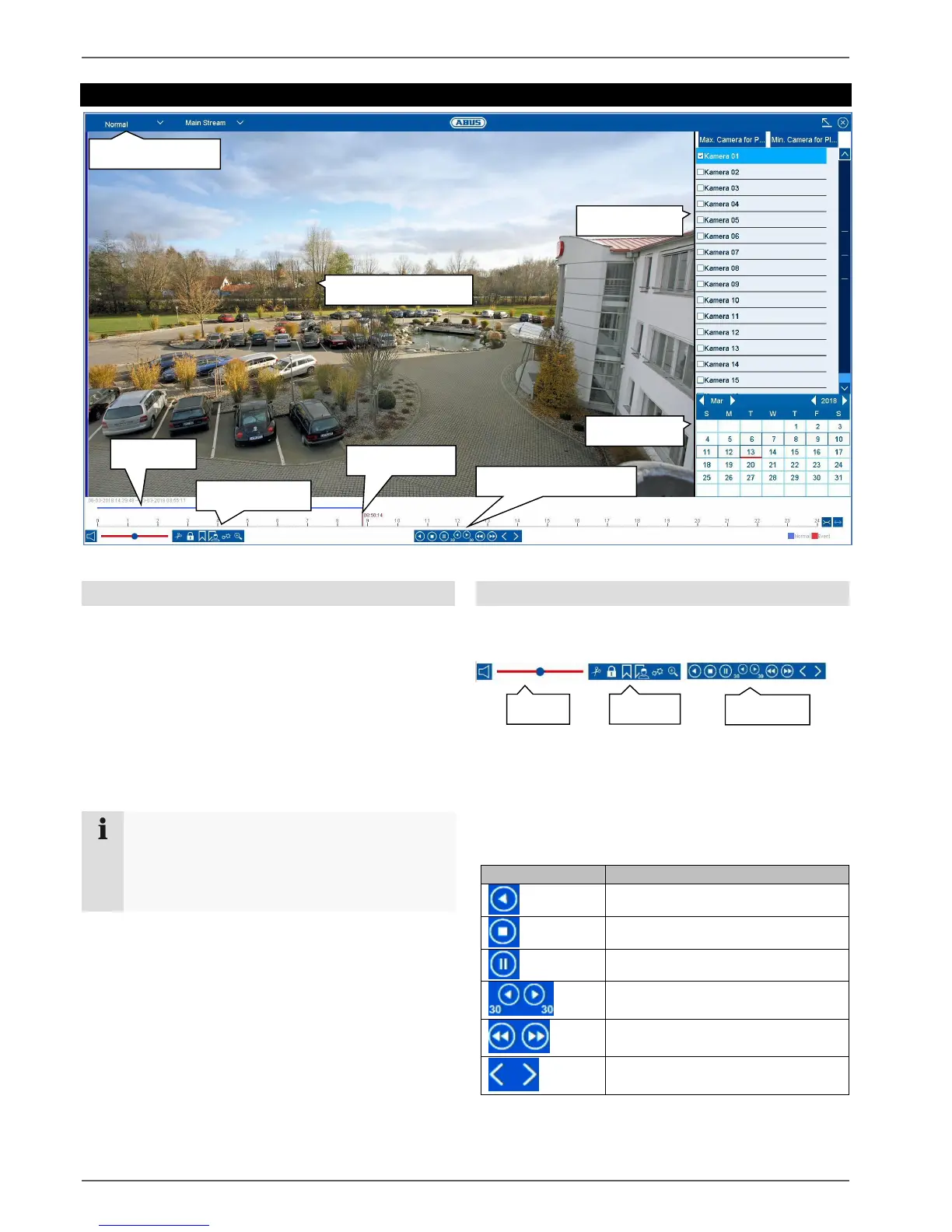
Playback view
20
Playback view
General information on playback
There are three different options for playback:
Playback icon in the title bar
Context menu in the live image
Playback function in the overview menu
Playback allows recorded video data from cameras on
the recorder to be played. The data is played in the
quality at which it was recorded as configured in the
camera settings.
Note
Adjust the quality settings of the camera
accordingly in the menu under “Settings
Recording Parameters”. Generally the "main
stream" of the camera on the recorder is recorded.
The playback view is divided into several functional areas
(playback type) in order to enable a targeted data
analysis (e.g.: event playback, VCA analysis, multi-
timeshift, etc...). Depending on the selected “Playback
Type”, various operational elements are available in the
playback view.
Using the action bar
The action bar is used to control running playback.
The symbols are split into the following categories:
Playback control
The Playback Control is the core element of playback.
The basic functions for the playback of recorded data are
available here.
Go back 30 seconds
Go forward 30 seconds
Go forward in slow-motion (8x 1x)
Fast forward (1x 8x)



 To Next Page