Maintenance
63
HDD Detect
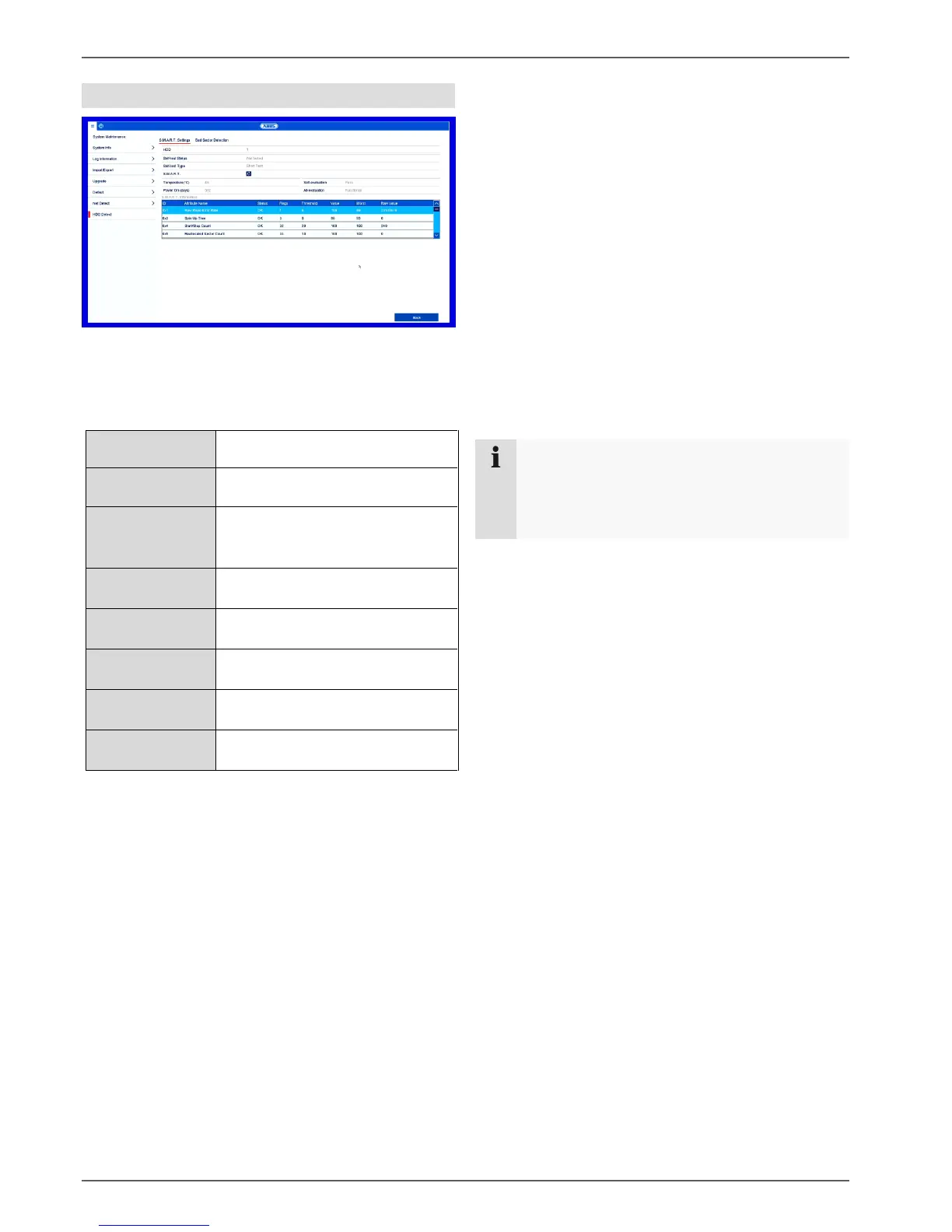
Click on the "S.M.A.R.T settings" submenu.
This submenu gives you the option to check the hard disk
drive for errors.
Selection of the hard disk drive to
be processed
Shows the status of the current
self-test
Select the self test type.
Short Test/Expanded Test/
Conveyance Test
Click on the icon to start the self-
test
Shows the hard disk drive
temperature
Operation duration
(days)
Shows the operating days of the
hard disk drive
Shows the status of the self-
evaluation
Shows the status of the evaluation
Confirm the settings by clicking on Apply and exit the
menu by clicking on OK.
Checking the hard disk drive status
You can check the status of each hard disk drive in
the “System Maintenance” menu. The S.M.A.R.T (Self-
Monitoring, Analysis and Reporting Technology)
information is stored in the log data.
Open the log file and search by information/S.M.A.R.T.
Hard disk drive. Setting up the hard disk drive alarms
You can specify which alarms will inform you of hard
disk drive errors.
To do this, open “Exception” in the “Settings” menu.
Note
If the S.M.A.R.T test fails, you can also use the
hard disk drive by selecting the checkbox.
It cannot be guaranteed that the function will run
without errors.



 To Next Page