Compatibility
7
Compatibility
General
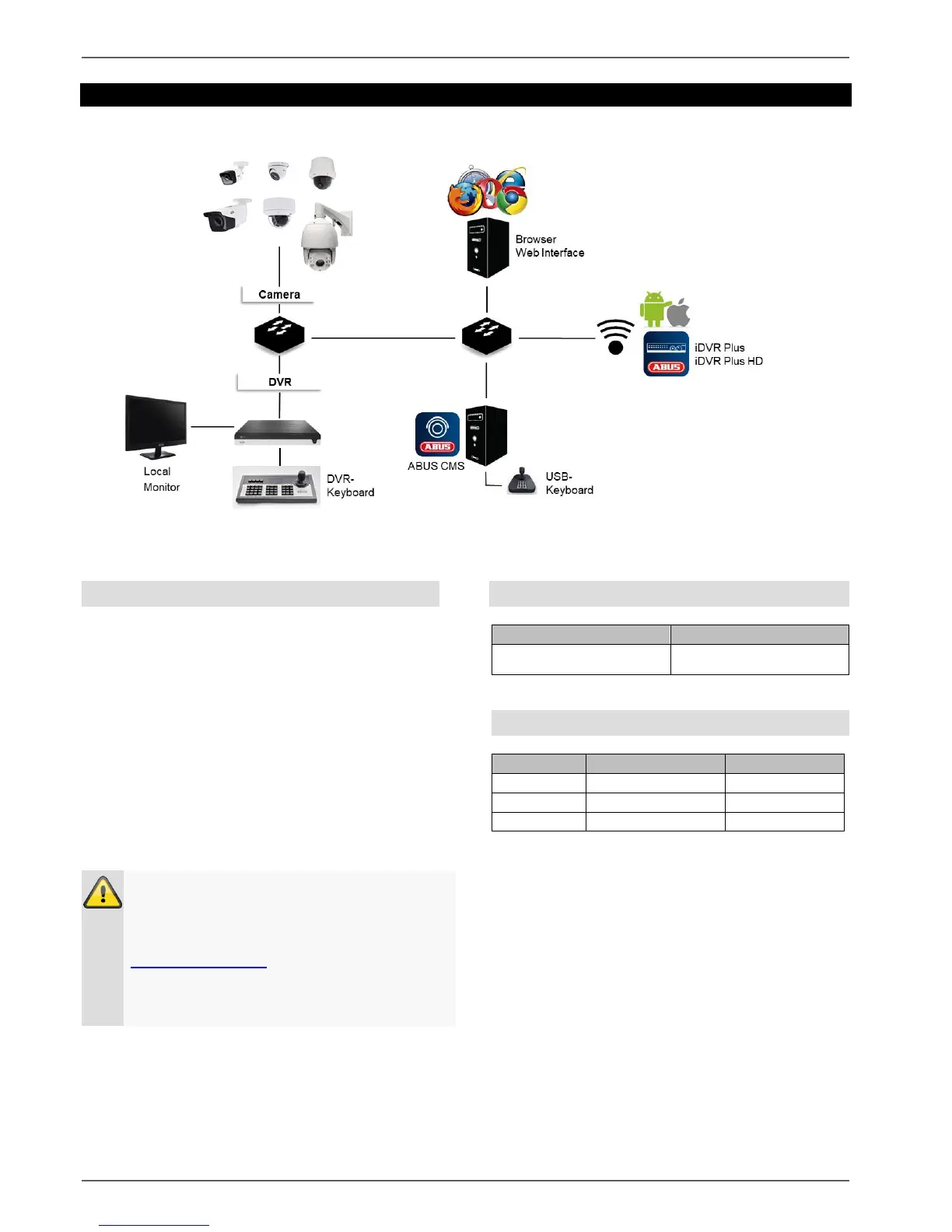
This manual describes the use of the ABUS embedded
recorder via the integrated web server. Information on
compatible cameras and other components can be
found either in the basic manual (local interface) or on
the ABUS website.
When you first try to access the server on your
browser (on Windows), you will be prompted to install
a plug-in in order to use the web server. You will need
administrator rights on your PC to do this. Access to
the live images and recordings is only possible with the
plug-in installed.
Compatible recorders
Due to strict guidelines, the following browsers do not
support the plug-in and are therefore not compatible:
Chrome (Google)
Edge (Microsoft)
Note
If you access the recorder web server using
Safari on MacOS, you will need to obtain the
required plug-in from the ABUS homepage
(http://www.abus.com). Search for the recorder
item number on the homepage and download
the plug-in from the item card in the "Downloads"
area.



 To Next Page