Setting: Recording
46
Setting: Recording
General information on recording
In the Recordings menu, establish the basic settings for
the recording of the camera stream.
Along with the individual weekday settings, the camera’s
resolution settings, which are crucial in determining the
quality of the recorded image materials, can be set in the
“Parameter” submenu.
Schedule
There are two types of configuration and data recording
available:
Programming the video stream
recording from connected
cameras. Continuous data
streams are saved on the
recorder.
Recording/instant image tab
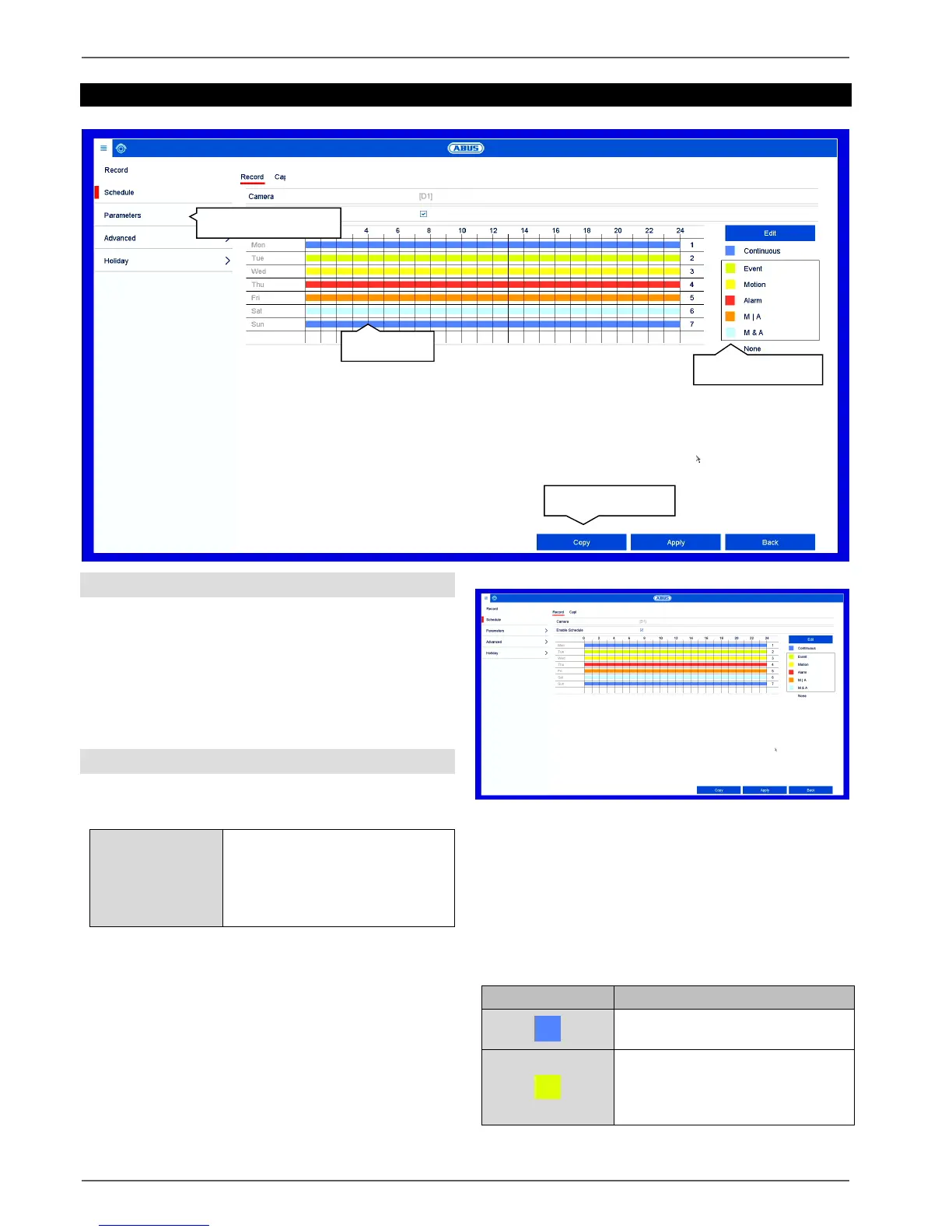
The schedule is used to specify the recording times and
triggers (recording type) for the cameras.
In the schedule, the hours for each day are listed from
left to right, and the days are listed from top to bottom.
On the right of the display, the colour key can be seen
meaning that in the time schedule set up, the recording
periods are displayed in the schedule in a different colour
depending on the ‘trigger’ (recording type) in question.
Continuous recording:
uninterrupted recording
Event: a recording is made
whenever any type of event
(motion, alarm input or VCA)
occurs.



 To Next Page