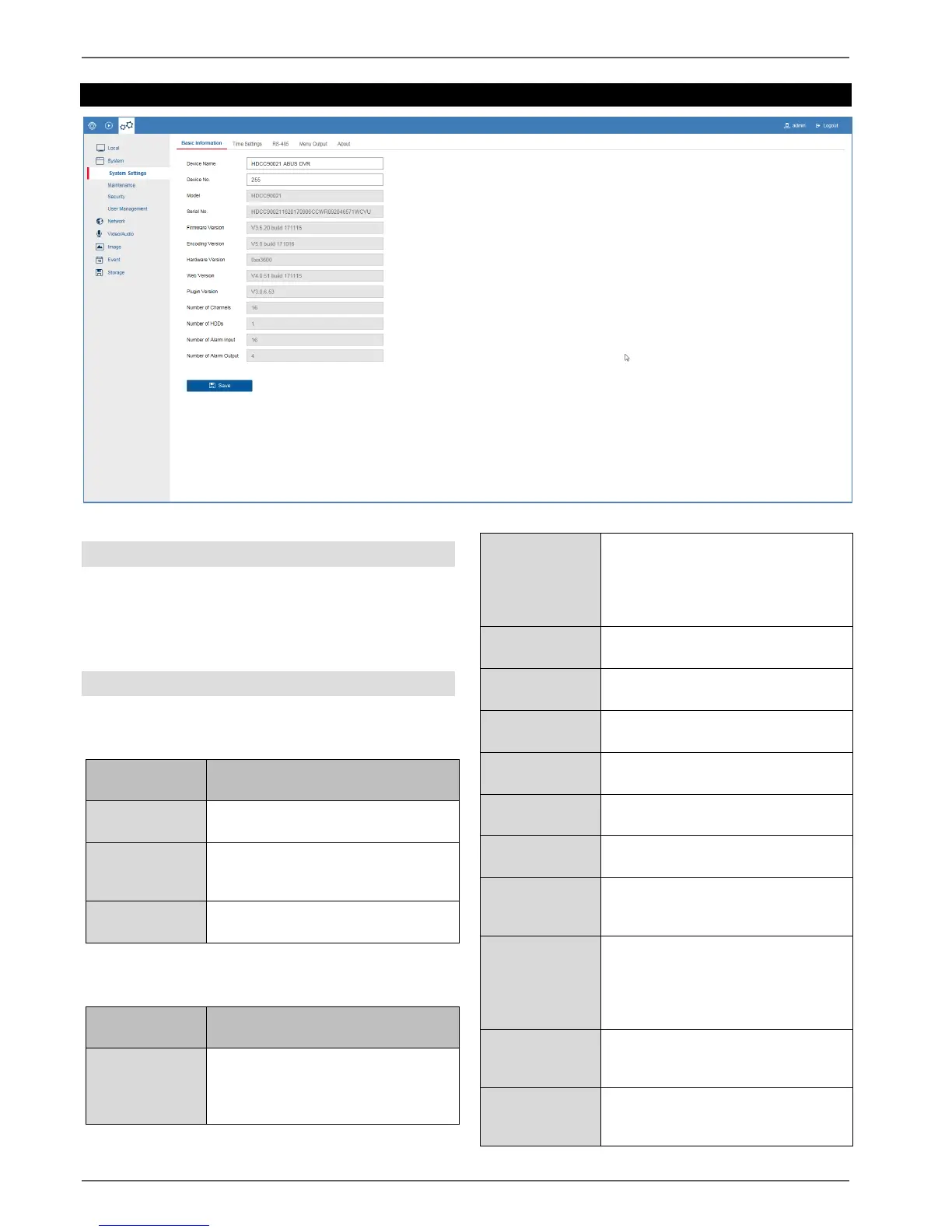
Setting: System
23
Setting: System
General information on system
General system information can be displayed in this
menu, and firmware updates can be carried out.
The system management also contains the camera and
user management.
System settings
Basic information
Change the device name here.
Change the device ID here.
This ID is used for control via the
TVAC26000 keypad.
Display the model IDs and firmware
versions.
Select the time zone in which the
recorder is installed here. The time is
changed by the GMT zone based on
your selection.
Time synchronisation via the network
using the NTP server.
Important: The NTP time does not
recognise time zones, so the time
zone must be adjusted every time.
URL/host name of the NTP server
Service port of the NTP server
Update interval for time
synchronisation.
Manual time
synchronisation
Current time set on the recorder
Enter the desired time manually here.
Synchronisation
with computer
time
Synchronise the time with your
PC time (set time of the operation
system).
Activate DST (Daylight Saving
Time). DST is required for
programming the summer/winter
time setting. The setting is the same
for all regions within Europe.
Enter the start time.
Europe: last Sunday of March at
02:00
Enter the end time.
Europe: last Sunday of October at
03:00



 To Next Page