III-8
◯
4
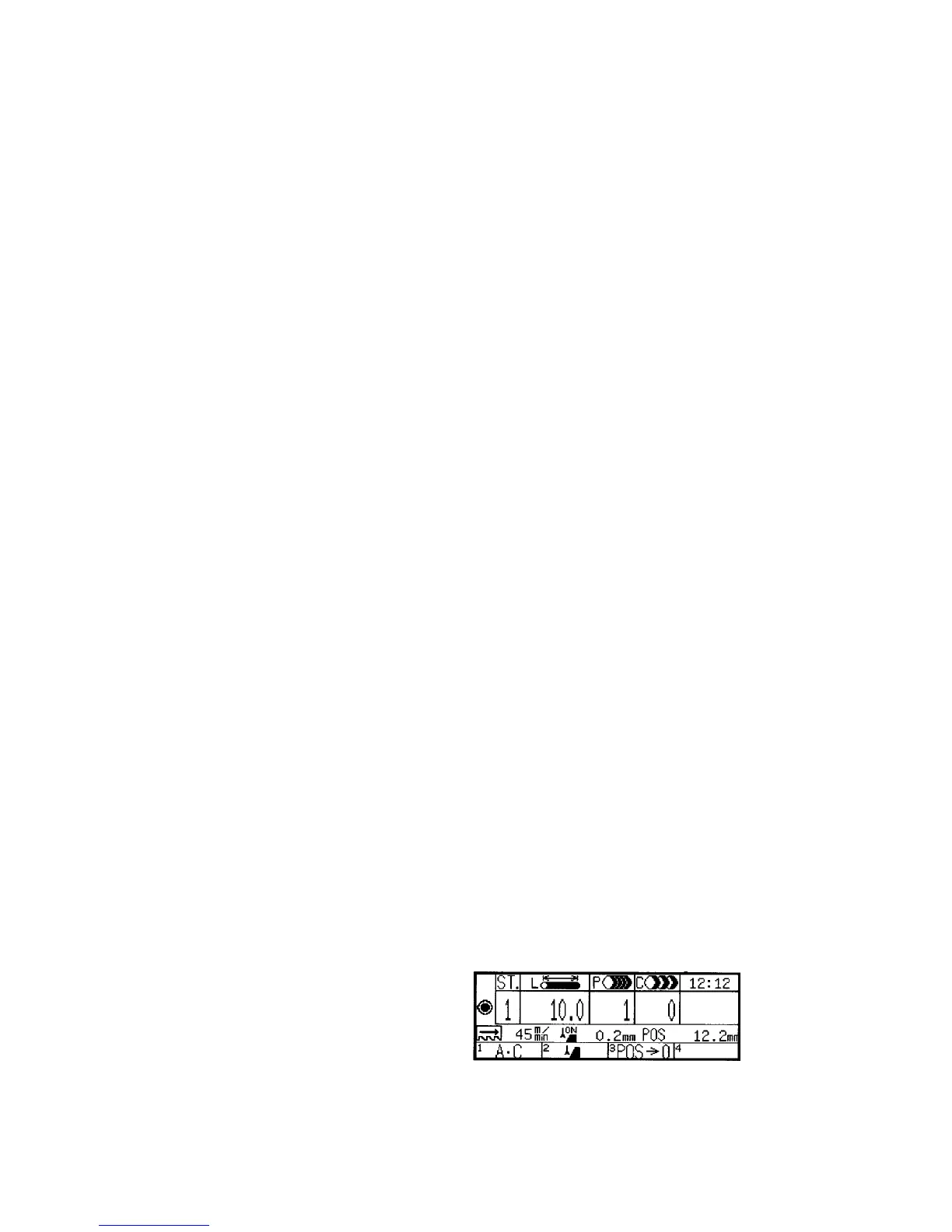
P field
Indicates the number of pieces to be cut in the AUTO mode. The setup
range is 1 to 9999 pieces.
◯
5
C field
Automatically counts and indicates the number of pieces already cut in
the AUTO mode. The display range is 0 to 9999 pieces.
◯
6
Current time field
Indicates the current time. The display range is 00:00 to 23:59.
◯
7
Anticipated cutting end time field
Indicates the time at which the cutting operation for the station displayed
in the ST. field during automatic operation is anticipated to end. The
anticipated cutting end time is calculated from the measured cutting time
of the first piece cut for the station displayed, and is thus not displayed
until the first piece is cut. When the cutting conditions are changed
during the cutting operation, the anticipated cutting end time displayed
after the cutting of the first piece may not agree with the actual cutting
end time.
◯
8
Blade speed field
Indicates the running speed of the saw blade in m/min or fpm.
◯
9
Blade runout field
Indicates whether the runout detection function is set enabled (ON) or
disabled (OFF) and the current runout of the saw blade. The ON or
OFF indication in this field corresponds to the setting made on the
runout setup display.
◯
10
POS field
Indicates the current position of the rear vise in mm or inches. In the
MANUAL mode, press the function key F3 (POS¤0) to reset the
position of the rear vise to zero. The sign “–” or “+” is indicated when
the rear vise moves forward or backward from the position. In the
AUTO mode, the distance from the forward limit of the rear vise is
always indicated.
◯
11
Function label fields
Indicate the function labels corresponding to the function keys F1 to F4,
respectively, and cycle through the following three menus each time the
MENU key is pressed.
Menu 1
(All clear) (Runout)



 To Next Page