III-22
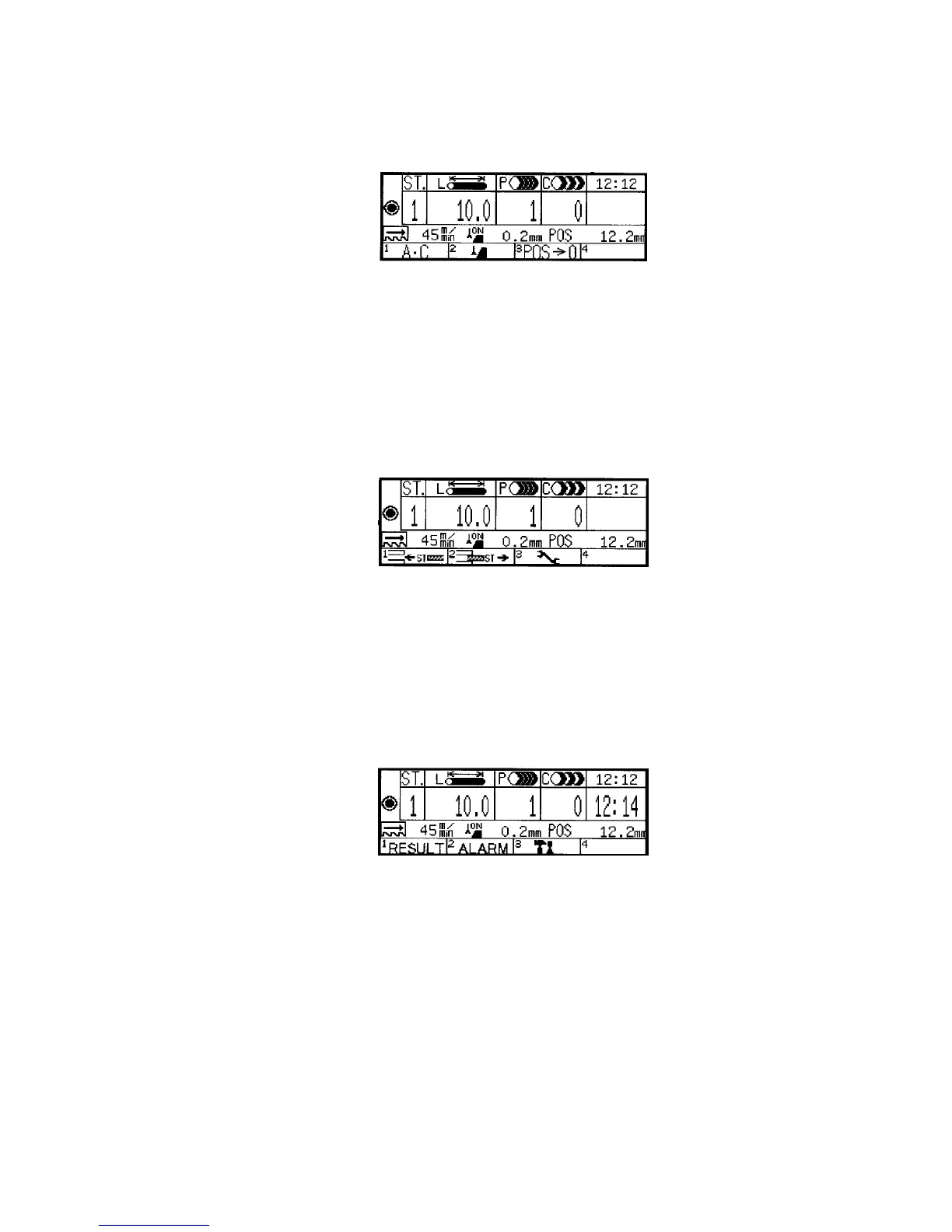
Functions of function keys
[Menu 1]
F1 (A•C) key: Pressed to open the all station delete confirmation display.
Press the key to delete the cutting data of all stations registered.
F2 (runout) key: Pressed to open the runout setup display. Press the
key to set the runout tolerances of the saw blade.
F3 (POS¤0) key: Pressed to reset the POS field to zero. Press the
key to reset the current position of the rear vise.
[Menu 2]
F1 (ST interrupt) key: Pressed to set interrupt cutting data by the
interrupt station function. Press the key to perform interrupt cutting.
F2 (ST delete) key: Pressed to open the station delete confirmation
display. Press the key to delete all cutting data of a station.
F3 (set) key: Pressed to open the setup display.
[Menu 3]
F1 (RESULT) key: Pressed to open the result display.
F2 (ALARM) key: Pressed to open the ALARM HISTORY display.
F3 (maintenance) key: Pressed to open the PASSWORD display to
open the maintenance display. The maintenance display has the
password set for use by AMADA.



 To Next Page