8-8
P129390-106 Operator Manual Routine Maintenance
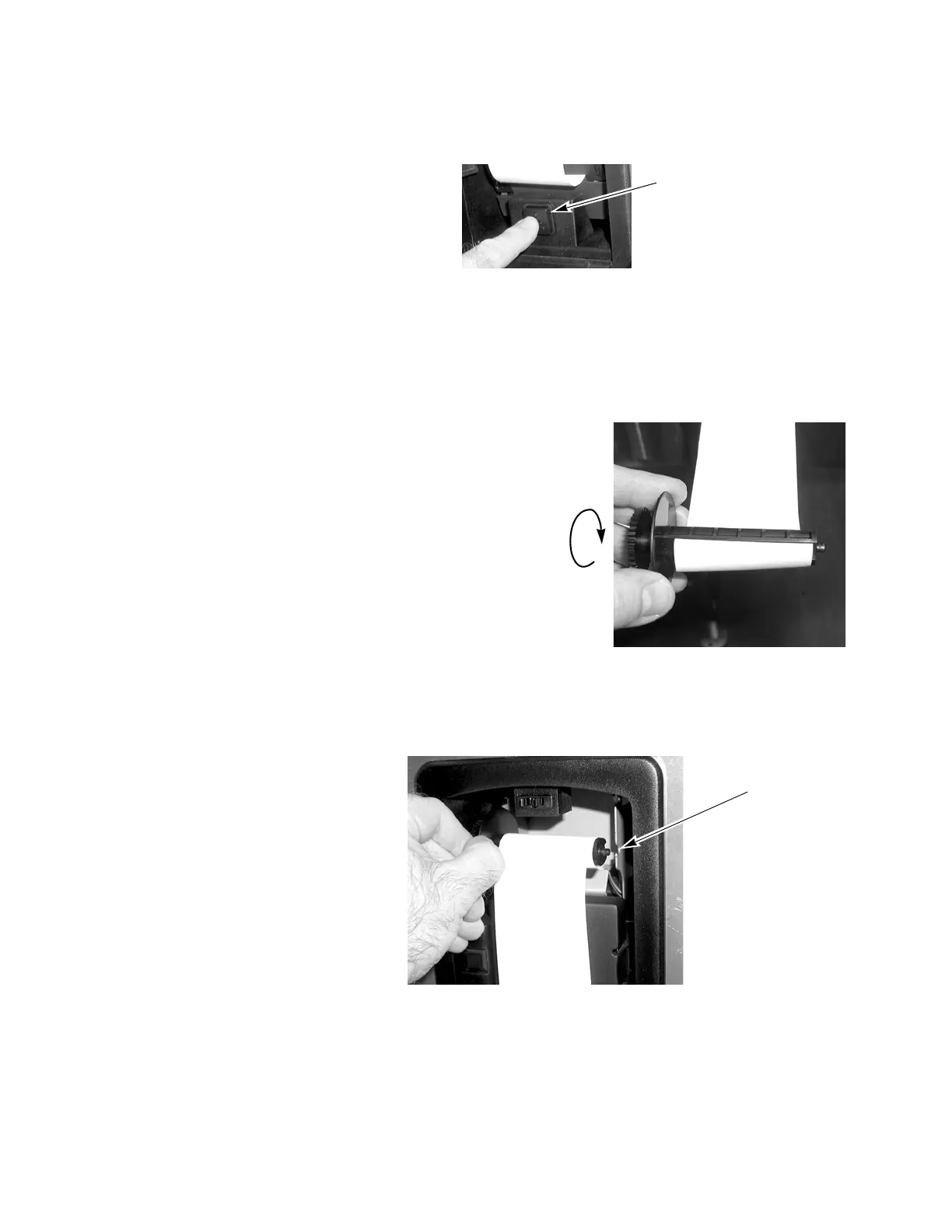
8. Press paper feed button on printer until paper advances through
printer mechanism and ink cartridge, exiting through front.
9. Continue pressing paper feed button (or pull paper gently) until
about 46cm (18”) of paper hangs out of printer. Insert end of
paper into slot of take-up spool.
10. Coil paper around take-up spool until secure.
11. Reinstall take-up spool in bracket. Manually roll up slack
paper.
12. Close printer door.
Figure 8-6. Press Paper Freed Button to Advance Paper
Figure 8-7. Coil Paper onto Take-Up Spool
Figure 8-8. Reinstall Take-Up Spool
Advance Paper by
Pressing Paper Feed
Button
Rotate Take-Up Spool in
Direction Shown To Coil
Paper Securely
Insert Take Up Spool in
Bracket






 To Next Page