5-7
Component Identification Operator Manual P129390-106
The Amsco
®
Evolution™ sterilizer control can be programmed to
retain values for up to 12 separate cycles. The four cycles shown on
the cycle select screen are the factory default cycles. Up to eight
additional cycles can be programmed and displayed. It is the
responsibility of the healthcare facility to validate any modification to
cycles. Reference EN 285:2006, sterilization – Steam sterilizers,
Large Steam sterilizers, and EN ISO 17665-1:2006, sterilization of
Healthcare Products – Moist Heat Part 1: Requirements for a guide
to validating sterilization cycles and to ensure that proper sterility
assurance level (SAL), as well as moisture acceptance criteria are
met.
Bowie-Dick, Bowie-Dick warm up and Leak Test cycle parameters
are fixed; the buttons for these cycles do not display values for
exposure temperature, exposure time or drying time.
5.6.1 Change Values Control
Screens
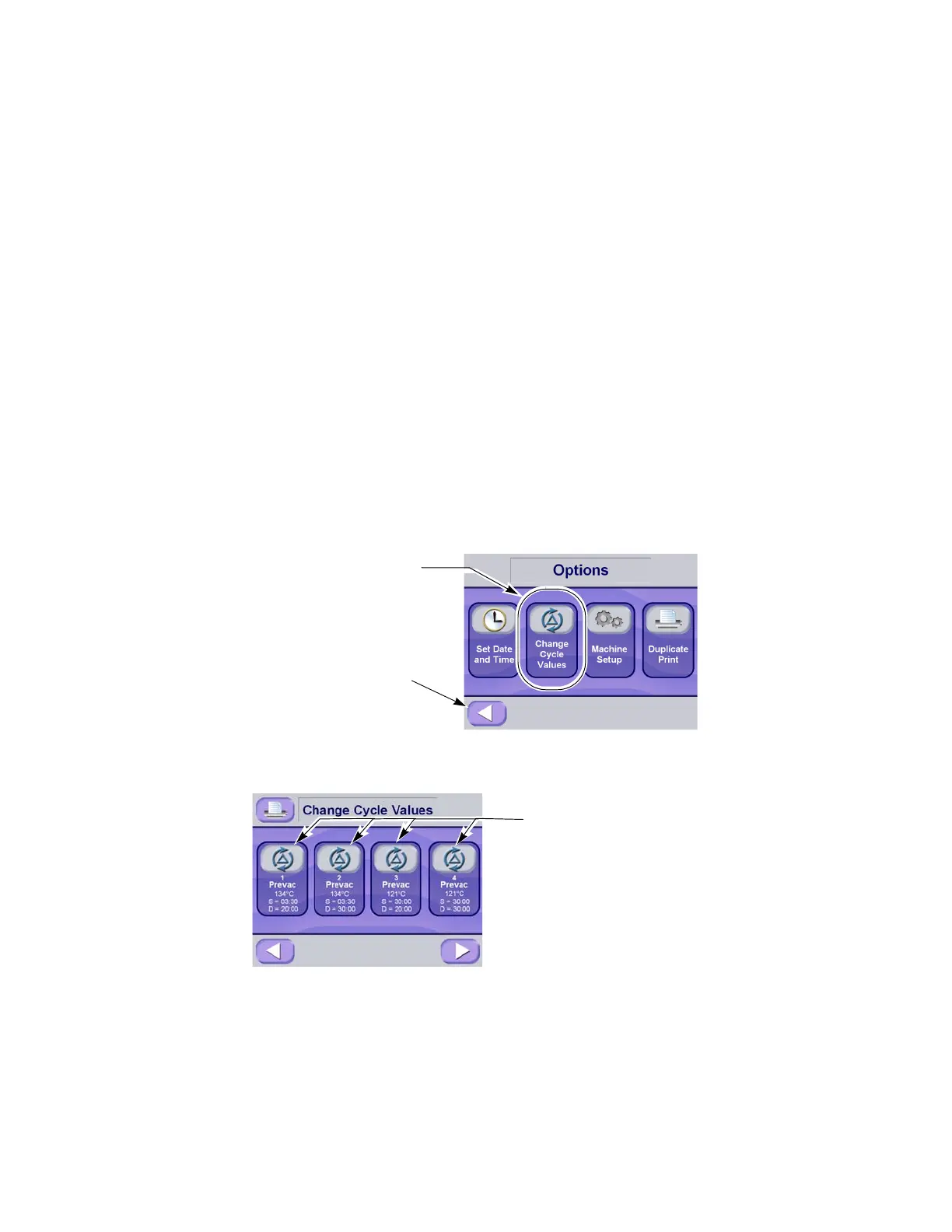
The values buttons are accessed through the cycle select screen by
pressing the options button (refer to Figure 5-9). These pads are
used for changing the operating values used in cycles, changing the
cycles displayed on the cycle selection menus and for changing the
operating settings of the sterilizer. Instructions for changing sterilizer
cycle parameters are in S
ECTION 7, CYCLE AND CONTROL VALUE
PROGRAMMING of this manual.
Figure 5-9. Options Screen
Figure 5-10. Change Cycle Values – Main Screen
Press Return Button to Return
to Select Cycle Screen
Press This Button To Access
Change Values Function
Press Individual Cycle Buttons
to Change Values for the Cycle.
Refer to SECTION 7.3. CHANGE
C
YCLE VALUES, PAGE 7-4 for more
information






 To Next Page