7-21
Cycle and Control Value Programming Operator Manual P129390-106
7.5.3 Utility Control with
Integral Electric Steam
Generator
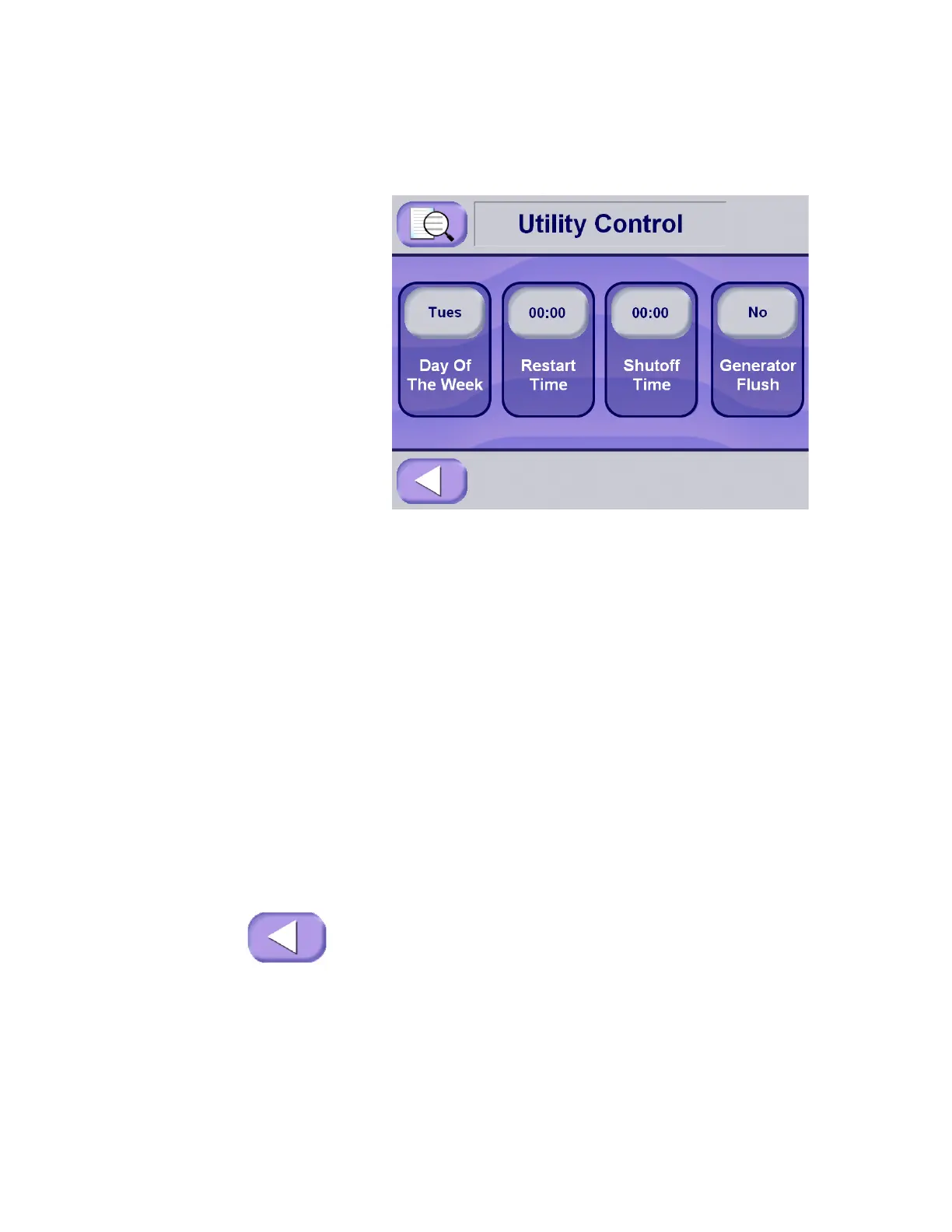
If the sterilizer is set up to be equipped with an integral electric
steam generator, the following screen appears on the display when
Utility Control is accessed. This screen adds the option for setting a
daily generator flush.
• The automated generator flush can only be programmed if the
Steam Generator button on the Configure Machine screen (in
Service Mode) has been set to Yes. Refer to M
AINTENANCE
MANUAL, P764332-996 for Information on this setting. This setting
should only be changed by a trained, authorized service
technician.
• The automated generator flush only occurs following an
automatic utility shutdown, and once the generator has dropped
below a preset temperature. If the generator does not reach the
preset temperature before automatic utility restart, the flush will
not occur. It is recommended that utility off time be set for at
least six to eight hours, depending on atmospheric conditions.
Ambient temperature conditions may increase or reduce cool-
down time.
• The duration of the generator automated flush is three minutes.
1. If the Generator Flush button displays No, press the generator
flush button in order to enable automatic generator flush.
2. If the Generator Flush button displays Yes, press the generator
flush button again to disable automated generator flush.
3. Press Exit to return to the machine setup screen.






 To Next Page