8-9
Routine Maintenance Operator Manual P129390-106
8.4.2 Change Printer Ink
Cartridge
The printer ink cartridge should be changed as soon as type on
printouts is light or faded, and before printouts become difficult to
read.
1. Tear paper between take-up spool and printer.
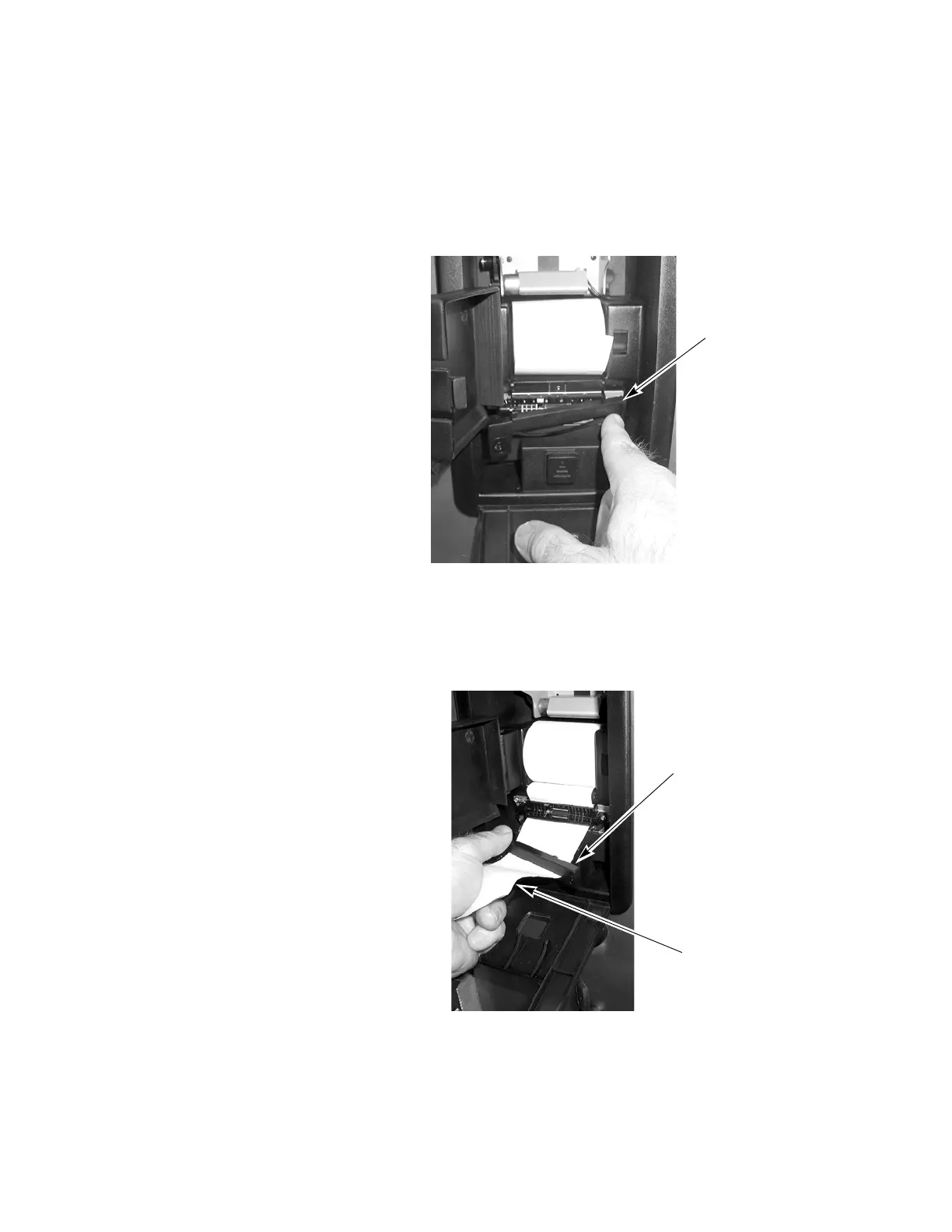
2. Open access door, then press on right end of ink cartridge, until
left end of cartridge pops out of the printer. Refer to Figure 8-9
3. Slip cartridge off end of paper, slip new cartridge over paper in
the same way as before, making sure paper slides between ink
cartridge and ink ribbon.
4. Install left end of cartridge first, then push right end in, snapping
it into place.
Figure 8-9. Remove Ink Cartridge From Printer
Figure 8-10. Slip Cartridge Onto Printer Paper
Press on Right Hand
Edge of Cartridge to
Remove From Printer
Printer Ink Cartridge
Printer Paper






 To Next Page