5-10
P129390-106 Operator Manual Component Identification
5.7 Printer Printer records all cycle data on 57 mm (2-1/4”) wide single-ply
paper. See S
ECTION 8.4.1. CHANGE PRINTER PAPER ROLL, PAGE 8-5 for
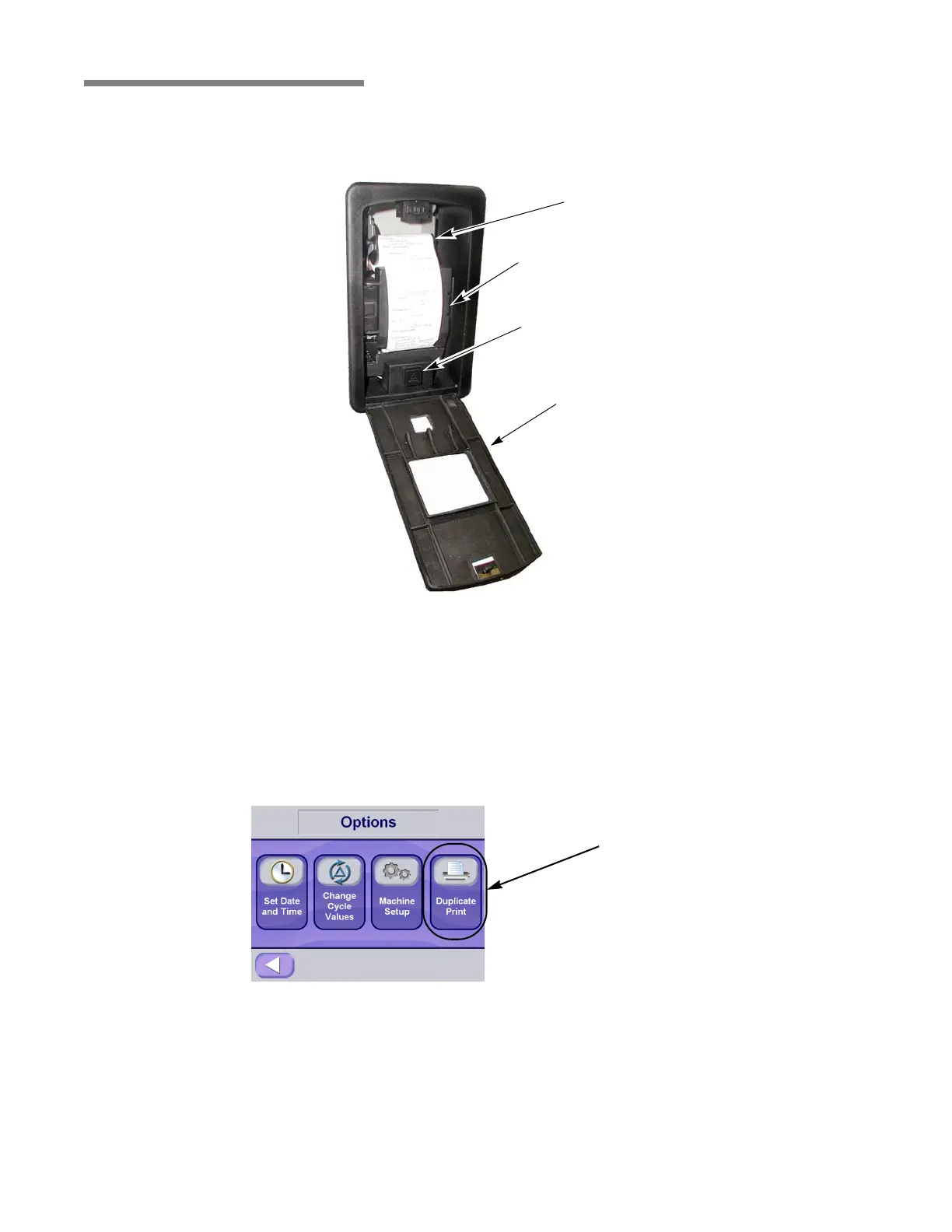
paper changing procedure. Refer to Figure 5-14 for a summary of
printer features.
• Paper Feed – Located at the bottom of the printer. Press to feed
out paper from the roll stored inside the control. This control is
accessible during all phases of operation, including alarm
conditions. Press and hold for continuous feed.
• Duplicate Print – Press Options button to access the duplicate
print function. Press duplicate print button to obtain a duplicate
printout of the previous cycle run.
Figure 5-14. Printer Features (Printer Door Open)
Take-Up
Spool
Printer Door
Inner Printer Door
Paper Feed Button
Figure 5-15. Access Duplicate Print Function
Press Button To
Obtain Duplicate
Print






 To Next Page