9-14
P129390-106 Operator Manual Troubleshooting
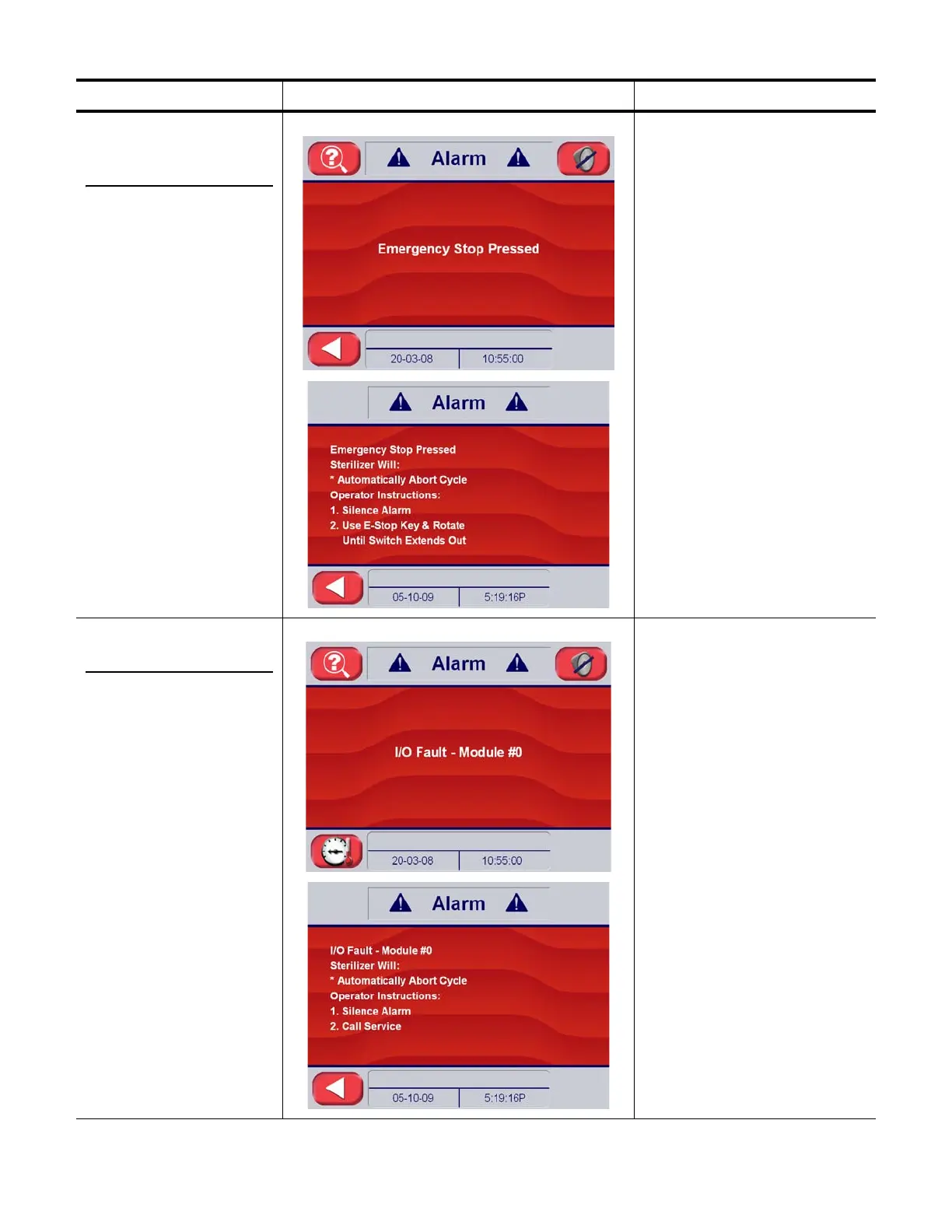
9.3.6 Emergency
Stop Button
Pressed
The emergency stop
button has been pressed,
and the sterilizer is shut
down.
Alarm Screen The emergency stop button was
pressed either in or out of cycle.
Causes and Correction:
1. Correct the emergency
condition (if any) that
caused emergency stop to
be pressed.
• Inspect for leaks
• Ask operators
• Ensure no personnel are
working on the unit
• Obtain emergency stop key
and reset emergency stop
button
• Check for proper operation
2. Emergency stop button
may be malfunctioning.
• Replace
3. Loose wiring in emergency
stop mechanism
•Repair
9.3.7 Input/Output
Fault – Module #X
A control input / output
module has stopped
operating correctly.
Alarm Screen An I/O module has faulted in the
I/O rack.
Causes and Correction:
1. I/O Module Failure
• Identify which module has
faulted by observing the
module status lights. A red
light identifies faulted
module.
• Reseat module and test
• Verify configuration set up
• Replace module, if
necessary
2. Loose wiring
•Repair
Table 9-2. Operator Troubleshooting – Out-of--Cycle Alarms (Continued)
Condition Alarm Screen on Sterilizer Control Service Information






 To Next Page