7-27
Cycle and Control Value Programming Operator Manual P129390-106
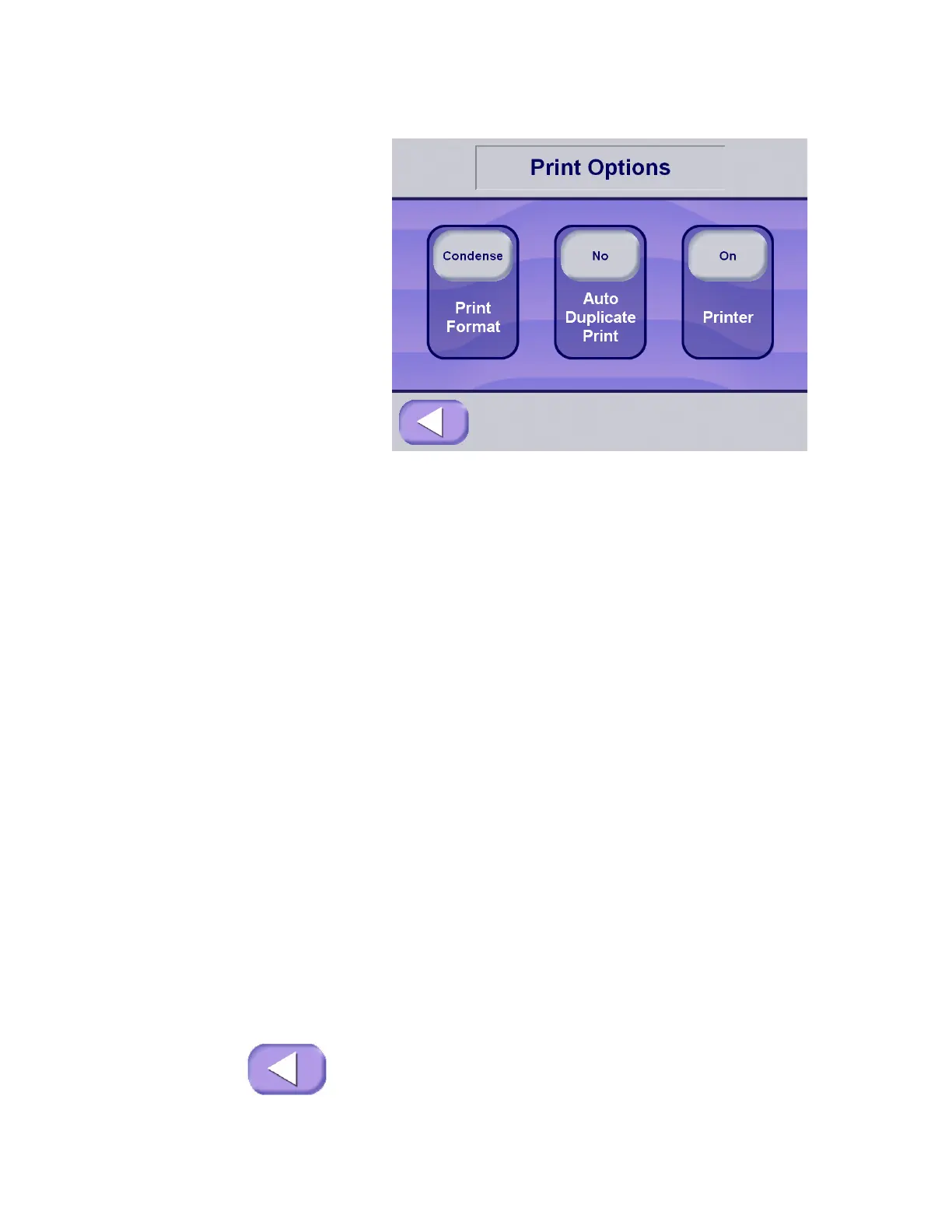
1. Select the appropriate print format by pressing one of the three
buttons on display.
• Print Format – Use this option to set the type of print format
provided by the sterilizer during cycle operation:
• Full – This is the standard format providing a status print
for each phase of the cycle and status prints at a
predetermined print interval. If the button displays
Condensed, press once to set option to Full.
• Condense – This format provides an abbreviated cycle
status printout. If the button displays Full, press once to
set option to Condensed.
• Duplicate Print – This setup option allows the Customer to
select whether the sterilizer automatically supplies an extra
printout at the end of the cycle. The option selected depends
on operating requirements in your facility. The default setting
is Auto Duplicate Print No.
• Auto Duplicate Print – Yes: The sterilizer provides a
second printout of the last previous cycle after the cycle
completes.
• Auto Duplicate Print – N o : This is the default setting.
The sterilizer does not provide an additional printout at
the end of the cycle.
Press the Duplicate Print/No Duplicate Print button to toggle
through the two options.
• Printer On/Off – Use this option to turn the printer on or off.
• If the button displays On, press once to turn the printer
Off.
• If the button displays Off, press once to turn the printer
On.
2. Once the appropriate format has been selected, or if format
does not need to be changed, press Exit to return to the
Machine Setup screen.






 To Next Page