ThresholdThreshold
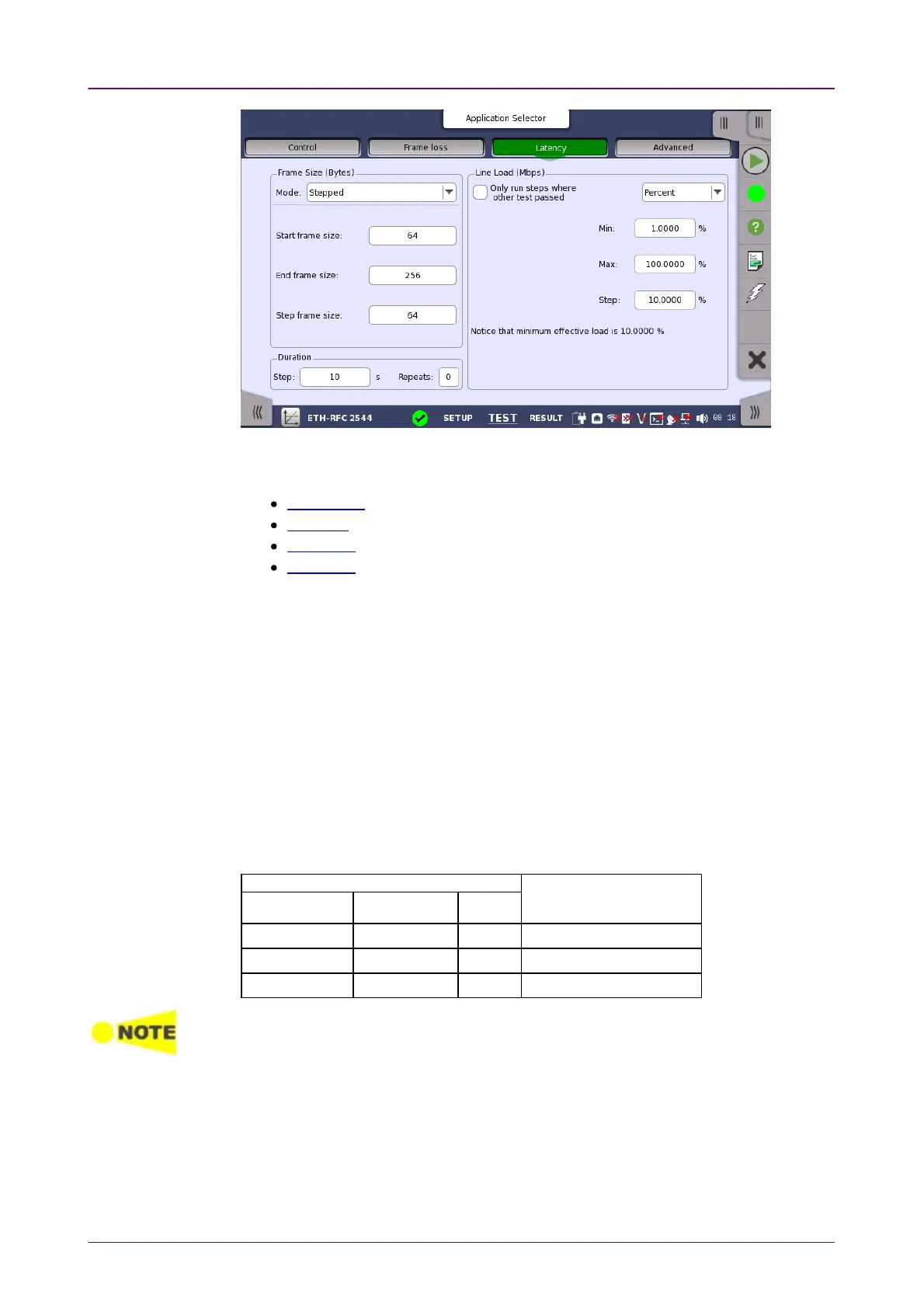
This screen allows you to configure the parameters related to an RFC 2544
Latency/Jitter test:
Frame Size
Duration
Line Load
Threshold
Most of the settings for Latency are identical to the ones described above in the
Throughput section. Please see the detailed descriptions in that section in
addition to the Latency-specific information provided here.
Only run steps where other test passedOnly run steps where other test passed
If selecting the check box, the latency test will be done only on the line load
steps where other test has passed (i.e. no frame loss).
The other tests can be selected from: ThroughputThroughput, Frame LossFrame Loss, and ThroughputThroughput
and Frame Lossand Frame Loss.
You can specify a tolerance level of the line load in percent ratio of the
utilization.
Example when other test is ThroughputThroughput and Tolerance level is 80:
Throughput testThroughput test
Line load ofLine load of
Latency/Jitter testLatency/Jitter test
(%)(%)
Frame size Frame size
(byte)(byte)
Utilization Utilization
(%)(%)
ResultResult
64 100 Fail (Not tested)
64 60 Pass 48
64 20 Pass 16
When Only run steps where other test passedOnly run steps where other test passed is selected, all other settings are forced
identical for the Frame Loss and Latency/Jitter tests.
Only run steps where other test passedOnly run steps where other test passed is enabled in case of 'Switch/Router test' or
'Single ended network test'.
If duration RepeatsRepeats is set to 00 (zero), the test will run a single time. If it is set to 11, the test
will run two times (repeated once).
Latency thresholdLatency threshold
Test result is Fail when the measured latency is equal to threshold or greater.
Jitter thresholdJitter threshold



 To Next Page