9.2 Synchronization Not Established
9-3
9
9.2 Synchronization Not Established
•
Synchronization cannot be established (error measurement cannot be
performed)
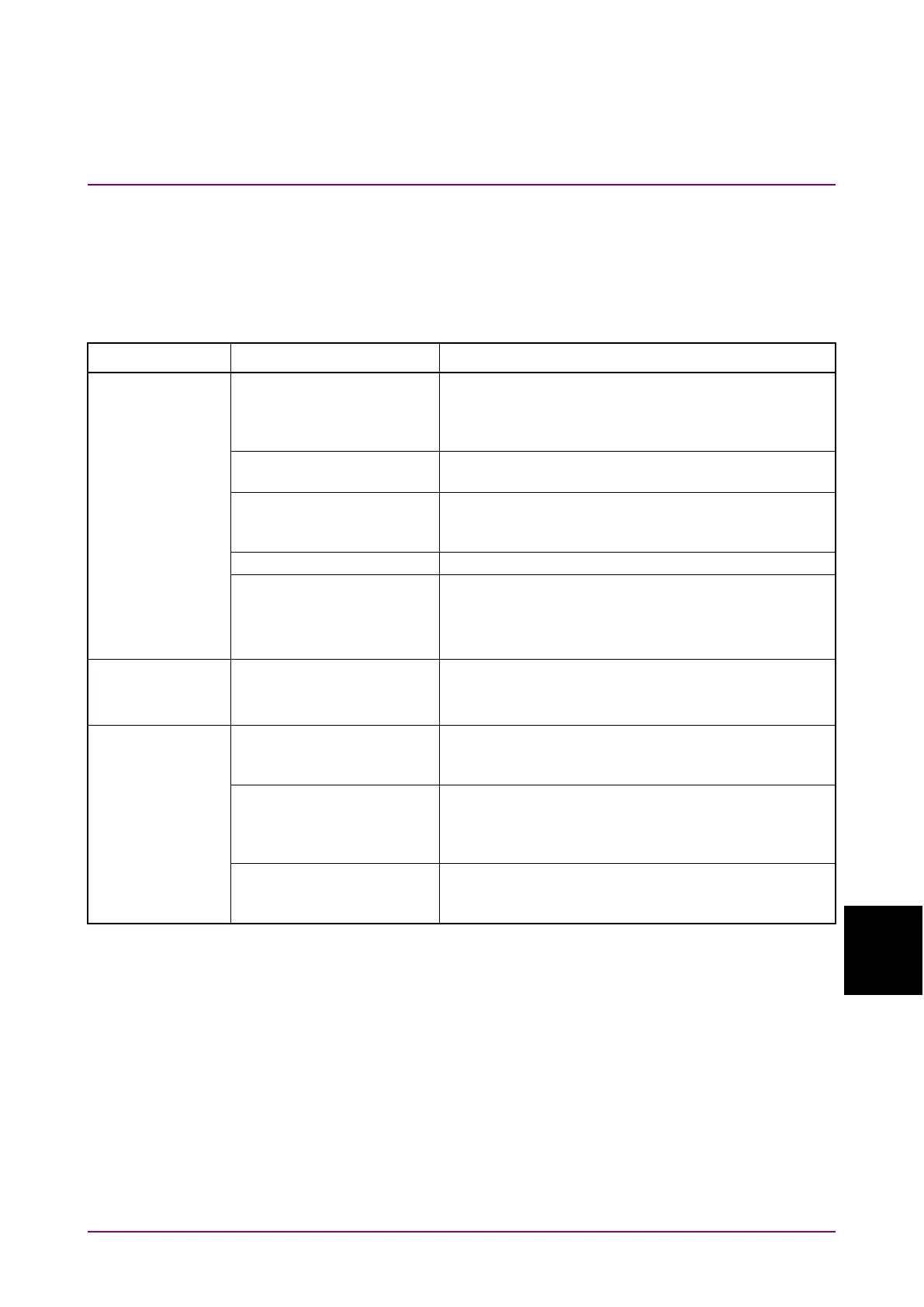
Table 9.2-1 Items to be checked
Symptom Location to Check Remedy
Do the quality, status and
length of the connection
cables comply with the
Replace with a suitable cable.
Is the cable connection
correct and secure?
Confirm the destination and check if the connector is
tightened securely.
differential (50/100
Ω
)
Is the input level correct?
Check the level by using an oscilloscope, etc.
Are the input bit rate and
clock frequency set
correctly?
Set the bit rate and clock frequency correctly.
Note:
Use the frequency counter to check the
conditions
potential adjusted?
Set the termination potential correctly.
Note:
Incorrect setting may result in unit failure.
conditions
Are the connection cables
between this module and
Check the connection point and tighten the
connector.
Are the connection cables
between this module and
the MU183040xA/B
Connect MP1862A and MU18304xA/B with cables in
the order specified in Chapter 3.
phase of MP1862A and
Either set Auto Adjust to ON at the MU18304xA/B
or run Auto Search or perform manual adjustment.















 To Next Page