2.3 Other Usage Methods
2-21
2
2.3.2 Updating Software
The equipment software can be updated from the Setup utility screen.
When installing a new software version, there may sometimes be a
mismatch with already installed software and operation is not assured.
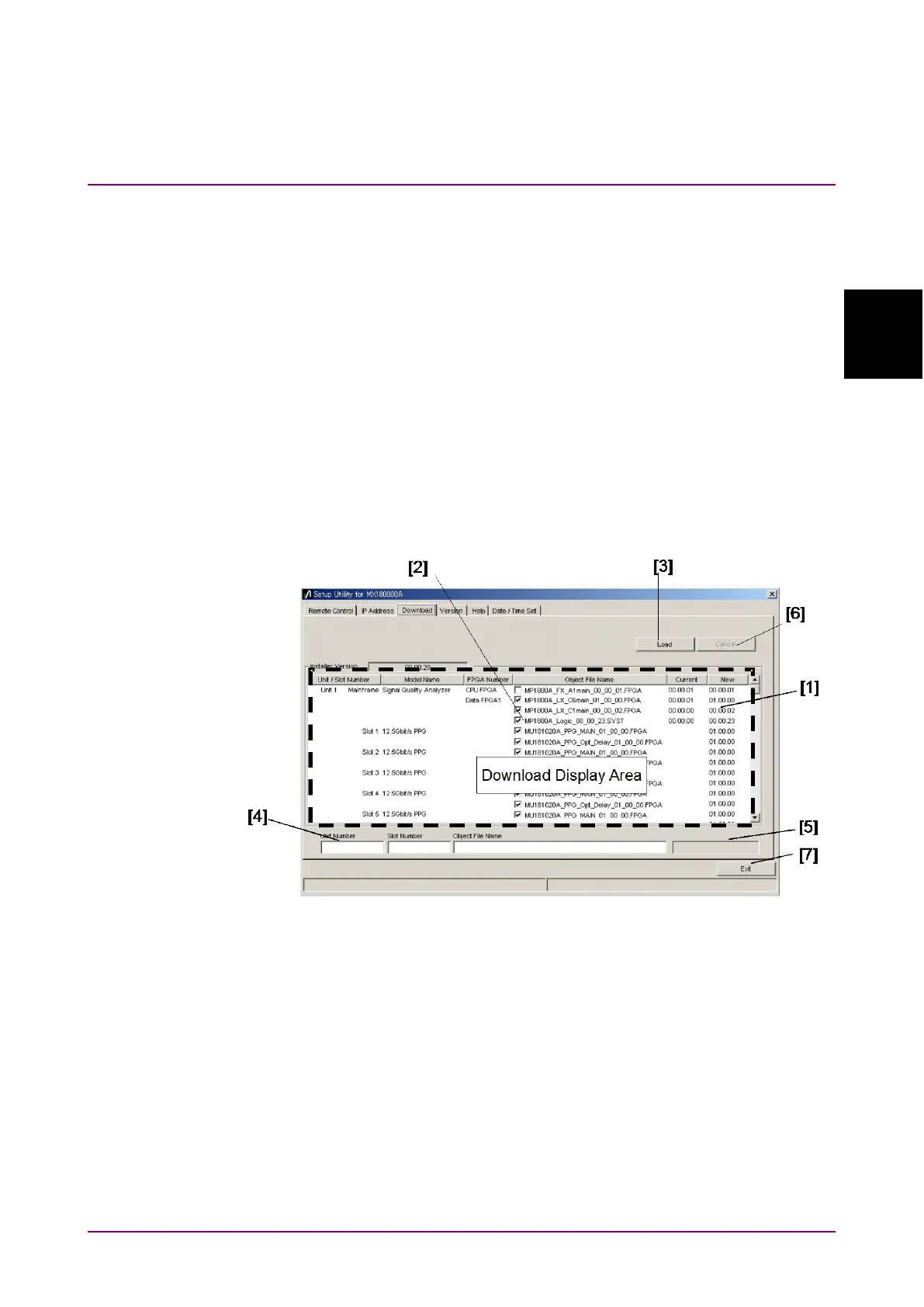
To solve the problem of mismatched installed software versions, start the
Setup utility and click the
tab to display the download files in
the downloaded file display field. Put checkmarks in the boxes opposite
the files to be upgraded and click the
button to start the download.
When download is completed normally, the installed software can be
upgraded.
Normally, the installed software is upgraded to the latest version when
the
button is clicked.
Figure 2.3.2-1 Download Screen















 To Next Page