Chapter 4 Window Operations
4-6
4.3.1 Interface setting items
The setting items are limited by the input conditions set on the
tab of the module operation window. For details, refer to 4.4.1 “Input
setting items”.
In addition, MP1862A and ED module can be linked depending on the
settings using the
button.
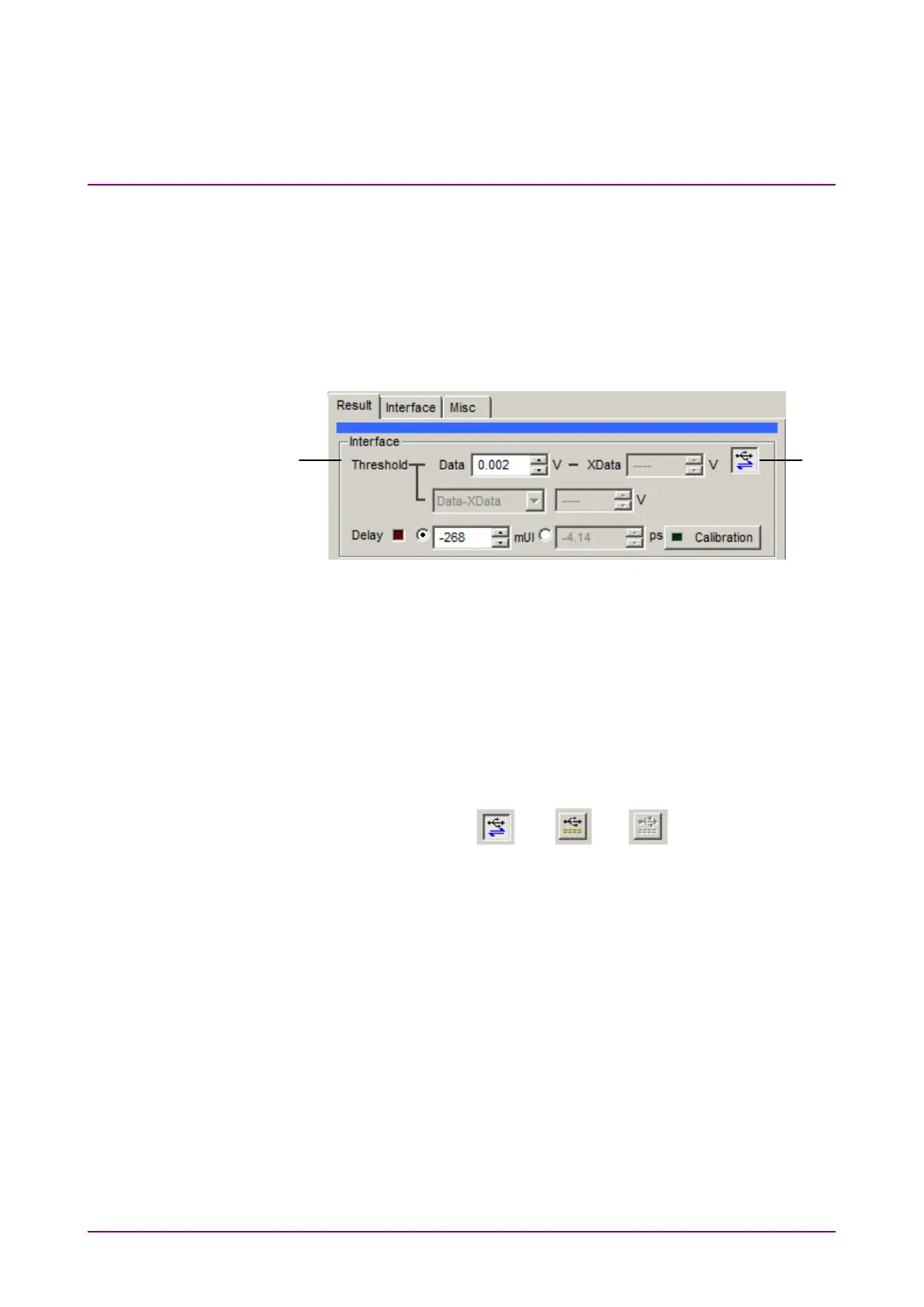
Figure 4.3.1-1 Interface setting items
[1] The Data or XData input threshold voltage and phase can be
changed while checking the measurement results.
[2] This switches the linkage between the MP1862A and ED module.
When the
button is on, the measurement result
for the ED module is displayed in the result window of the MP1862A.
The button status is displayed as Link ON, Link OFF and
Unavailable as shown from the left in Figure 4.3.1-2.
Figure 4.3.1-2 DEMUX-ED Link Button















 To Next Page