2.3 Other Usage Methods
2-19
2
2.3 Other Usage Methods
This section explains how to check the installed software version,
perform software updates, and initialize the settings.
For how to operate the MX180000A, refer to the
MX180000A Signal
Quality Analyzer Control Software Operation Manual
.
2.3.1 Checking Installed Software Version
The installed software versions can be checked in both Version
Information of MX180000A and Setup Utility screen.
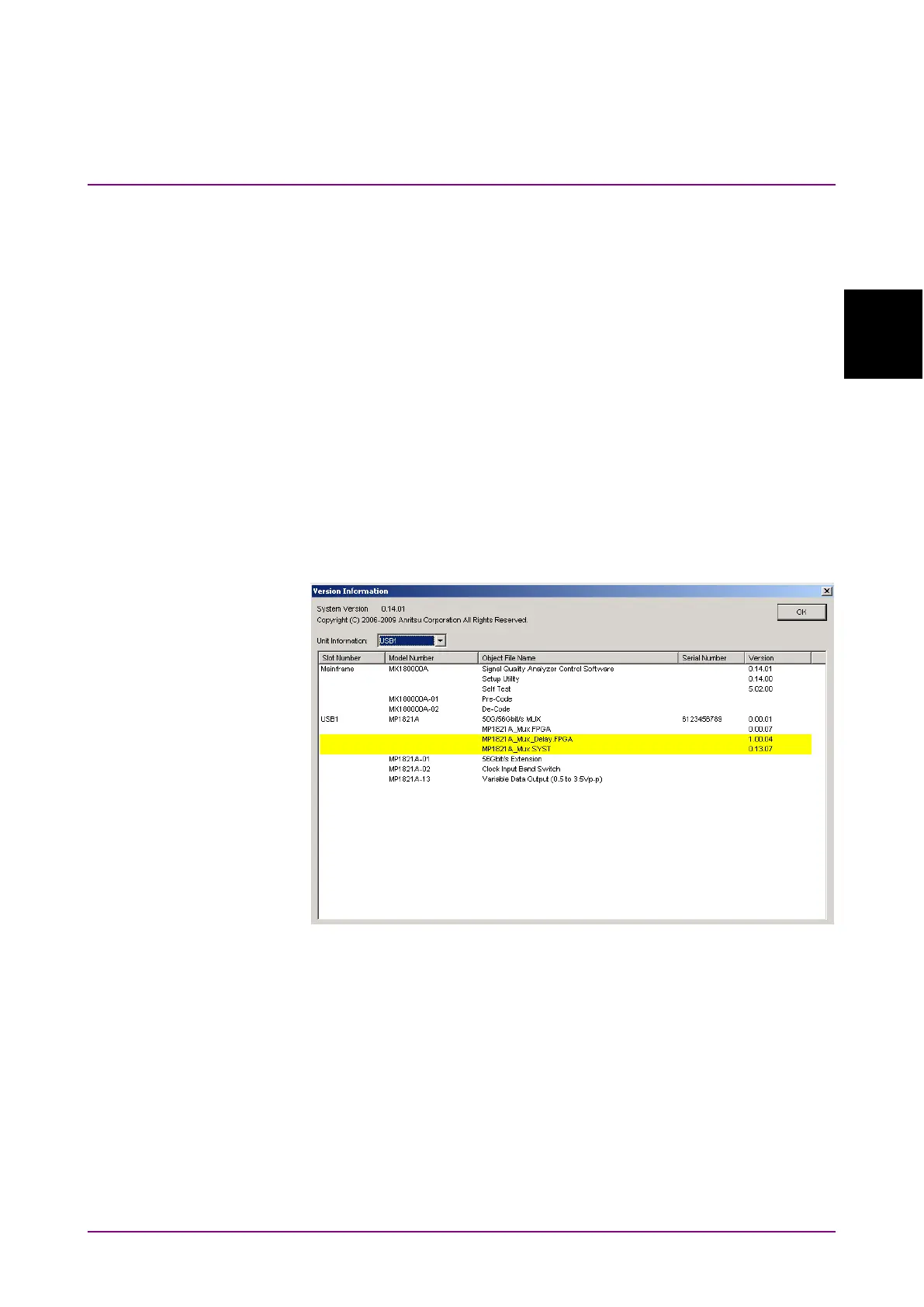
To check in the Version Information screen
Click
on the main application menu bar, menu, and then click
. In the Version Information screen, you can check the version of
the software currently installed.
Figure 2.3.1-1 Version Information Screen of MX180000A
In the Version Software screen, the software that does not match the
installed version is highlighted in yellow. Update the software
highlighted in yellow as described in Section 2.3.2. The equipment may
not be able to operate normally if it is used without updating the
software highlighted in yellow.
To check in the Setup Utility screen
To log in to the setup utility, select
in the selector screen
that appears when MX180000A is started, and then click
in the
box,















 To Next Page