4.5 Executing Auto Search
4-19
4
4.5 Executing Auto Search
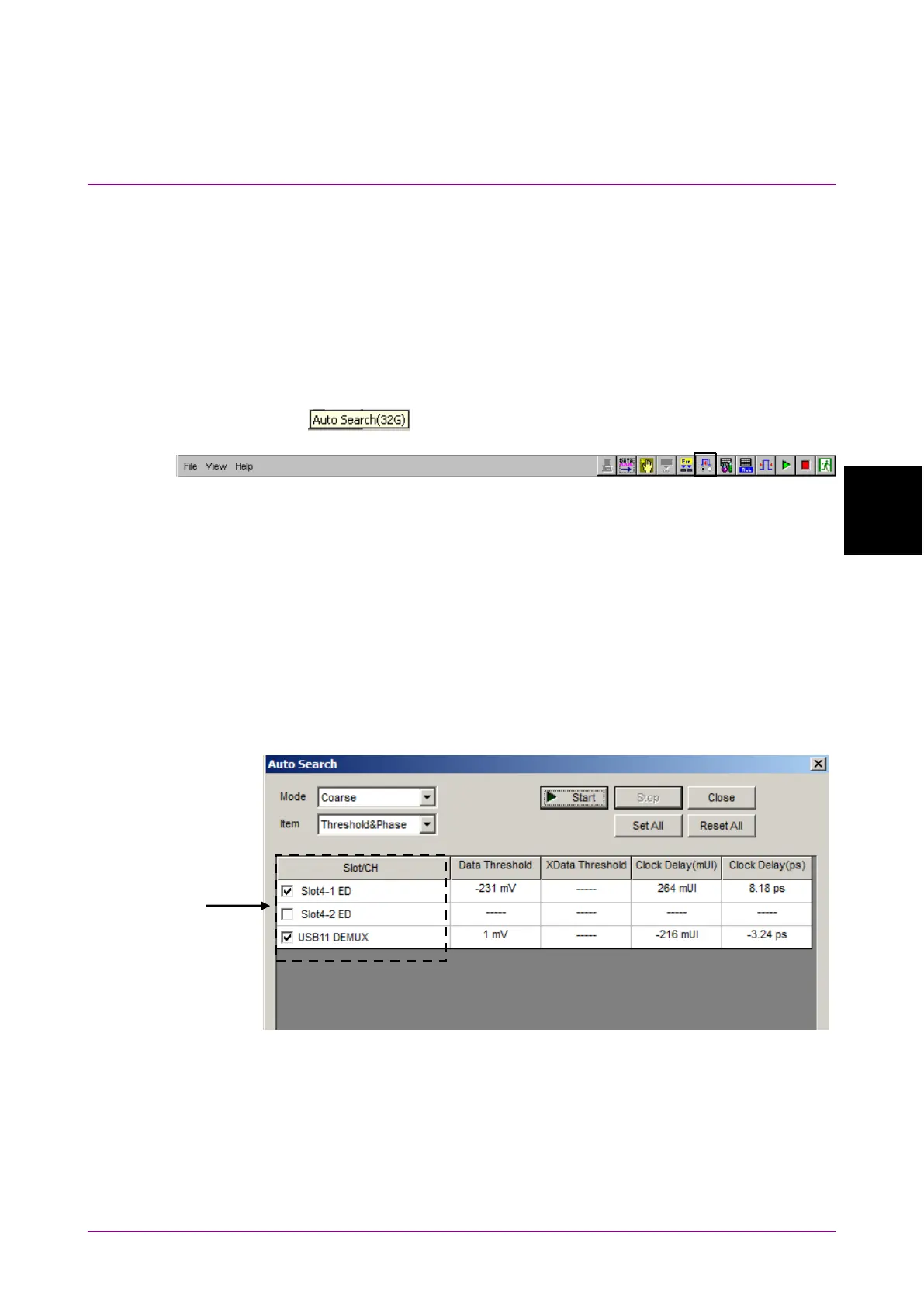
The Auto Search function is for optimizing the input Data and XData
input signal Threshold voltage and phase. Click the
module
function button to display the
dialog box. The Auto Search
setting items can be set in this dialog box. The
module
function button can be displayed and hidden by selecting
from the
menu on the menu bar.
When the pointer is located on the
module function button,
is displayed for help.
Figure 4.5-1 Auto Search Button
The Auto Search function is available only when all of the following
conditions are met:
•
MP1862A is connected to MP1800A to which MU183040A/B or
MU183041A/B is installed.
•
MU18304xA/B is in the 2ch Combination state.
•
The
button is on.
4.5.1 Input setting items in Auto Search dialog box
Figure 4.5.1-1 Auto Search Window
[1] Select the check box for the USB number where Auto Search is to be
executed.
To use Auto Search, refer to Section 5.8 “Auto Search” in the
MU183040A/B Operation Manual
.















 To Next Page