4.9 Bathtub Function
4-27
4
4.9.1 Displaying Bathtub measurement results in Bathtub window
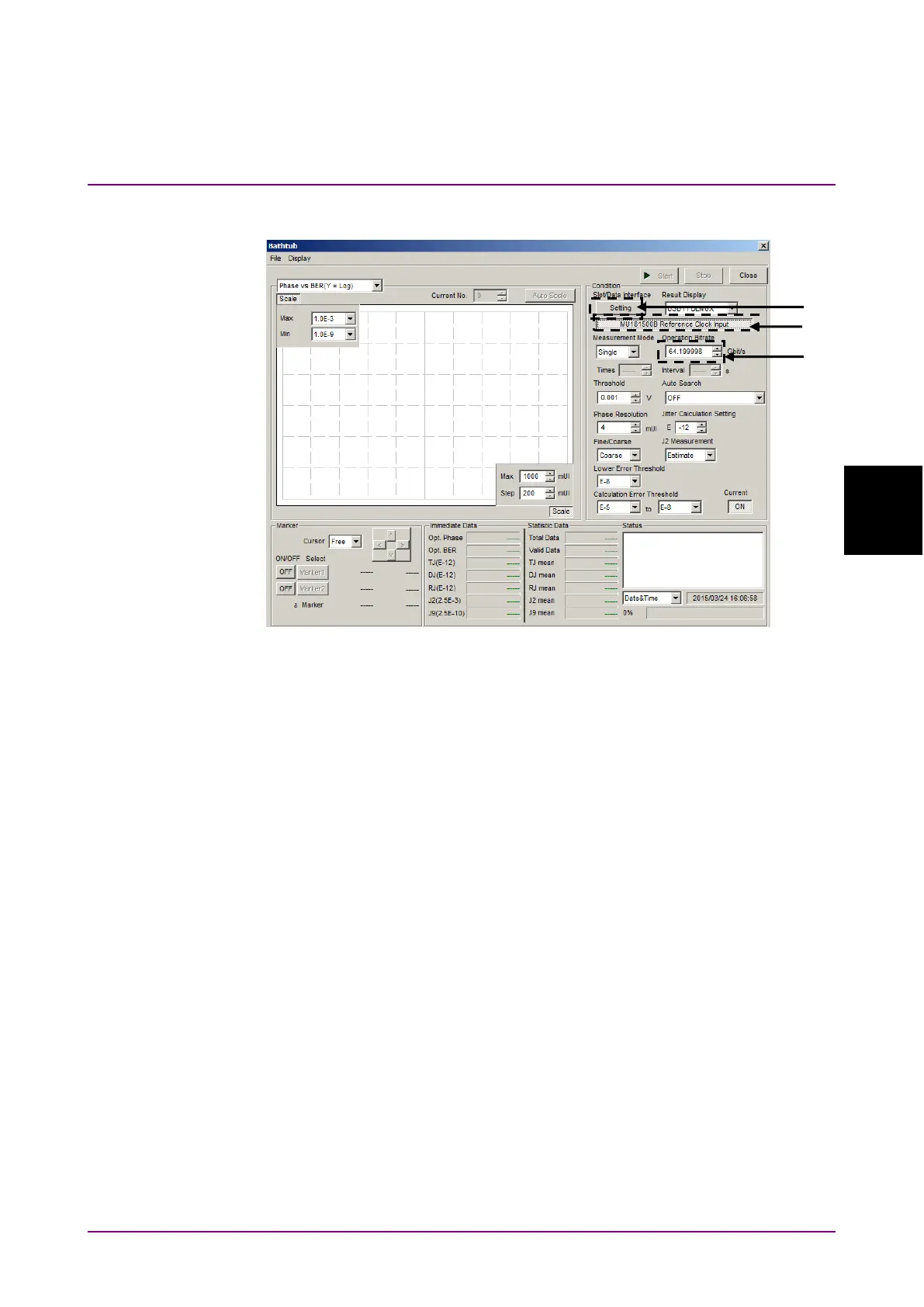
Figure 4.9.1-1 Bathtub Window
[1] Opens the
dialog box, where you can select the
Slot or USB number(s) you want to measure.
[2] To perform bathtub jitter measurement, click
MU181500B Reference
Clock Input
to display the
. Connect the
equipment, as indicated on the screen or referring to Section 3.2.3.
(Clean clock without jitter modulation added must be input to
MP1862A.)
[3] Sets the operation bitrate.
Refer to Section 5.12 “Bathtub Function” in the MU183040A/B
Operation Manual for the following:
•
Bathtub measurement without jitter applied
•
How to set the parameters other than [1], [2] and [3] in the
Bathtub window
•
How to perform bathtub measurement
2
3















 To Next Page