A7 Plus – OPERATOR'S MANUAL
Spray to instrument control button.
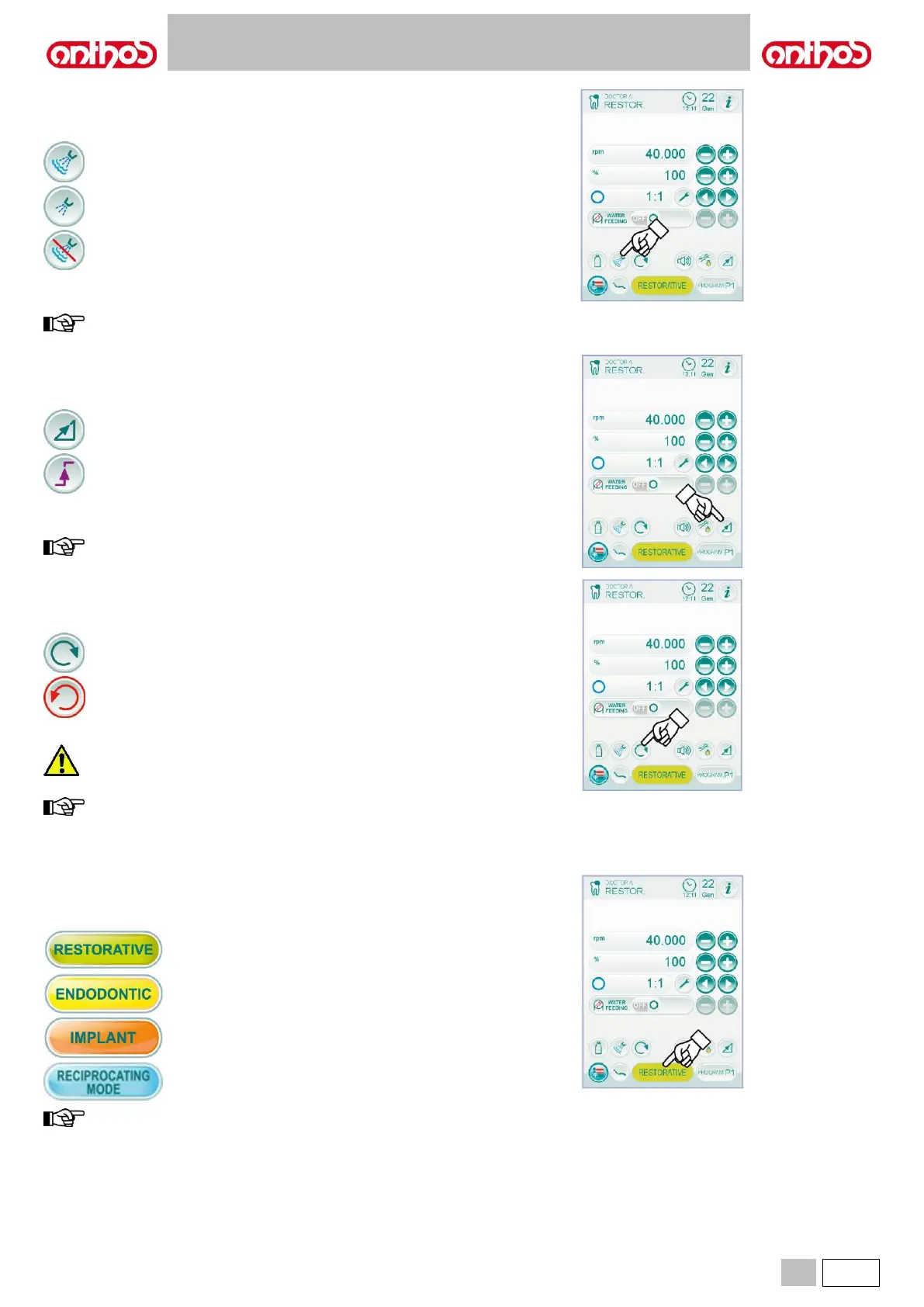
With the instrument in working position, select the type of delivered spray
by touching the following icon buttons:
Water + air spray operation.
Water only spray operation.
The variation is cyclical upon every touch and the icon corresponding to
the active mode is shown on the TOUCH DISPLAY.
the data set are automatically saved.
Rotating speed editing mode selection.
With the instrument in working position, select the rotating speed editing
mode by touching the following icon buttons:
Linear variation, proportional to foot control lever movement.
ON/OFF variation entailing the supply of the max. power set
upon foot control lever activation.
The icon corresponding to the active mode is shown on the TOUCH
DISPLAY.
data are automatically saved.
Reversing micromotor drill rotation direction.
Select micromotor drill rotation direction by touching the relevant icon
button:
Standard rotation direction.
Reversed rotation direction.
Reversed rotation direction is signalled by a sound (3 BEEPS).
As soon as the micromotor is extracted, a sound (3 BEEPS)
warns the operator if the direction of rotation is reversed.
when the rheostat lever is on, the micromotor drill cannot
reverse its direction of rotation.
Micromotor operating mode selection.
The micromotor has 4 different operating modes that can be selected by
touching the relevant icon button:
RESTORATIVE mode
(see paragraph 5.5.1.).
ENDODONTIC mode
(see paragraph 5.5.2.).
IMPLANT mode
(see paragraph 5.5.3.).
RECIPROCATING mode (optional)
(see paragraph 5.5.5.).
the variation is cyclical.



 To Next Page