A7 Plus – OPERATOR'S MANUAL
MIRROR function.
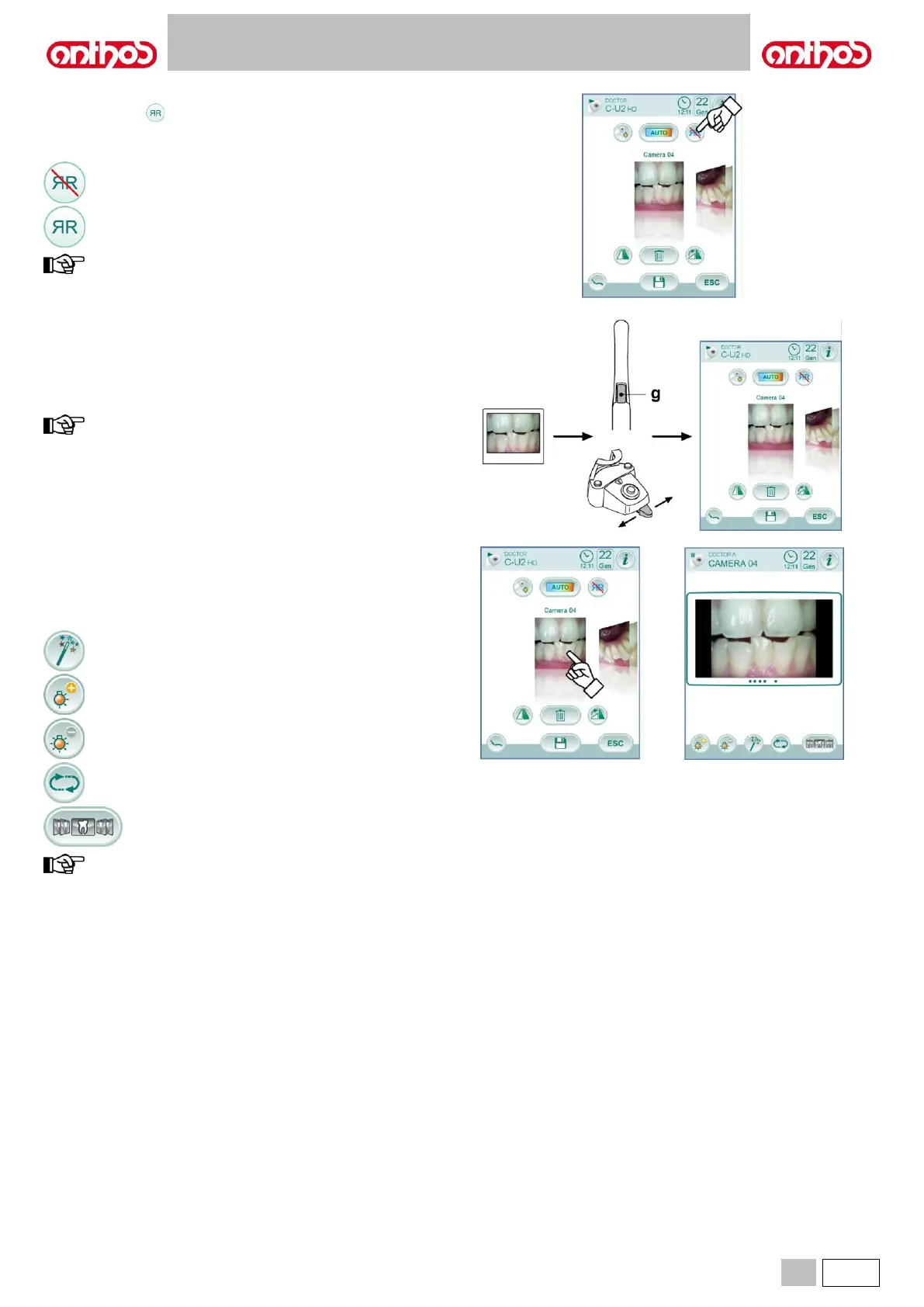
Touch icon button to shift from real to mirror image displaying mode.
The icon corresponding to the active mode is shown on the TOUCH
DISPLAY:
this function is available in LIVE mode, only.
FREEZE function.
This camera can freeze images on the monitor.
This function can be enabled in 2 ways: by pressing touch key ( g ) on
camera handpiece or by operating the foot control (see paragraph 5.2.).
Each captured image is automatically stored inside console inner
memory.
at the end of each treatment, we recommend transferring all the
captured images inside a special folder associated to the
patient.
Captured image displaying.
To display a captured image in full-screen mode, proceed as follows:
• Scroll the saved images by touching the side thumbnails.
• Touch the central image to display it in full-screen mode.
• Now the following icon buttons are available on the TOUCH DISPLAY:
Image automatic improvement.
Increase image brightness.
Restore image original appearance.
Go back to "thumbnail" screen.
changes made to the image are automatically saved.



 To Next Page