Getting Started
QL-E100 User Guide 17
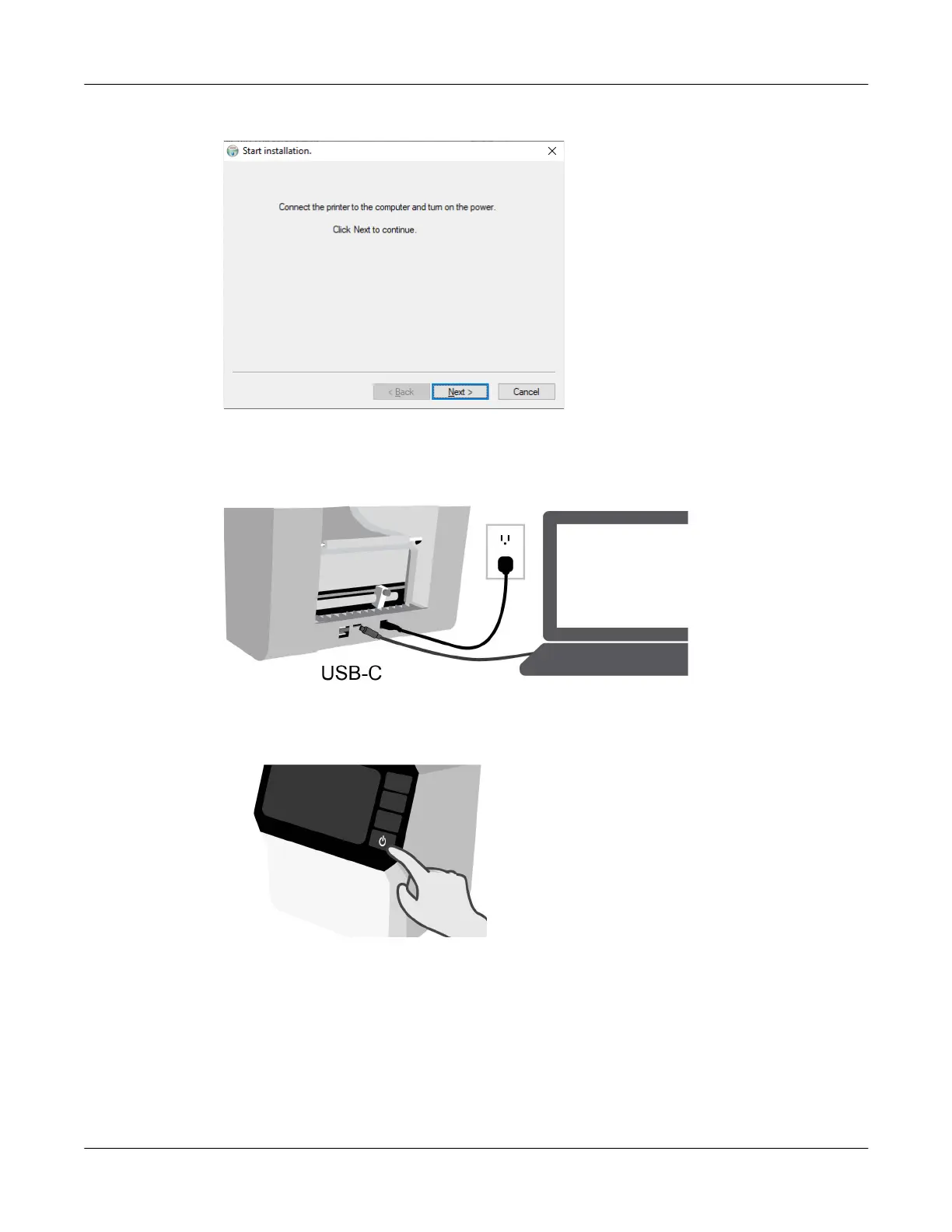
8. The software installation will start. You will be prompted to connect the printer to the computer.
9. Use the supplied USB cable to connect the printer’s USB-C port to an available USB port on
your computer.
10. Press the power button for two seconds and then release it. The power button will light green
and you will hear the printer initializing.
11. When the printer has fully powered on, Windows will automatically detect the printer and begin
setting up the device. A Windows notification will alert you about this process.
A Windows notification will alert you after the Windows setup process has completed. This
process usually requires less than 30 seconds.



 To Next Page