QuickPrint Printing from USB or Printer Memory
QL-E100 User Guide 54
5. Tap the QuickPrint Load Image icon.
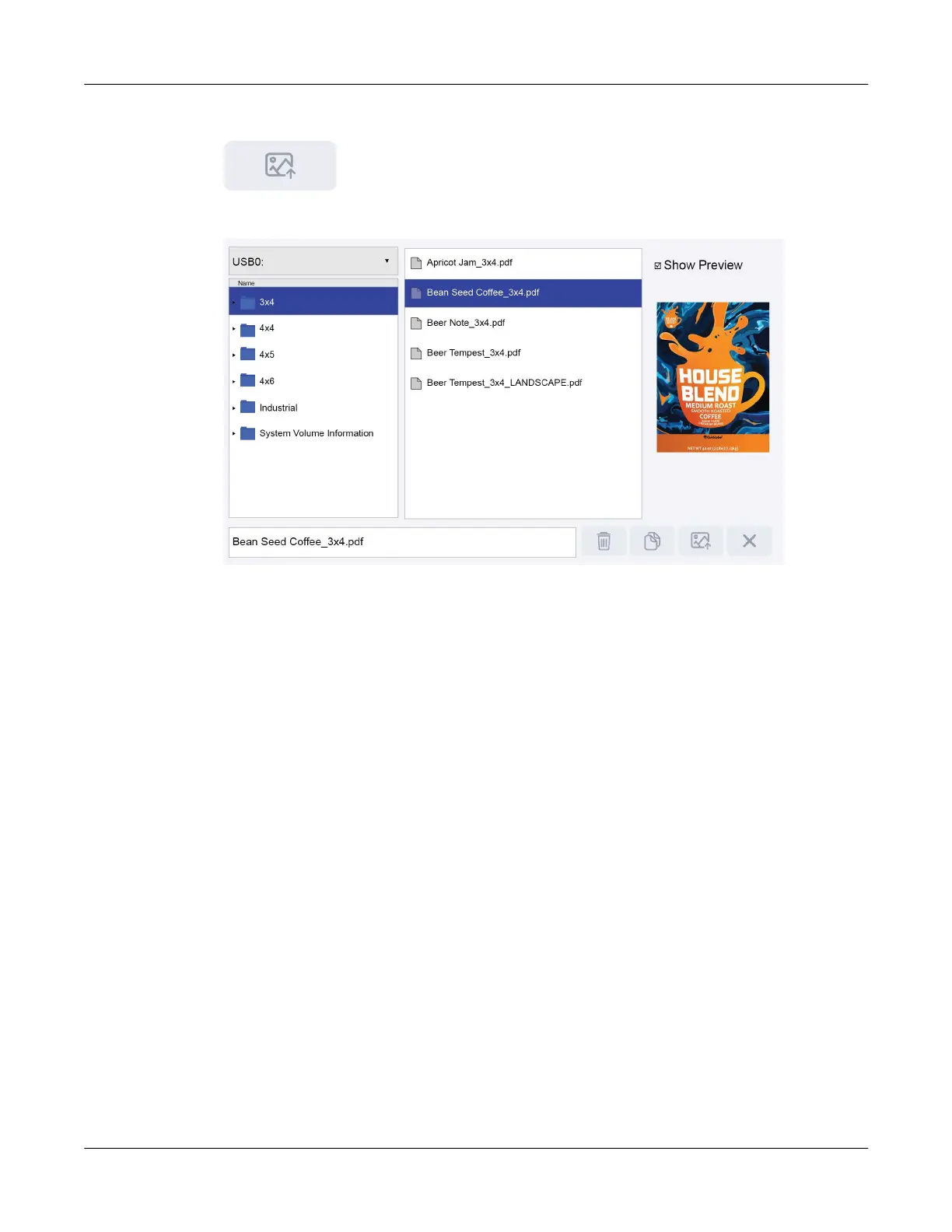
The QuickPrint File Browser screen will open.
6. Tap the drive field in the upper-left corner of the screen. Select the drive that will be displayed.
• Tap Printer to view the printer’s internal storage.
• Tap USB to view the selected USB flash drive.
7. Use the touchscreen to browse the folder and file lists. You can swipe up and down on the
touchscreen to scroll lists that are longer than the display.
Tap a folder on the left side of the screen. The contents of that folder will be displayed in the
center list.
8. Select a file from the center list. You can use the Show Preview option to show a preview
image of the selected file for visual reference. Note that the preview image is disabled by
default.
• When the preview image is disabled, file browsing and loading of images to print will be
faster.
• When the preview image is enabled, a progress bar may be displayed as the preview
image is loaded.



 To Next Page