SIOL-EI8B-USER-M
30
Startup Powered by
Version 1, May 2022
7.1. Loading the EDS les
This section describes how to congure a module, using Productivity Suite from AutomationDirect.com.
The Stride Basic IO-Link Master can be used with EtherNet/IP scanners capable of Class 1 I/O
Messaging (Implicit). Below, we show how to quickly get started using any EtherNet/IP capable
Productivity PLC.
1. Download the IO-Link Master EDS le from AutomationDirect.com
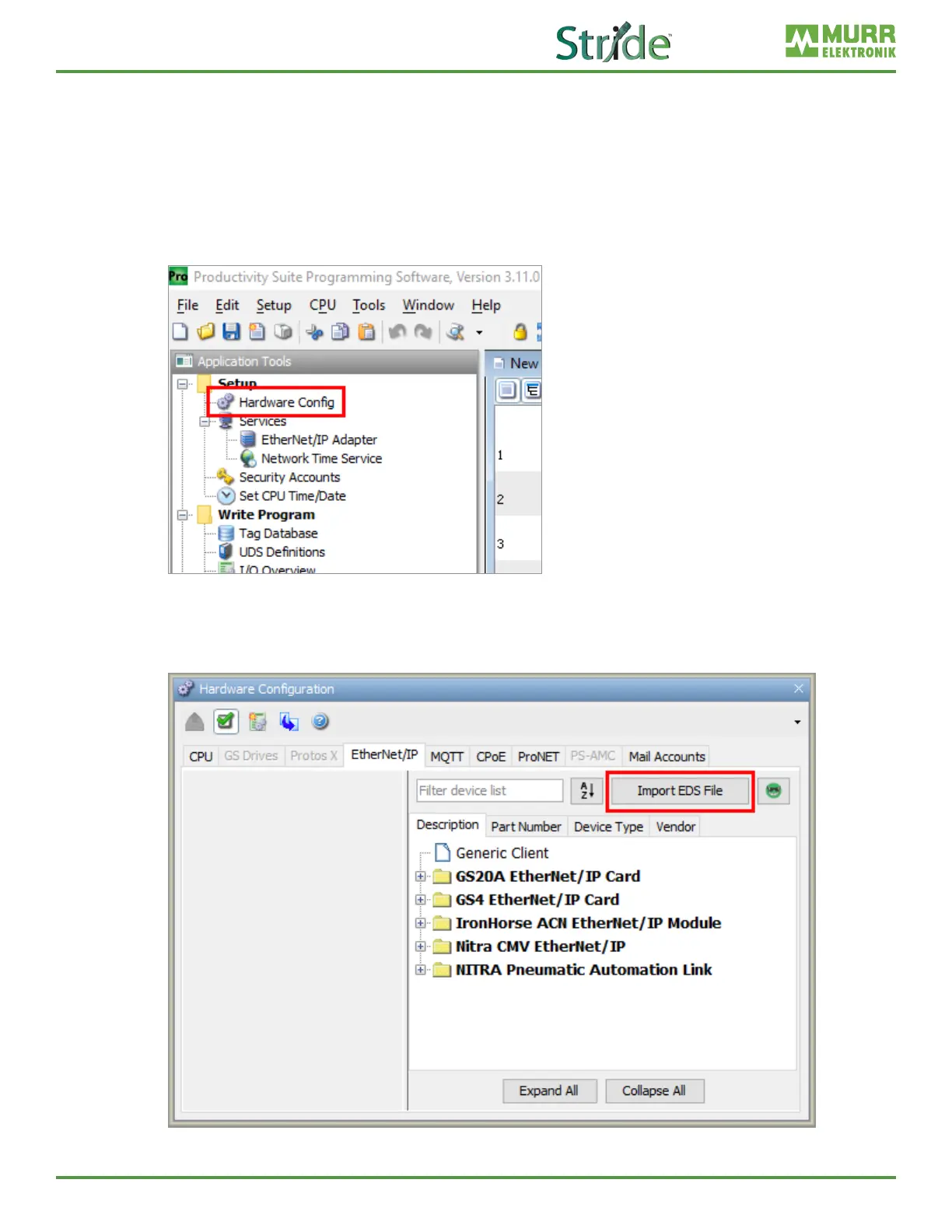
2. Open Productivity Suite and start a new project, or open an existing project, and go to Hardware
.
Fig. 7-1: Open Hardware Cong.
3. Navigate to the EtherNet/IP tab and click Import EDS File. Note: If your EDS library already has the
SIOL-EI8B part available, you can skip steps 3 and 4.
Fig. 7-2: Hardware Cong - Import EDS File.



 To Next Page