SIOL-EI8B-USER-M
77
Web Server (WebUI) Powered by
Version 1, May 2022
10.3.5. PROCESS DATA menu
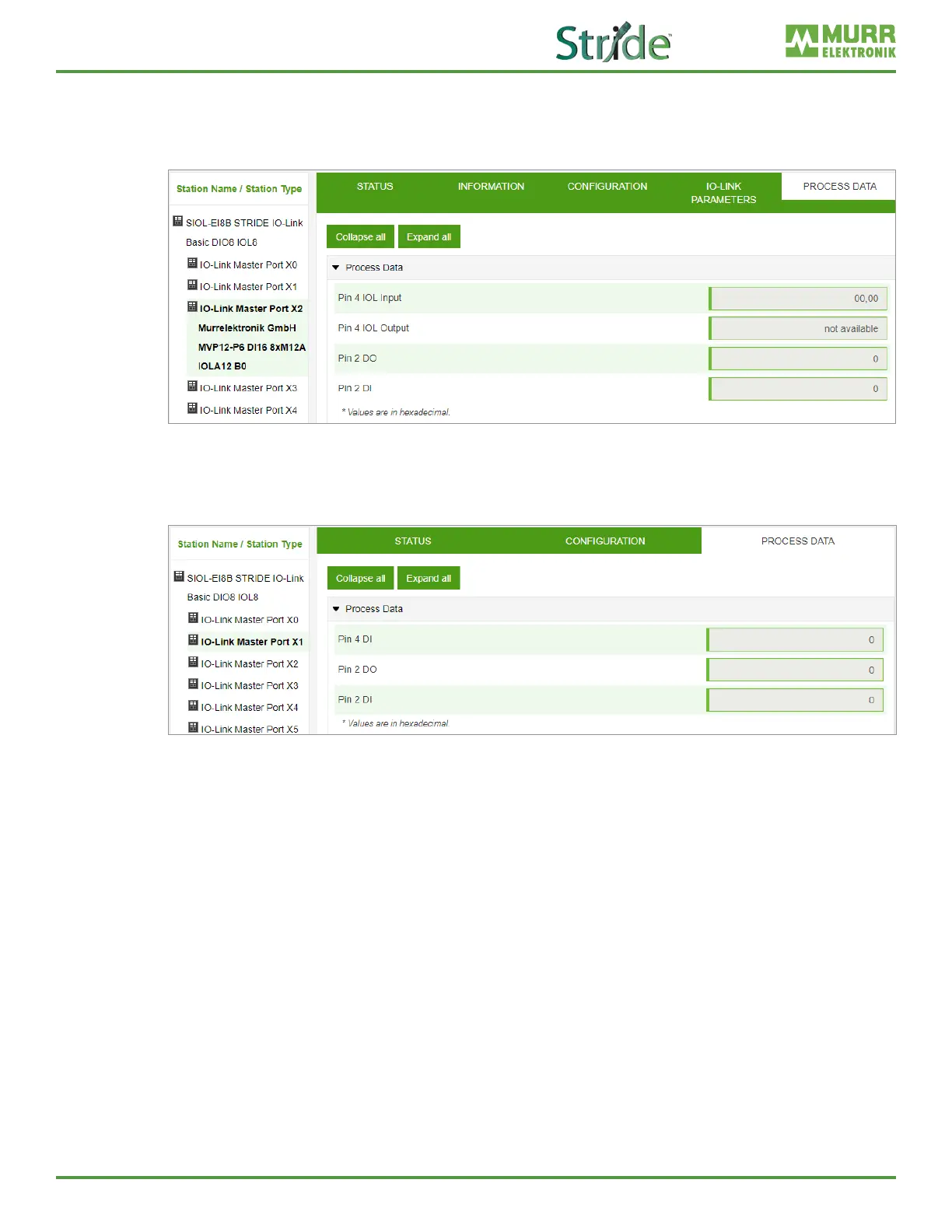
In the “Process data” menu item, the current process data of the connected IO-Link device is continuously
displayed if pin 4 of the corresponding port has been congured as an IOL port. Example: port X2: pin 4
(IO-Link autostart) and pin 2 (digital output statically on).
Fig. 10-14: IO-Link master port – PROCESS DATA.
In this menu item the current states of the digital inputs are displayed. Example: port X1: pin 4 (DI) and
pin 2 (DI).
Fig. 10-15: IO-Link master port – digital inputs – PROCESS DATA.



 To Next Page