SIOL-EI8B-USER-M
78
Web Server (WebUI) Powered by
Version 1, May 2022
10.4. Settings / Maintenance
10.4.1. DEVICE CONFIGURATION menu
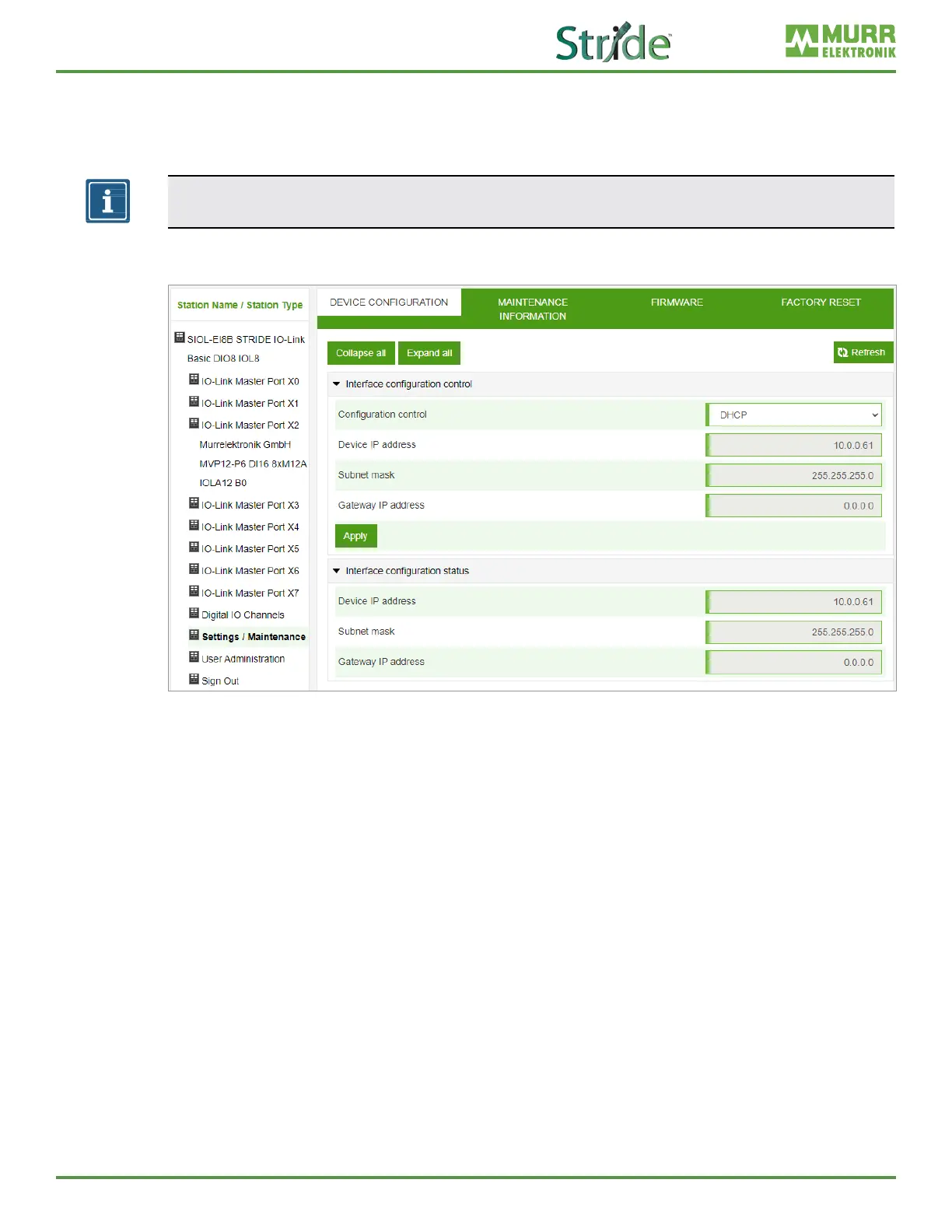
Users can change the IP settings of this device through the web server (WebUI).
NOTE
Factory default IP address setting for the module is DHCP.
The “Settings / Maintenance” - “Device Conguration” menu allows users to congure a static IP address,
subnet mask, and gateway.
Fig. 10-16: IP address EtherNet/IP settings.
Clicking “Apply” sets the module IP conguration to the settings shown in the WebUI. If the module IP
conguration is set to “STATIC”, it can be changed to “BOOTP” or “DHCP” from this menu.



 To Next Page