SIOL-EI8B-USER-M
103
Powered by
Version 1, May 2022
Conguring a Module Using Studio5000 Logix Designer
C.3. Module conguration
NOTE
To transfer index changes via acyclic ISDU writes to the DataStorage, a ParamDownloadStore
command must be sent after the index changes.
➔ The ParamDownloadStore command can be triggered by writing value 0x05 to index 0x02.
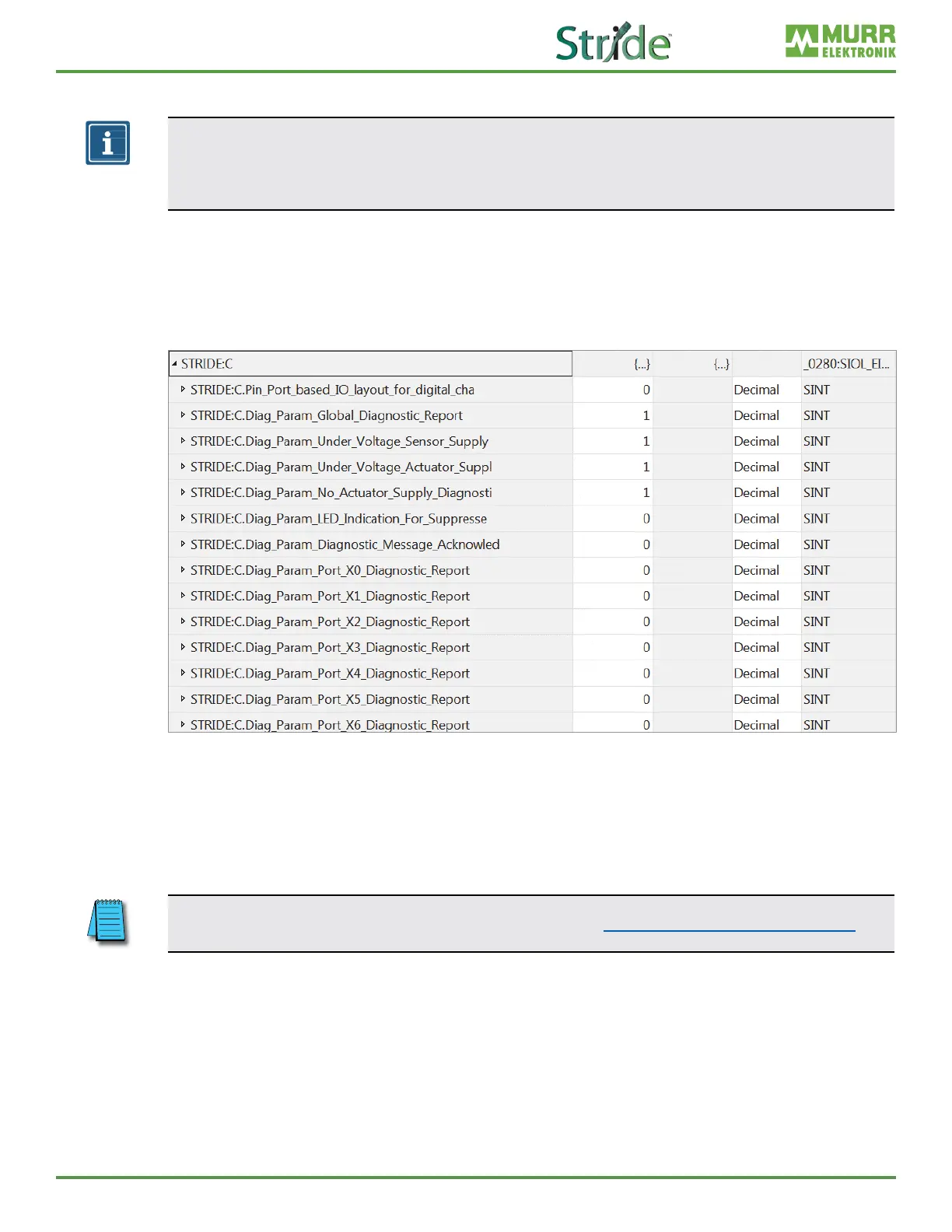
After the import of the EDS in the programming software and the selection of a connection suitable for the
application, the conguration les can be found in the controller tags.
The input and output tags associated with the device can be found next to it.
Fig. C-8: Conguration via EDS.
All conguration tags have a specic name that describes the function of the areas.
➔ Enter the appropriate values for your application.
Each time a connection with the control system is established, the device conguration is updated.
For more information on the adjustable values, please refer to Section 7.4.4, “Conguration values”.



 To Next Page