SIOL-EI8B-USER-M
102
Powered by
Version 1, May 2022
Conguring a Module Using Studio5000 Logix Designer
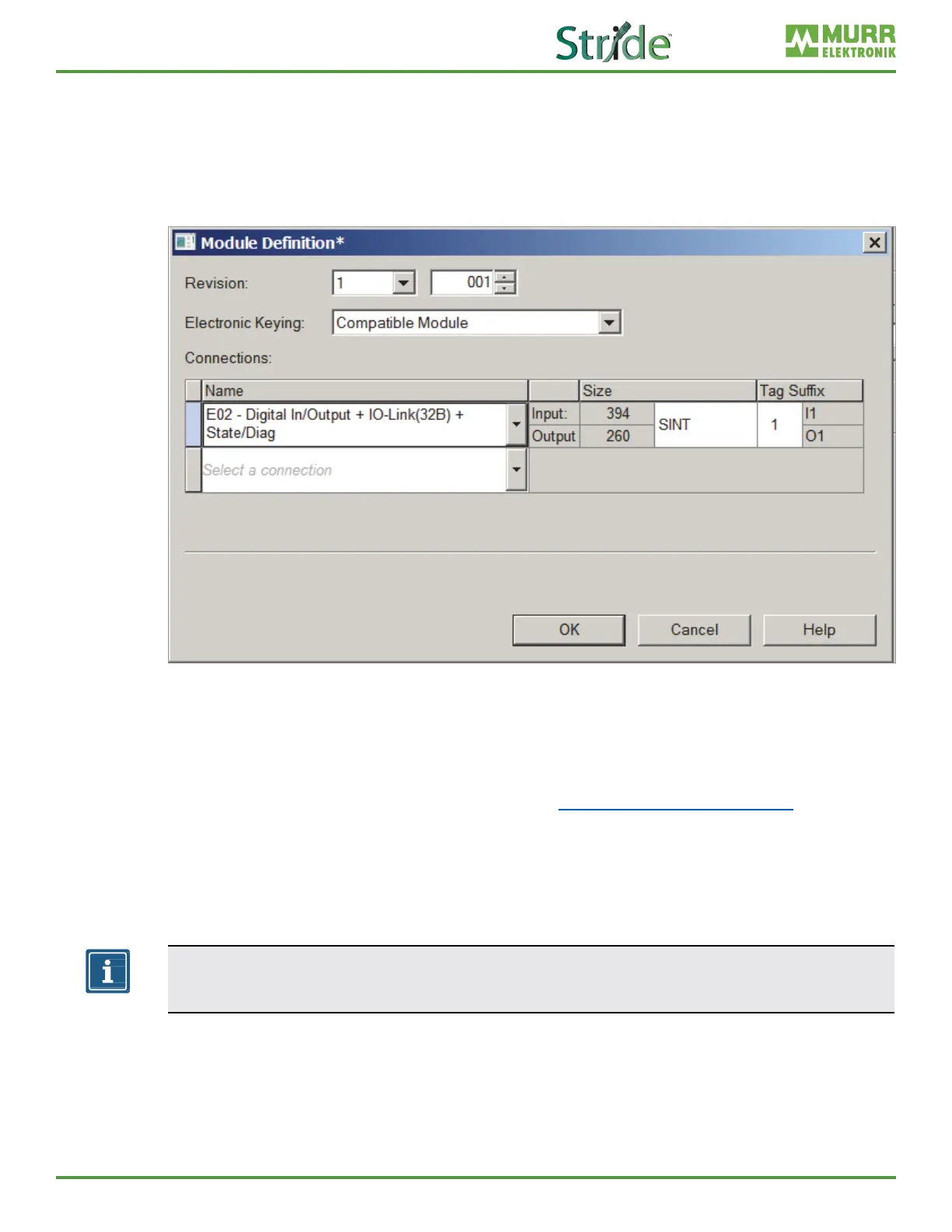
Selecting the connection
In order to choose the best connection for every application, you can choose from various connection
options:
a | when adding the module to the network, select the correct connection or
b | call the settings again by double-clicking the module.
Fig. C-7: Module Denition.
In
➔ Click Change.
A new window appears.
➔ Set the number or the type of connection here. (See Section 7.4.2, “Connection matrix”.)
➔ Click the preset connection (Exclusive Owner).
➔ Select the connection that meets the requirements.
The list of all connections that can be set is displayed.
NOTE
The modules support up to 3 connections at a time
(1 Exclusive Owner and 2 Non-Exclusive-Owner connections).



 To Next Page