SIOL-EI8B-USER-M
81
Web Server (WebUI) Powered by
Version 1, May 2022
10.5. User Administration
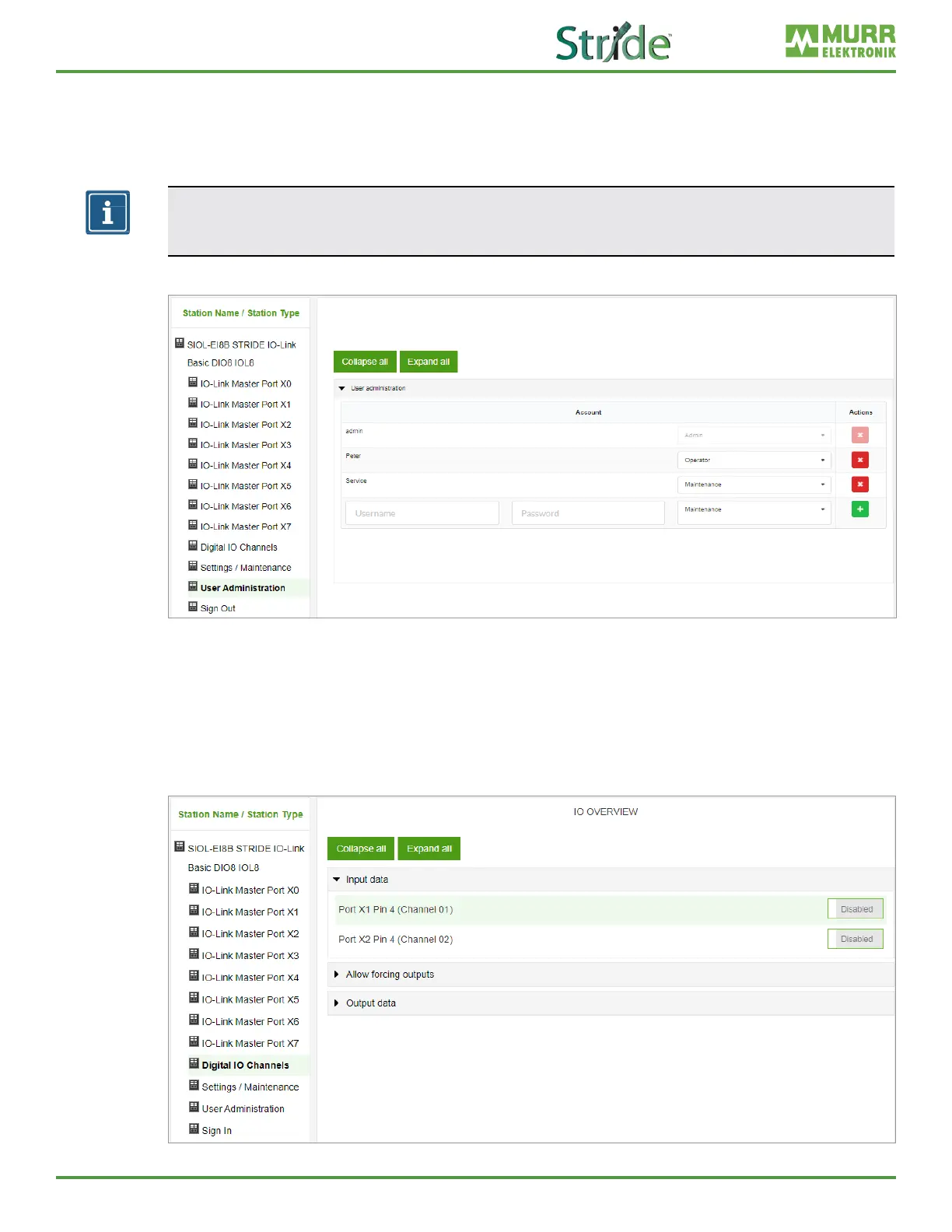
User management can only be performed with admin rights.
The factory default administrator account is “admin”
and the password is “private”.
NOTE
The default administrator password can be changed from the controller in the plant with the
eldbus running.
Users log in and out at the bottom left of the system tree.
Fig. 10-21: User management.
10.6. Digital IO Channels / IO Overview
In the “Conguration” menu of the selected IO-Link port, the setting for pin 2 and pin 4 is indicated at the
selected port. Outputs can be set under certain conditions.
10.6.1. Input data
Every user can observe the digital states of the inputs congured on the device.
Fig. 10-22: Input data overview.



 To Next Page