SIOL-EI8B-USER-M
71
Web Server (WebUI) Powered by
Version 1, May 2022
10.2.2. PARAMETERS menu
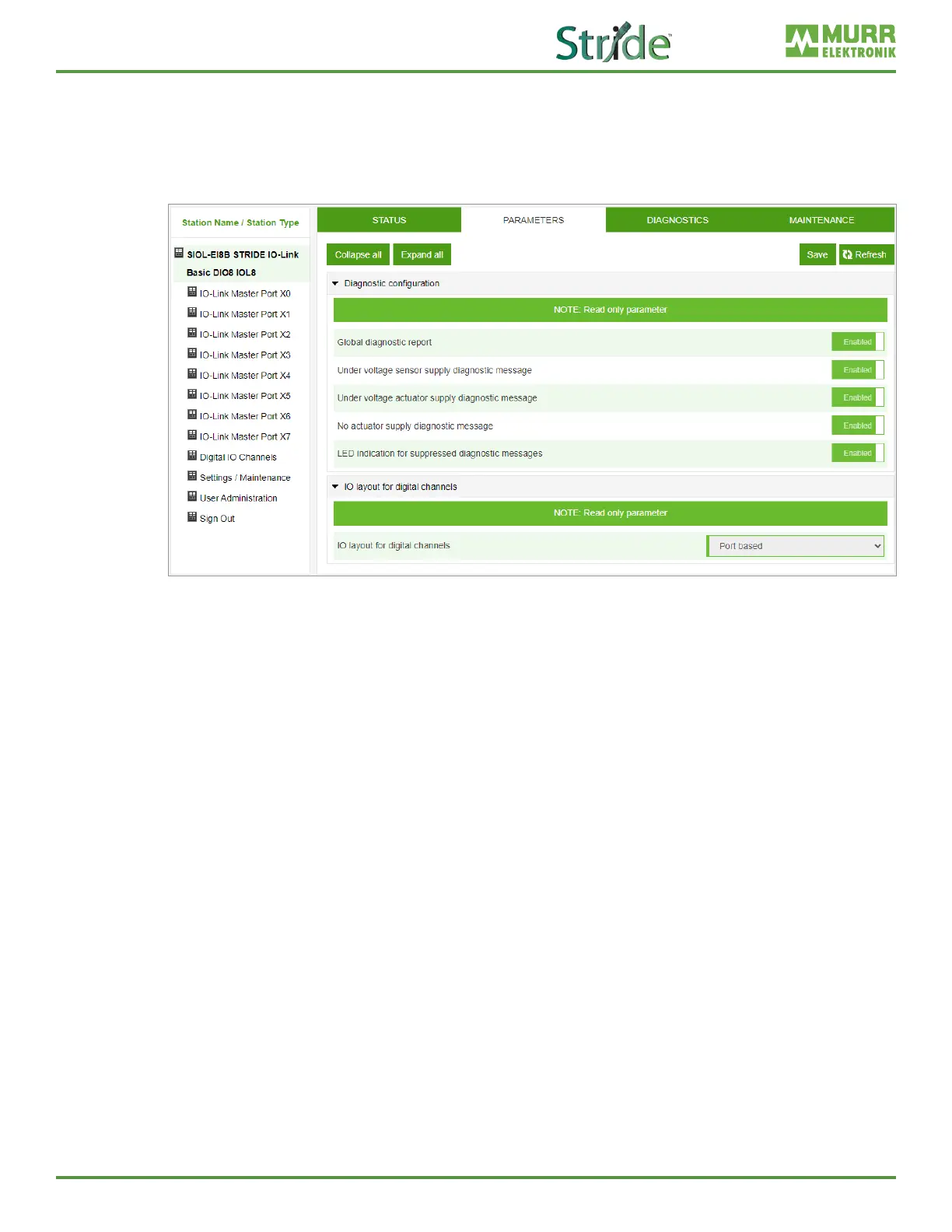
The “Parameters” menu item contains the following subitems, which are read-only:
◼ Diagnostic conguration
◼ IO layout for digital channels
Fig. 10-5: Menu item “Parameters”.
10.2.3. DIAGNOSTICS menu
The “Diagnostics” menu item shows the incoming and outgoing alarms of the master.
The menu shows an overview of diagnostic messages.
Depending on the setting in the “Please select an entry” drop-down menu, the following diagnostics of the
module are displayed:
◼ Active
🗸 All diagnostics pending at the time of the WebUI call.
🗸 All diagnostics that are no longer active are not displayed.
◼ History
🗸 All diagnostics that are no longer active are placed in the diagnostic memory log and are displayed.
🗸 The module can hold up to 40 historical diagnostic entries. The most recent diagnostic entry
overwrites the oldest one in the memory.



 To Next Page