Aux Page
Avidyne EX500/EX600 MFD -88- 600-00078-001 Rev 05
9.4 Data Block Setup
You can change the data blocks in the upper right-hand corner of the
Map page to display information from the list of available data types.
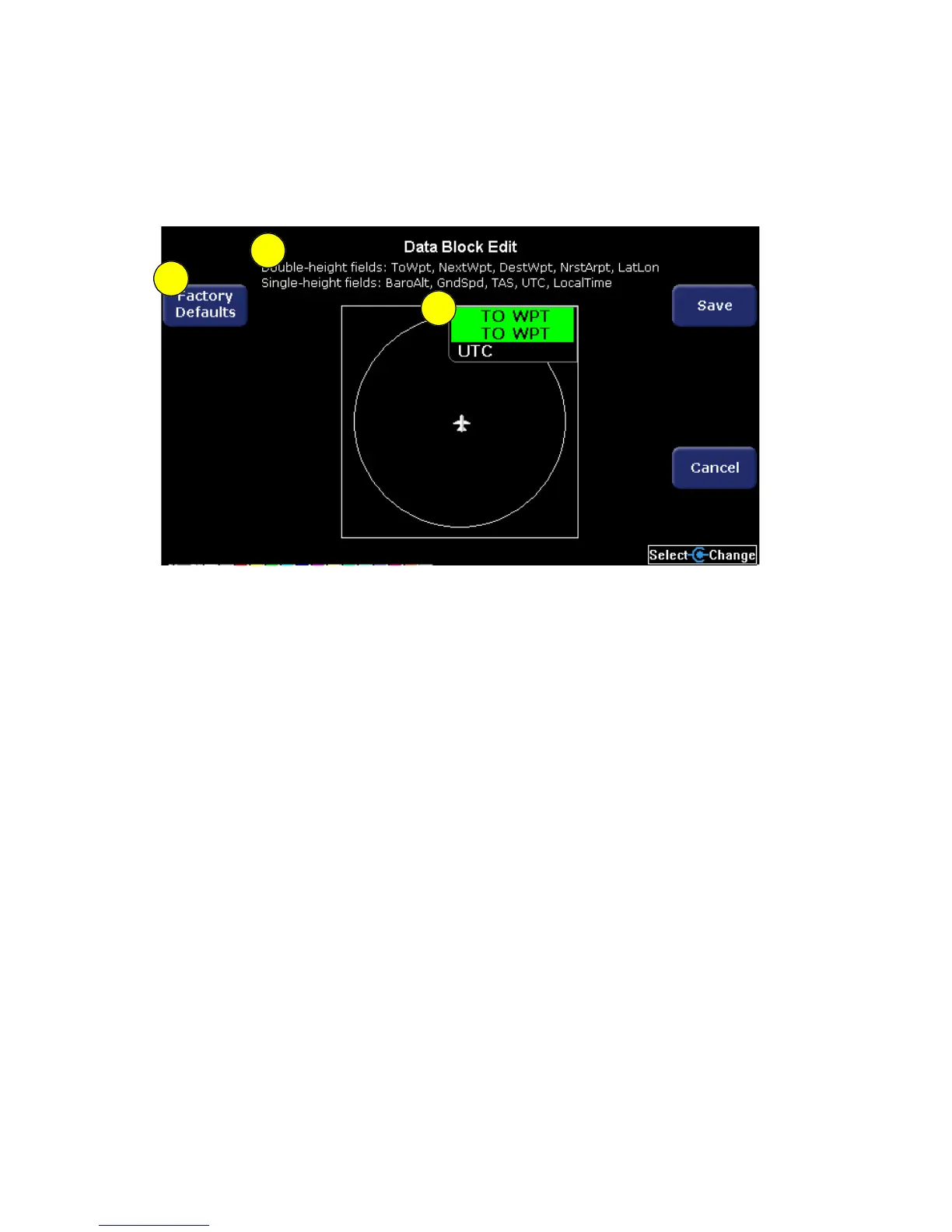
Figure 9.4 Data Block Edit
1) Factory Defaults key - Resets the data block display to its
original view.
2) Data Choices - Double- and single-height field data choices are
listed in the page title block. See Data Block Information on page
148 for a full description of Navigation data available for display in
Data Blocks.
3) Data Block - Allows up to 3 lines of data for display. The data
block resizes automatically based on the number of lines
selected. The data block is not displayed if all the lines are set to
“-Blank-.”
3
2
1



 To Next Page