600-00078-001 Rev 05 -83- Avidyne EX500/EX600 MFD
9 Aux Page
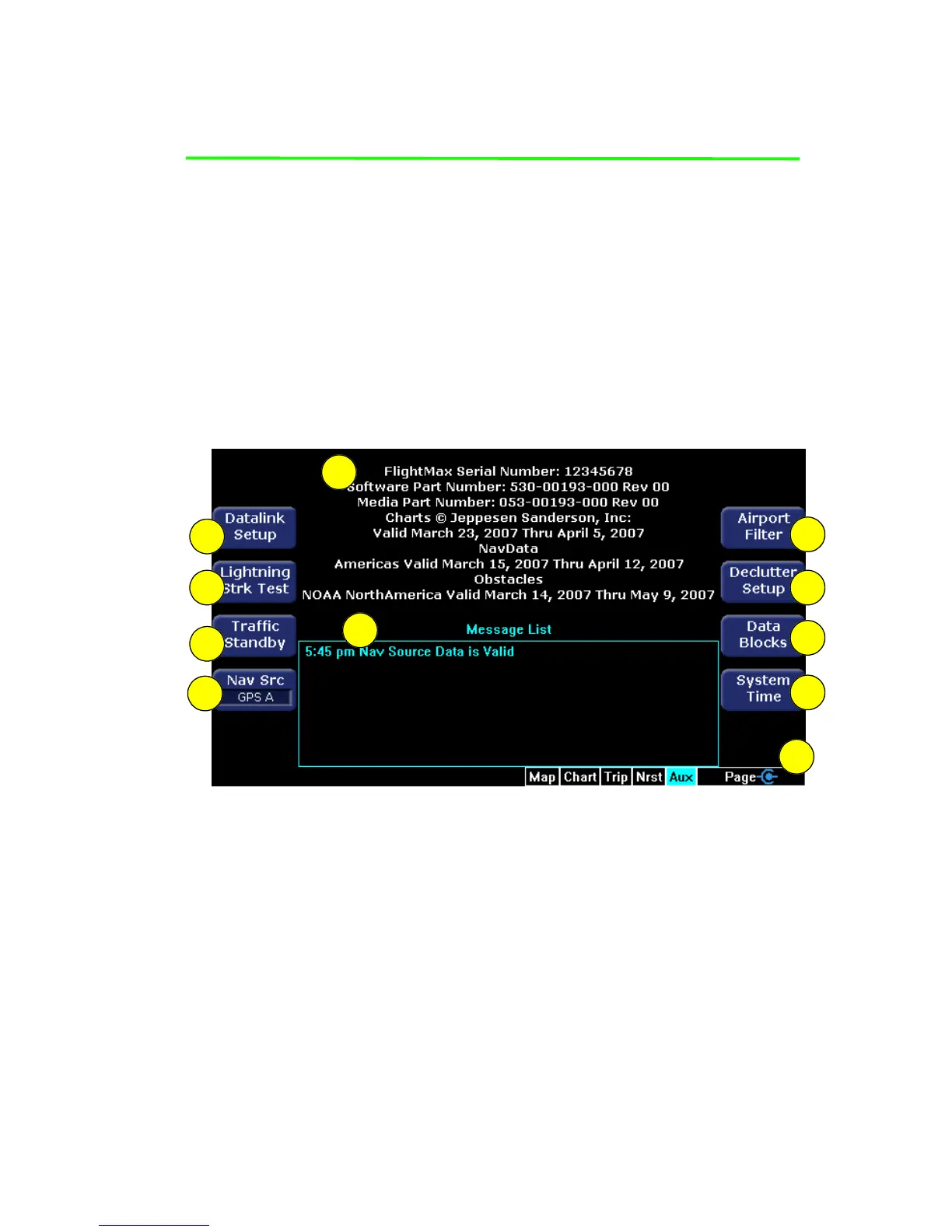
This chapter describes the options on the EX500/EX600 Aux page
and tells you how to configure them (see Figure 9.1). You also use
the main Aux page to view informational messages (see call-out 6 in
Figure 9.1.)
9.1 Aux Main Page
The options and features on the EX500/EX600 Aux page are
identified by call out in Figure 9.1, and the list below the Figure
describes each call out item.
Figure 9.1 EX500 Aux Main Page
1) Datalink Setup or Datalink - This setup feature applies only to
ORBCOMM. See the section, Setting Up Datalink for ORBCOMM
(Release 4.0 and earlier) on page 113. (For MLX770 Datalink
setup, see Setting Up Datalink for Iridium on page 103).
Depending on your aircraft features:
■ If only 2-Way Datalink is installed, it displays as Datalink
Setup and provides configuration options for 2-Way Datalink.
■ If both Broadcast and 2-Way Datalink systems are installed, it
displays as Datalink and provides access to both Datalink
Messaging and MultiLink setup options. For more information
1
3
6
2
10
9
8
7
5
4
11



 To Next Page