Starting the EX500/EX600
600-00078-001 Rev 05 -3- Avidyne EX500/EX600 MFD
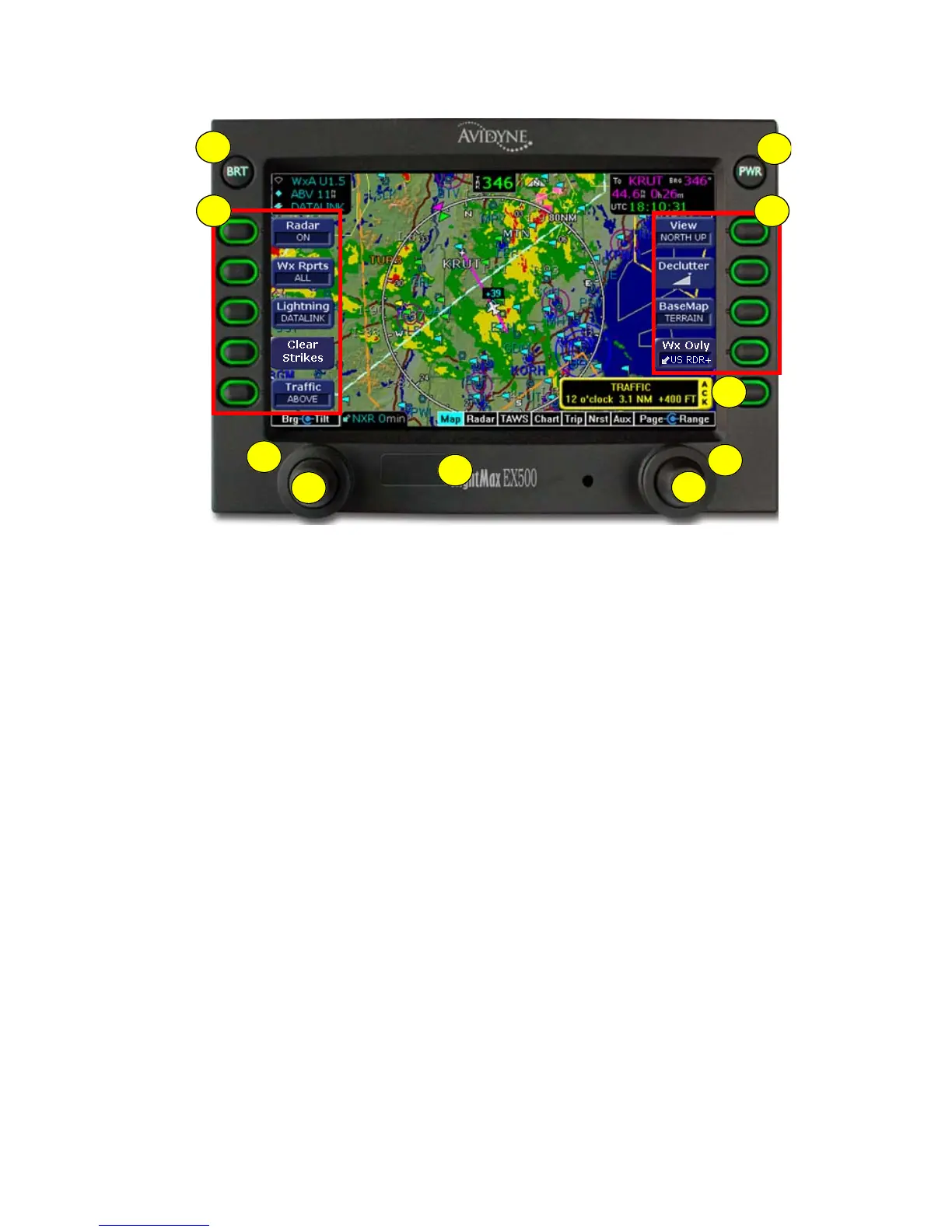
Figure 1.2 Radar-Capable EX500
1) BRT Button - Allows you to set the brightness level of the
EX500/EX600.
2) PWR Button - Turns the power on and off. When you turn the
power off, you need to hold the PWR button for a few seconds.
The screen displays the power-down cycle.
3) Sensor keys - Selects modes or changes the display as
indicated. A key is active when the label appears on the screen
adjacent to the key.
4) Map Function keys - Controls the basic look of the map in terms
of orientation, declutter settings, base map features, and weather
overlay.
5) Message Bar - The message bar keeps you informed about
critical as well as routine information from the EX500/EX600.
When information needs to be conveyed, the message bar
appears next to the bottom right key.
8
3 4
6
7
9
10
5
1
2



 To Next Page