Setting Up Datalink for Iridium
600-00078-001 Rev 05 -103- Avidyne EX500/EX600 MFD
10.5 Setting Up Datalink for Iridium
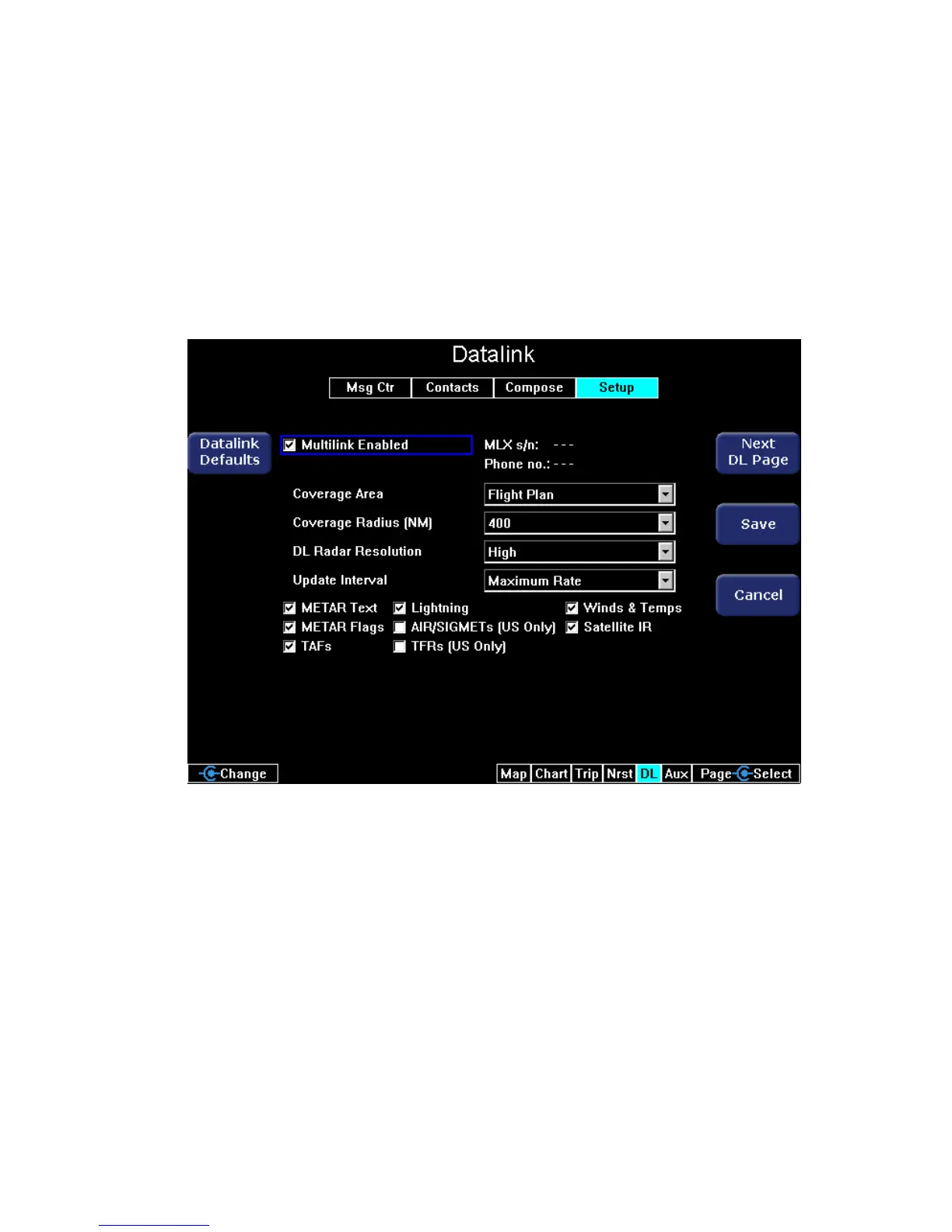
The Datalink Setup page enables you to change datalink settings,
including enabling Iridium 2-Way Datalink.
To access the Datalink Setup page, Rotate the left knob to select the
DL tab. On the DL tab, press Next DL Page until the Datalink Setup
page opens.
Figure 10.7 Datalink Setup Page
Use the Select key (2-knob EX500) or Select knob (4-knob EX500/
EX600) to move from field to field and rotate the Change knob to
select choices for an option. Press Save to save changes.
The Datalink Setup page contains the following keys:
● Datalink Defaults - Changes all fields to their default value. To
undo, press Cancel. The default values are:
■ Coverage Area - Flight Plan
■ Coverage Radius - 400 NM



 To Next Page