Radar Page (Optional)
Avidyne EX500/EX600 MFD -34- 600-00078-001 Rev 05
4.1 Map Page Overlay
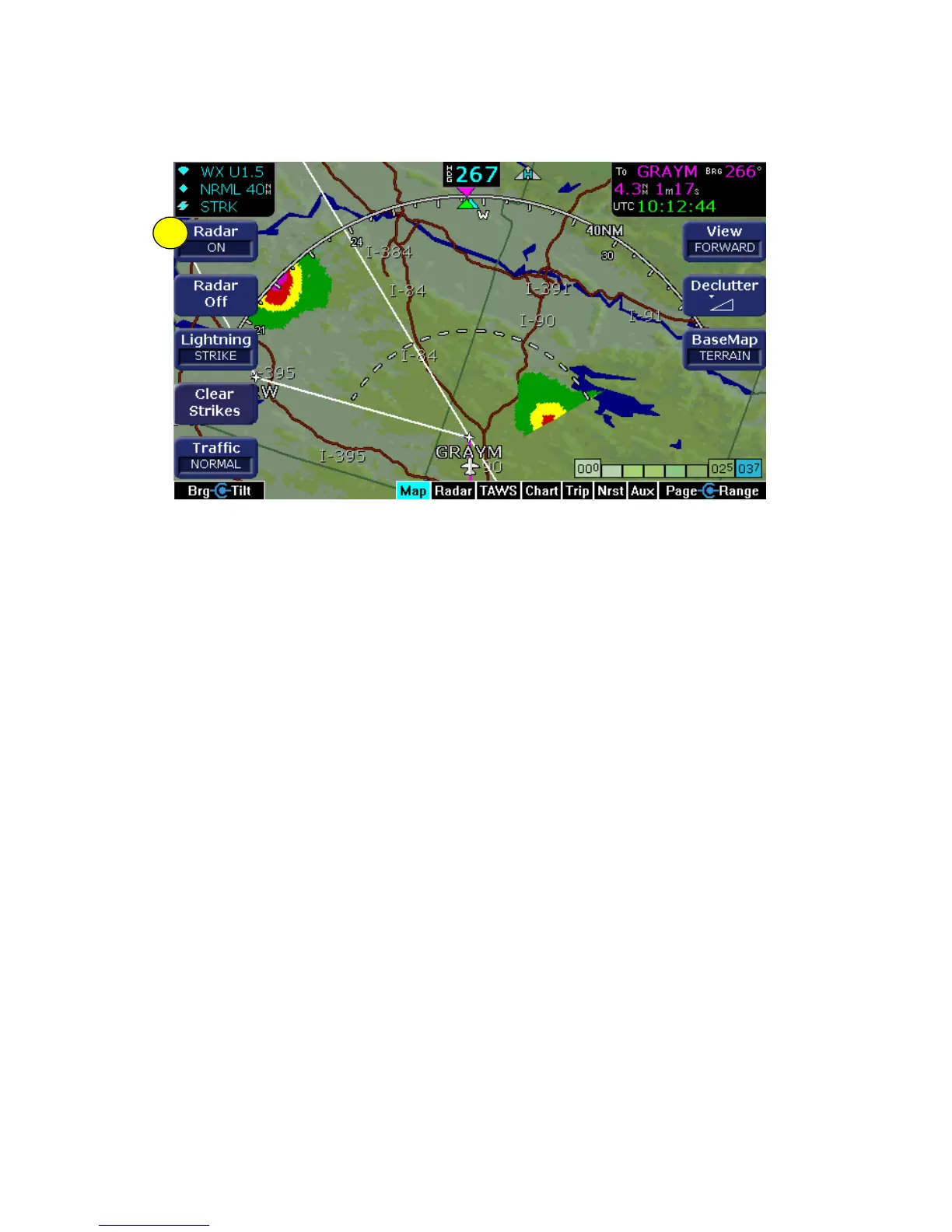
Figure 4.1 Map Page with Radar Overlay
1) Radar key - Press the Radar key to turn on the radar. The
current tilt (up or down) will be displayed in the sensor status box.
Use the left knob to change the bearing (outer knob) and tilt
(inner knob) of the radar. The left outer knob can be configured to
control Gain when in Ground/Search Mode (Bendix) or all of the
time (Collins).
As part of your pre-takeoff check, check for proper operation of your
installed radar. While at a safe distance from ground personnel and
other aircraft, briefly turn the radar ON and tilt the antenna below zero
degrees. If the radar is working properly this will produce ground
reflections and verify the correct operation of the transmitter/receiver
and antenna tilt functions.
After landing, set the radar to Standby. A warning message is
displayed if the radar is not OFF or in standby and your groundspeed
(as received from the GPS system) falls below 20 Kts. If Auto
Standby is enabled, the EX500/EX600 switches the radar to Standby
automatically when ground speed falls below 20 Kts.
1



 To Next Page