Iridium Text Messaging
600-00078-001 Rev 05 -111- Avidyne EX500/EX600 MFD
10.6.3 Composing an Iridium Text Message
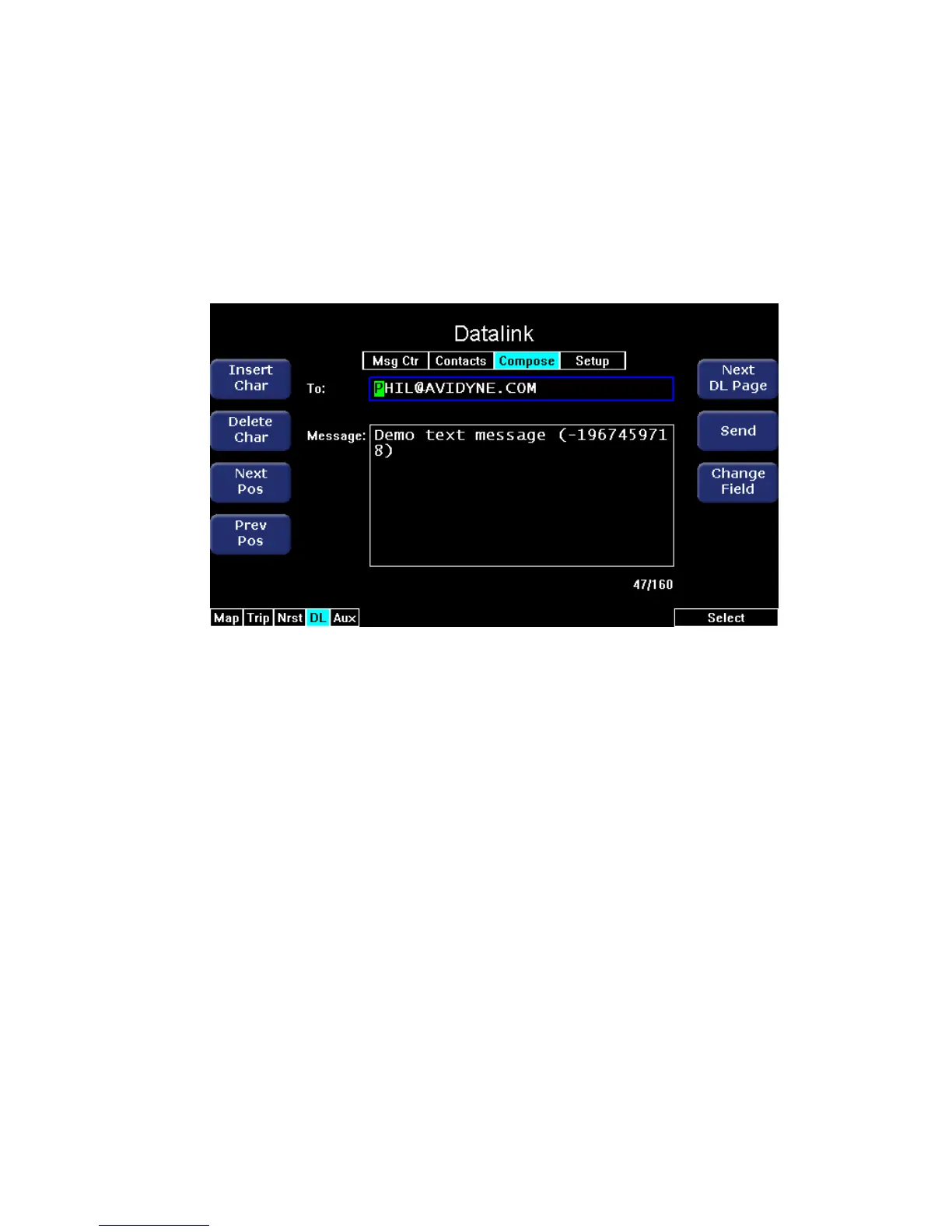
The Compose page enables you to create a new message. There are
a total of 130 characters available for the message including the
messaging header containing the address e-mail or SMS phone
number. A counter is provided to help you know when you are
reaching the 130 character limit.
Figure 10.12 Compose Page
This Compose page contains the following keys:
● Insert Character - This allows you to insert blank characters
after the current cursor position and edit either the address in the
To: field or the message. The message size limit is 130
characters. Blank characters are counted like other characters.
● Delete Character - Deletes currently-selected character. Once a
character is deleted, it cannot be recovered.
● Next Position - Moves the cursor to the right.
● Previous Position - Moves the cursor to the left.
● Next DL Page - Opens the Setup page.
● Send - Sends the message.
● Change Field - Moves the cursor back and forth between the To:
field and the Message: field.



 To Next Page