Overview of Datalink Weather
600-00078-001 Rev 05 -101- Avidyne EX500/EX600 MFD
of gray indicate warmer, generally lower clouds. Sat IR is only
available through the Iridium 2-Way Datalink and not through
Broadcast Datalink.
Note: Occasionally, warm clouds may not be visible on the Sat IR
display. Additionally, very cold terrain may be displayed as
clouds when no clouds actually exist.
● Lightning - Depending on your Broadcast Datalink subscription,
Broadcast Datalink can provide lightning strike data, allowing the
Map page to add “Datalink” as a source of strike data that is
controlled by the Lightning key. Lightning data is also available
through Iridium 2-Way Datalink (Release 4.1 and later). The
actual weather products delivered depend on your satellite
weather subscription plan and your region of the world
● Winds/Temps Aloft - Winds Aloft are available through Iridium
Two-Way Datalink (Release 4.1 and later) and Broadcast
Datalink systems. Temps Aloft are available through Iridium 2-
Way Datalink (Release 4.1 and later) and MLB Broadcast
Datalink. For XM Broadcast Datalink, only the freezing level is
available. The Winds/Temps Aloft data appear on the Trip page.
● Text METARs - The full text of recent surface weather
observations. Text METARs appear on the Trip page, and with
Broadcast Datalink, they also appear on the following Nearest
Airport pages: Nearest to Position and Nearest to Destination.
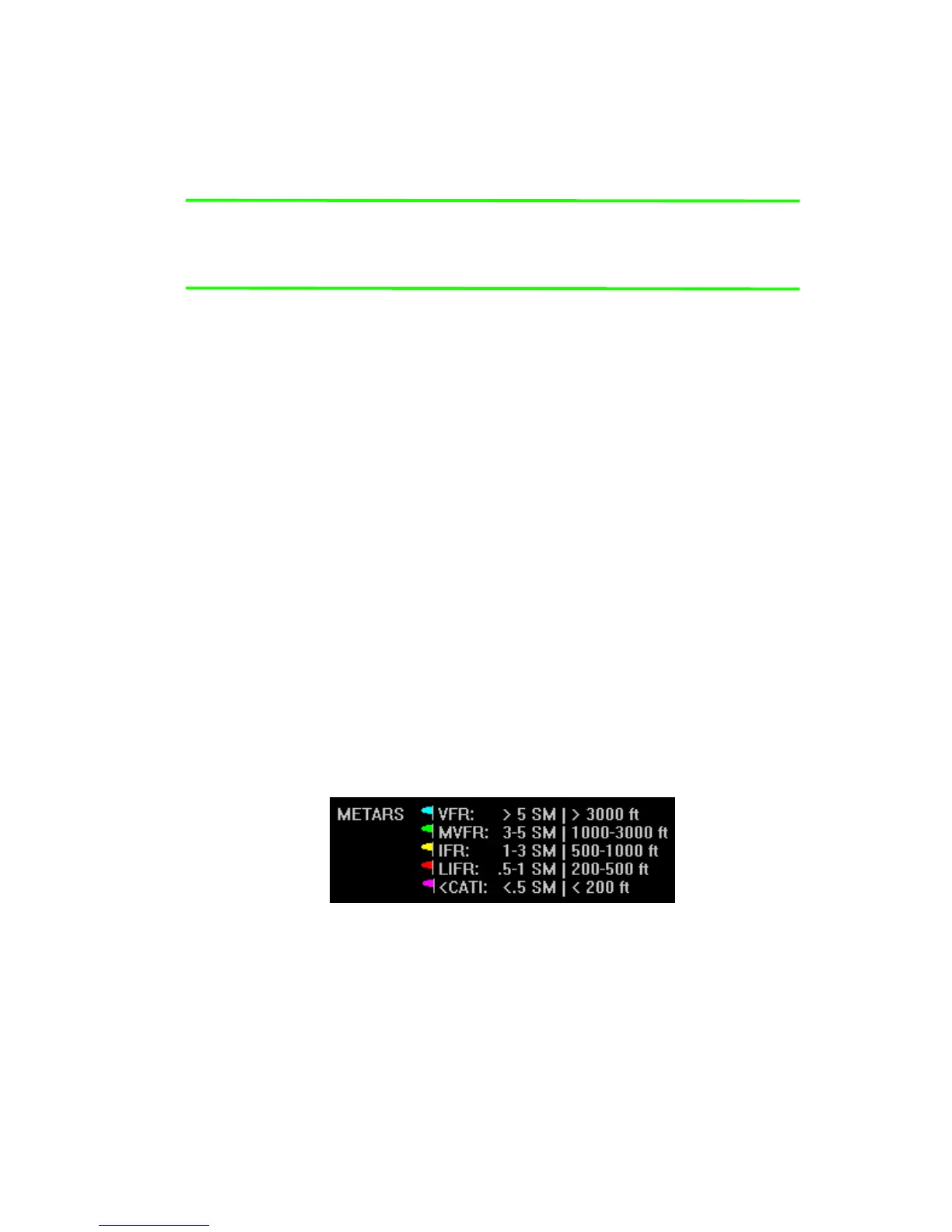
● Graphical METARs - Color-coded flag symbols that summarize
Figure 10.6 Graphical METAR Symbols
a recent surface weather observation. Graphical METARs appear
on the Map page, Trip page, and on both types of Nearest Airport
pages. They allow a “big-picture” view of general weather
conditions in an area. The presence of a graphical METAR does
not necessarily mean that the corresponding Text METAR is
viewable.



 To Next Page