Map Page
Avidyne EX500/EX600 MFD -20- 600-00078-001 Rev 05
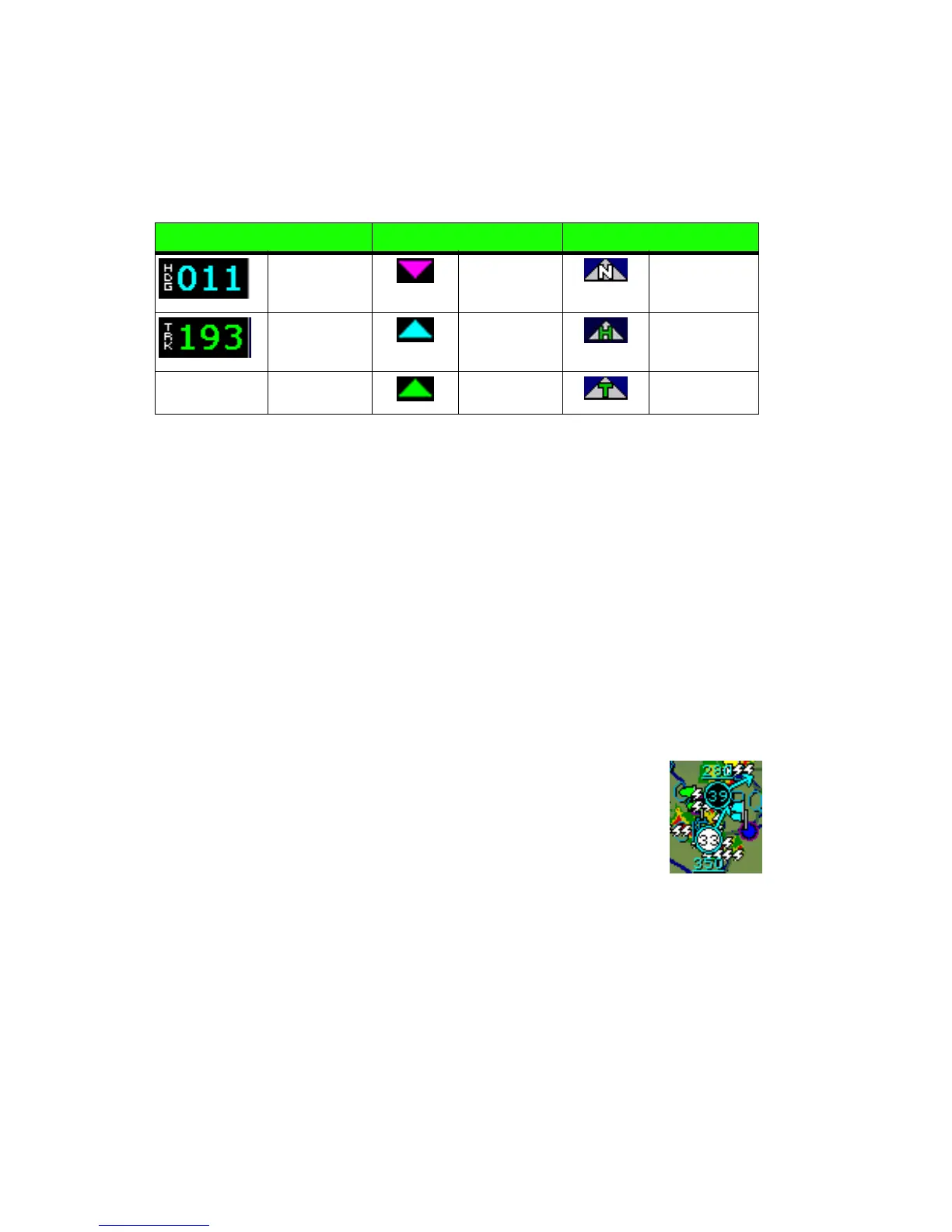
2) Heading/Track Block - The Heading/Track (H/T) Block provides
a digital readout of the current heading, or actual track. Map
orientation is indicated in the triangle to the right of the H/T Block.
3) Data Block - Displays pilot-selected navigation data in the upper
right corner of the screen. See Data Block Setup on page 88 for
details on how to configure this display.
4) Heading/Track Indicator - Three triangles around the compass
range ring provide actual track, desired track, and heading
indications.
5) Lightning and Storm Cell Indications - Displays geographically
referenced lightning strikes (if configured). Strikes are
represented by a yellow “X” in Strike Mode and by a yellow “+” in
Cell Mode (WX-500 only). Strikes from a Datalink system are
represented by a lightning bolt symbol in one of three different
colors, depending on the age of the strike.
If you have Broadcast Datalink, and depending on
your level of service, storm cells will show speed and
direction of movement. The underlined number
indicates the tops of the storm cells, in hundreds of
feet. The storm cell indicators are black for rain (or
snow) and white to show probability of hail. In the
example, the bottom storm cell, which includes the probability of
hail, is moving NNE at 33 knots. The cell top is 35,000 feet high.
Table 2.2 Track Indicator Graphics
Heading Track Map Orientation
Heading Desired
Track
North Up
Track Heading Heading Up
Actual Track Track Up



 To Next Page