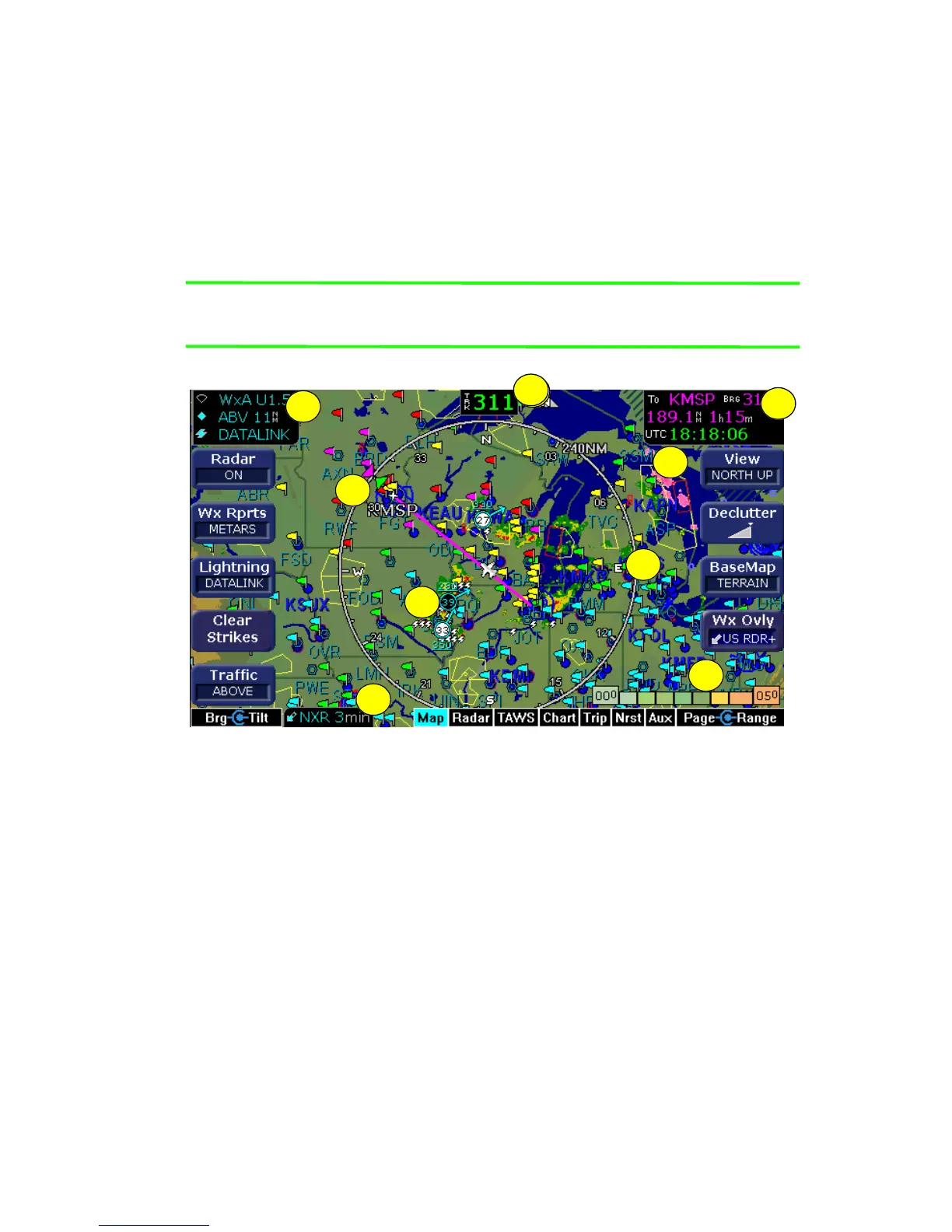
Map Page Symbols—Terrain and Position
600-00078-001 Rev 05 -19- Avidyne EX500/EX600 MFD
2.3 Map Page Symbols—Terrain and Position
The EX500/EX600 Map page uses included and optional sensors to
depict the position of your aircraft in relation to the following: your
flight plan, nearby airports, terrain, traffic, lightning, special use
airspace and other navaids (see Figure 2.3).
Note: For detailed information about each Map page symbol, see
Map Symbols on page 143.
Figure 2.6 Map Page - Terrain and Position
1) Sensor Status Box - Displays the status of the available sensors
including radar, traffic, lightning, and Datalink.
The onboard radar display includes the mode and tilt angle. The
traffic display shows the mode and range. For lightning, the
source is displayed.
The datalink radar or Sat IR display includes the data age, which
is the elapsed time since the last product was created by the
weather provider.
3
3
1
8
6
7
5
9
2
4



 To Next Page