Dedicated Radar Page
600-00078-001 Rev 05 -35- Avidyne EX500/EX600 MFD
When Traffic and Lightning sensors are installed, only
the main Radar key is available on the Map page.
However, if fewer external sensors are installed, the
EX500/EX600 takes advantage of the available keys.
For example, if a second key is available for radar
functions, a dedicated Radar Off key is displayed.
Similarly, if other keys become free, additional radar
keys display, including Radar Test and Radar Standby.
Note:For radar messages, see Radar Messages on
page 161.
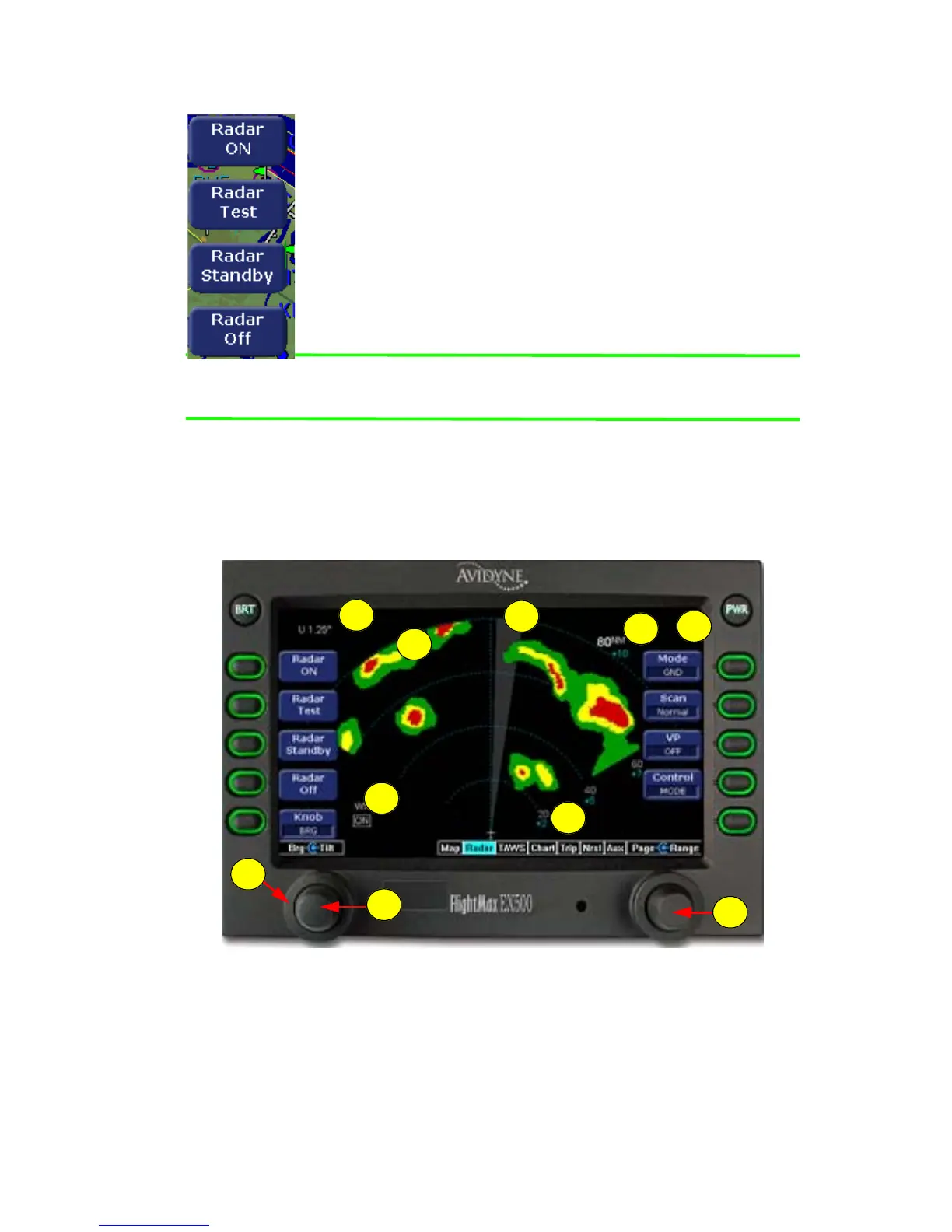
4.2 Dedicated Radar Page
If your EX500/EX600 is radar-equipped, select Radar from the Page
Bar to display the Radar page.
Figure 4.2 Dedicated Radar Page
1) Tilt Indicator - Indicates the tilt angle and direction of the radar
antenna: U for up, D for down with the amount of antenna tilt in
quarter degrees using decimal notation.
8
7
5
4
3
2
1
6
10
9



 To Next Page