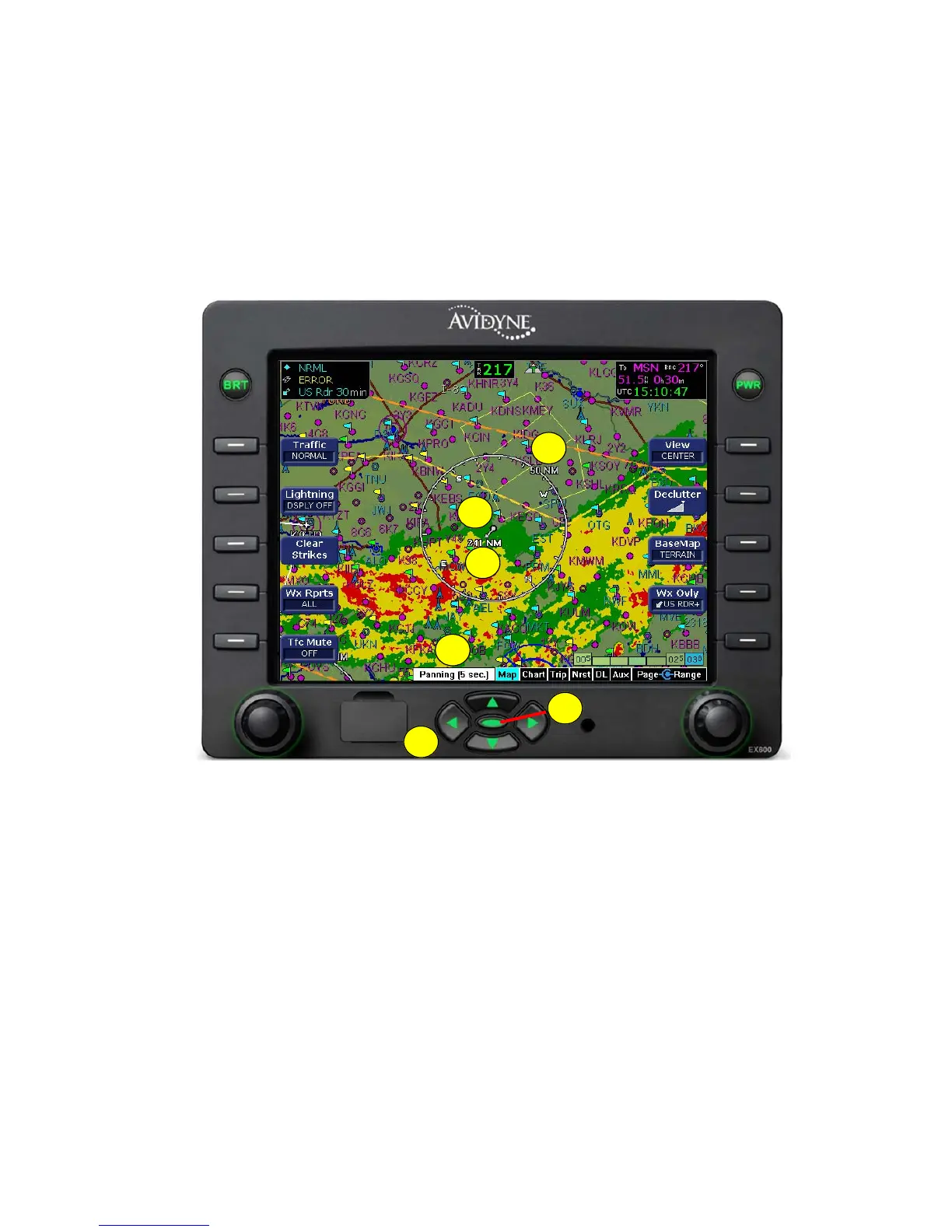
Panning (EX600 Only)
600-00078-001 Rev 05 -17- Avidyne EX500/EX600 MFD
2.2 Panning (EX600 Only)
The EX600 includes the ability to pan the map. This allows the map
to be panned to areas of interest that otherwise would not be visible
at a given range. This is especially useful for viewing the current
datalink weather along your route of flight and at your destination. On
the EX600, there are 5 keys that allow panning on the map.
Figure 2.5 EX600 Panning Controls and Indications
1) Direction keys - Pan the map in on of four directions on the
screen: left, right, up, and down.
2) QuickPan
TM
key -
■ If in panning mode, press to center the map on the own-ship
symbol and exit panning mode.
■ If not in panning mode, press to enter panning mode and
center the map on the last panned location.
1
2
3
4
5
6



 To Next Page