Traffic Mode and the Traffic Page (Optional)
Avidyne EX500/EX600 MFD -30- 600-00078-001 Rev 05
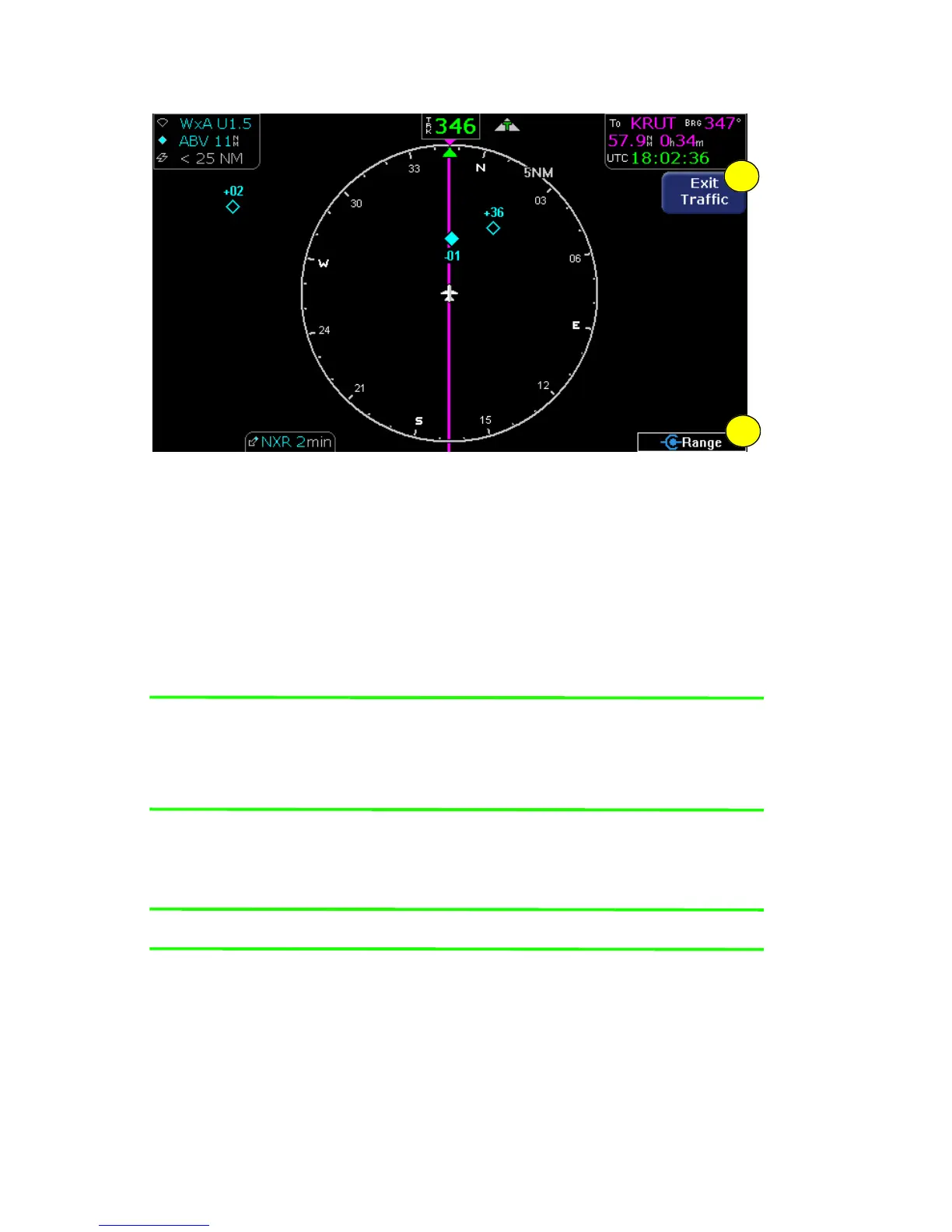
Figure 3.2 Traffic Page
1) Exit Traffic - Takes you to the regular Map page. Keep in mind
the following:
■ Pressing Exit Traffic always takes you to the Map page.
■ If you press Exit Traffic while the intruder is still in range, the
TA message will remain on the Map page. Acknowledging it
will re-display the Traffic page.
Note: Traffic limitations and operational ranges depend on the
installed traffic sensor. For TAS or TCAD sensors, see the
corresponding sensor Pilot Guide. For TIS sensors, see the
Aeronautical Information Manual.
2) Range Control - Turn the Range knob to select from the
available ranges.
Note: For Traffic messages, see Traffic Messages on page 150.
1
2



 To Next Page