Airport Information Page
600-00078-001 Rev 05 -77- Avidyne EX500/EX600 MFD
7.3 Airport Information Page
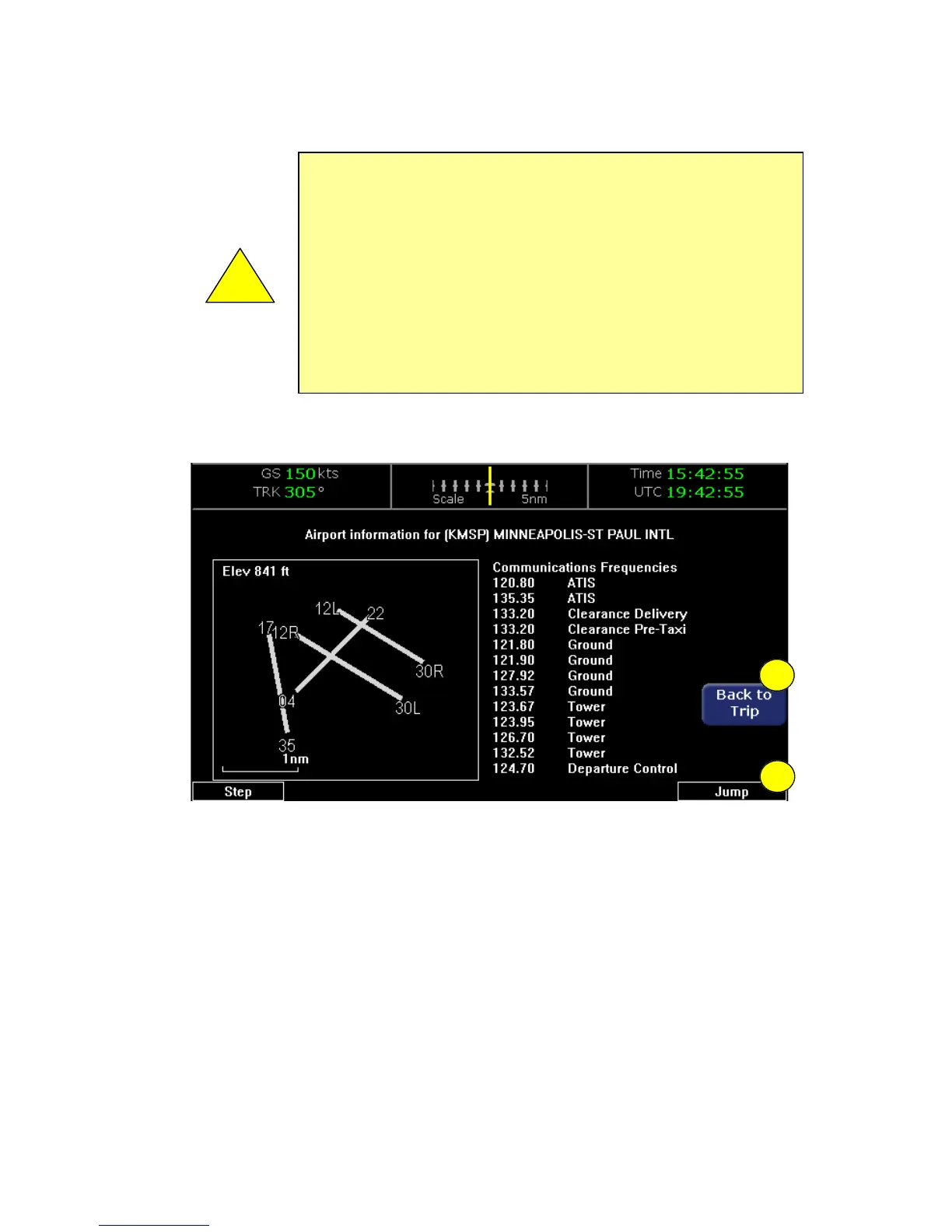
Figure 7.3 Trip Airport Information Page
1) Back to Trip - Returns to the Trip page.
2) Step and Jump knobs - If the communications frequencies list is
too long to fit on a single page, the Step and Jump labels appear.
■ Step - Scrolls the page one line.
■ Jump - Scrolls an entire page (or to the end of the list).
!
Garmin GNS400/500-series users: When the EX500/EX600
is interfaced to a Garmin GNS400/500-series GPS via RS-
232, the GPS may send duplicate waypoints while in
approach mode. These duplicate waypoints might affect the
distance and time readings on the Trip page. Use the GPS as
the primary source of navigation information for approach
procedures. Consult your avionics installation facility to
determine if your EX500/EX600 is interfaced to the Garmin
GNS-430 via ARINC 429 or RS-232.
1
2



 To Next Page