Trip Page Information
600-00078-001 Rev 05 -73- Avidyne EX500/EX600 MFD
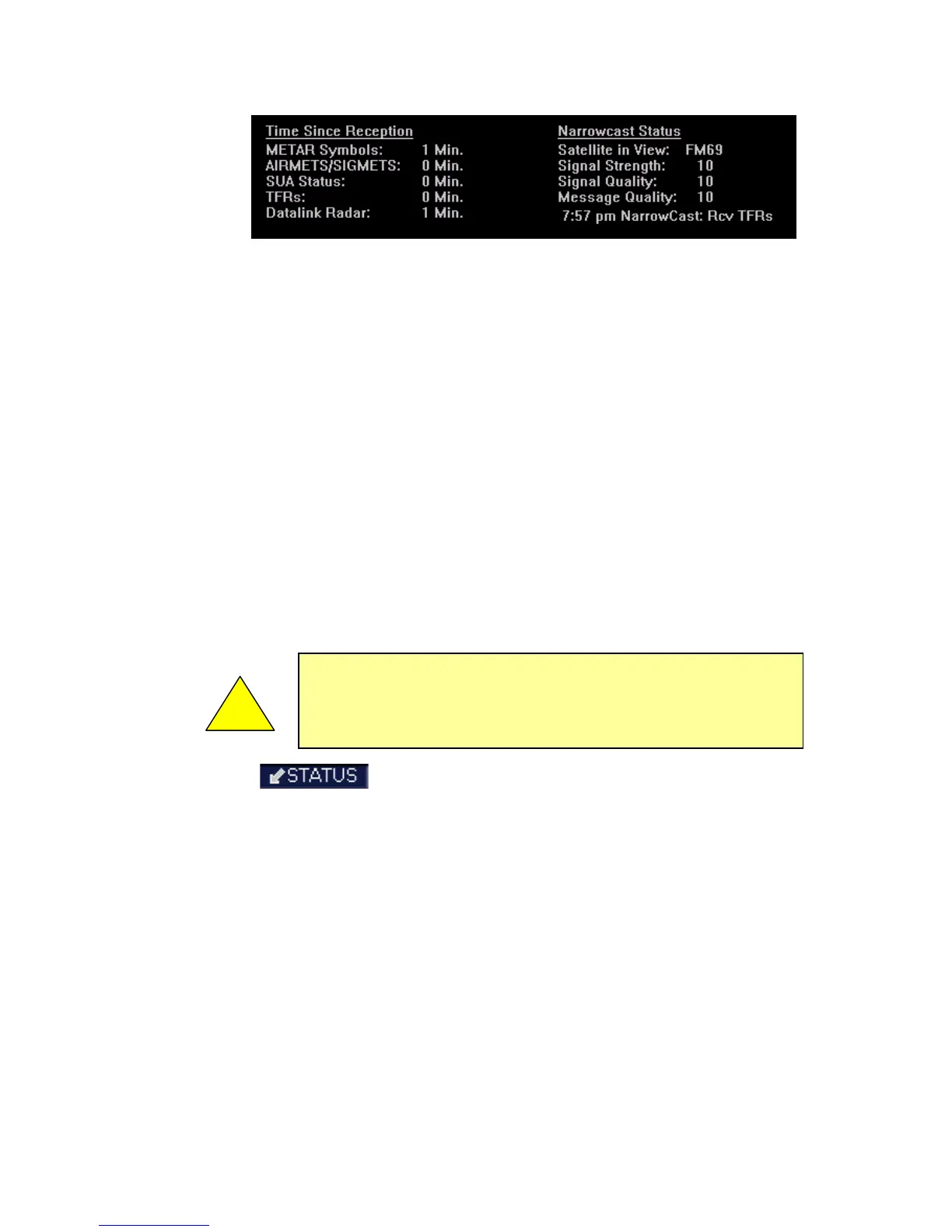
For Datalink/Narrowcast Status, the following information is
displayed:
◆ Satellite in View (ORBCOMM Only) - Displays the
name of the satellite that is currently being used.
◆ Signal Strength/Signal Quality - Signal Status
represents the overall health of the satellite signal. The
possible values are None, Weak, Marginal, and Good.
◆ Message Quality (ORBCOMM Only) - Even when the
signal strength is good, messages might be dropped if
the local interference level is too high.
◆ Network Status (MLX Only) - Status of the Iridium
network, either OK or BAD.
◆ Modem Health (MLX Only) - Status of the MLX
transceiver, either OK or BAD
■ - If Broadcast Datalink is installed and available,
the single-headed, down-arrow Status key displays satellite,
signal and serial number information for the Broadcast
Datalink system, as well as the time elapsed since reception
of the various types of weather data. If the time since
reception for any particular weather product is greater than
the limits defined by the system, a cyan alert message is
displayed in the message box on the Aux Main page and in
the message bar. For example, if 91 minutes has elapsed
since the last TAF data was received, a message, “Broadcast
TAFs > 90 min”, will be displayed in the message bar and in
the message list on the Aux page. When these messages are
displayed, all data for that product is removed from the MFD.
The Trip page will indicate that new data for that product has
!



 To Next Page